About this template
Help homeowners understand how different window coverings affect daylight, privacy, and the feel of a room. The design introduces fabric Roman shades and Venetian blinds with concise descriptions of their look and everyday use.
A guided approach section shows visitors how to think about the room, choose a style and finish, and move toward measurements and fitting. A prominent contact area invites them to start a conversation about their windows.
Who it’s for
Window blind retailers, custom window-covering specialists, and local businesses offering advice, measuring, or fitting services.
What’s included
A visual, editorial-style layout connects the look of window coverings with practical questions about light, privacy, and fit. Product imagery, clear collection descriptions, a three-step process, and a direct contact prompt help visitors find a relevant starting point.
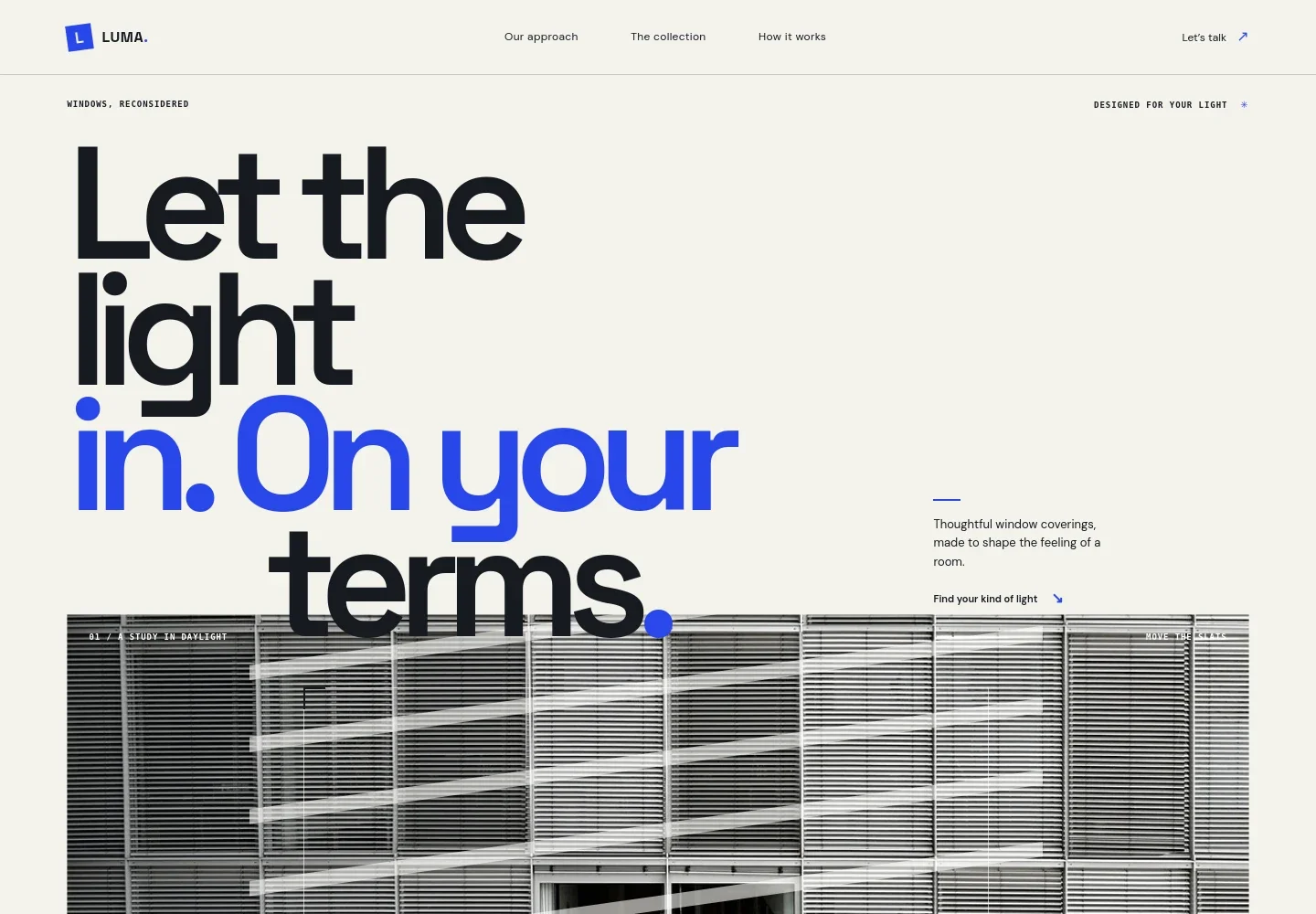
- Hero with daylight visual
- An oversized headline and window-blind image introduce the business around control of light. An interactive light-angle slider reinforces the idea of adjusting daylight.
- Approach
- A short point of view explains how blinds shape the feeling of a room, with everyday examples such as reducing morning glare and enjoying evening light.
- Blind styles
- The collection presents fabric Roman shades and Venetian blinds through photographs and practical descriptions. Visitors can learn about diffused light, privacy after dark, and adjustable slats.
- Daylight and daily routines
- This section connects window coverings to common moments at home, including waking gently, working with less glare, and settling into the evening.
- How it works
- Three steps explain the consultation approach: consider the room, discuss styles and finishes, then measure and fit the blinds.
- Contact
- A clear invitation to describe what a room needs leads to an email contact link, giving prospective customers a simple next step.
- Footer
- The closing brand area repeats the business identity and provides a back-to-top link.
How to use this template
Open in Revamp
Click Use this template and sign in or create an account. You’ll start with your own copy of the design, ready to personalize.
Bring your content
Replace the sample text, photos, and logo with your own. Share your content, a document, or an existing website, and ask Revamp to adapt the template to your business.
Refine and publish
Ask Revamp to adjust the colors, layout, or sections, or edit directly on the page. Review desktop and mobile, then publish. You can keep making changes after launch.
Put your website to work
Make enquiries easier to organize and follow up by asking Revamp to add tools that suit the way your window-covering business works.
-

Manage customer enquiries
HubSpotKeep track of prospective customers and conversations in one place. Ask Revamp to connect HubSpot for enquiry management.
-

Schedule measuring visits
CalendlyLet customers request a convenient time to discuss their windows or arrange a measuring visit. Ask Revamp to add appointment booking with Calendly.
-

Coordinate follow-up appointments
Google CalendarKeep customer conversations and scheduled visits organized around your calendar. Ask Revamp to add Google Calendar scheduling.
Frequently asked questions
Is this template free?
Yes. This premium template is free to use when you select Use this template. This applies to the template itself, not hosting or other services.
Can I use my own content?
Yes. Ask Revamp to personalize the text, images, product descriptions, contact details, and other content for your business.
Do I need coding skills?
No coding is needed. Ask Revamp to make content and design changes in plain language.
Can I change the design?
Yes. Ask Revamp to adjust the colors, typography, imagery, layout, or sections to better suit your business.
Can I keep editing after publishing?
Yes. You can keep asking Revamp to update your content and design after your site has launched.