About this template
Help visitors understand your winery’s approach, follow the work across the vineyard year, and find out how to plan a visit. The page moves from a clear introduction to winemaking philosophy, seasonal vineyard details, cellar practices, wine notes, and tasting-room information.
The editorial layout pairs large, atmospheric headings with concise storytelling and a four-part interactive season rail. Wine imagery and a dedicated visit section give prospective guests useful context before they contact your winery.
Who it’s for
Independent wineries, vineyards, and tasting rooms that want to introduce their wines and winemaking approach, explain the vineyard seasons, and help prospective visitors find visit information.
What’s included
A winery-focused page structure that guides visitors from your point of view and vineyard work to your wines and tasting-room details.
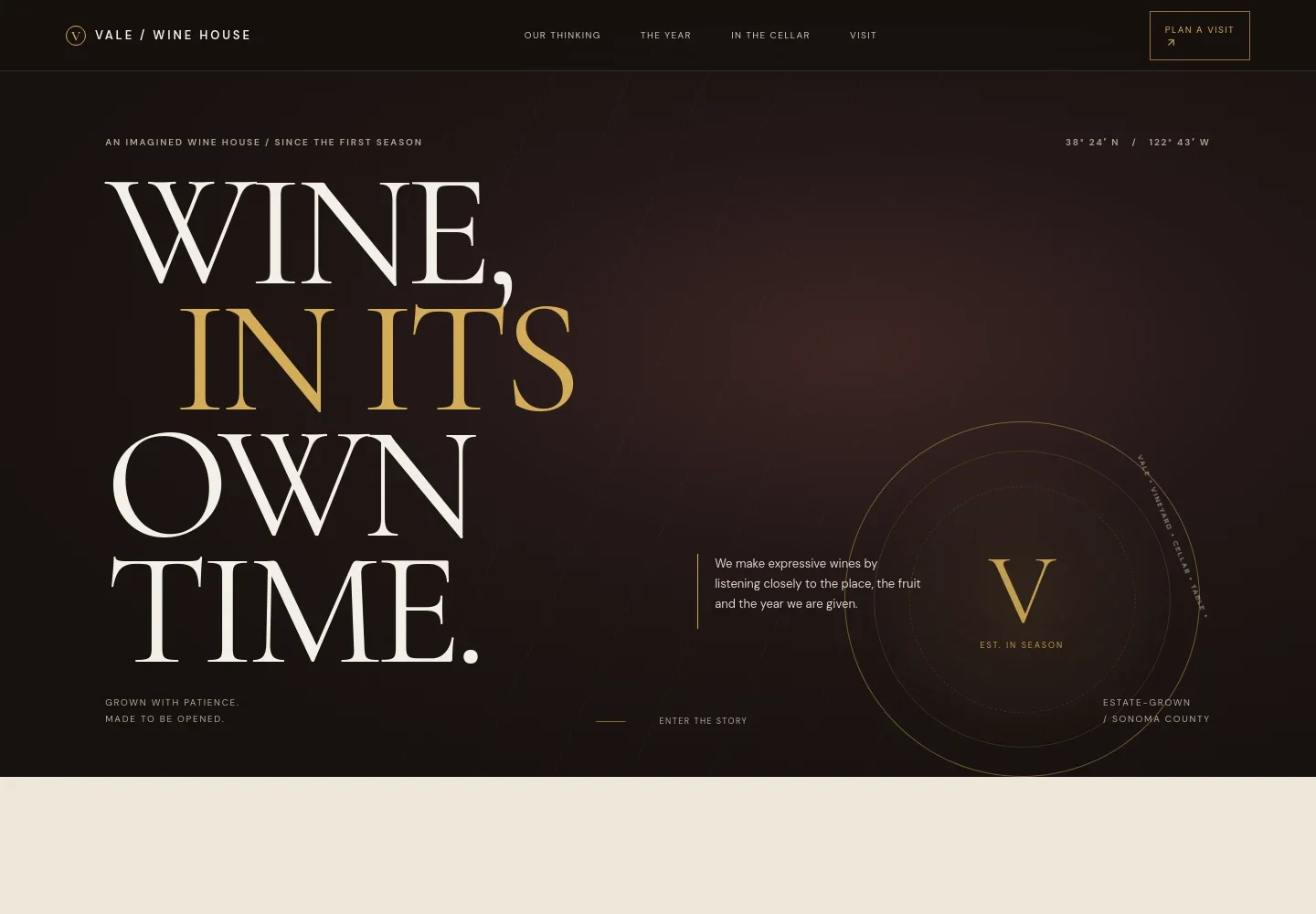
- Winery introduction
- A prominent opening statement and short introduction establish the winery’s identity, place, and approach to making wine.
- Winemaking point of view
- A statement-led section gives space to explain how farming, fermentation, and time shape the winery’s approach.
- The vineyard year
- A four-part season rail covers dormancy, budbreak, veraison, and harvest, with concise notes on the work and changes at each stage.
- In the cellar
- A cellar-inspired visual accompanies copy about fermentation, intervention, and the character of the wines.
- Wine notes and the table
- A wine-pouring image and short introduction invite visitors to consider which bottle suits their meal and gathering.
- Visit information
- A dedicated tasting-room section presents location, contact details, and appointment information for customers to replace with their own.
How to use this template
Open in Revamp
Click Use this template and sign in or create an account. You’ll start with your own copy of the design, ready to personalize.
Bring your content
Replace the sample text, photos, and logo with your own. Share your content, a document, or an existing website, and ask Revamp to adapt the template to your business.
Refine and publish
Ask Revamp to adjust the colors, layout, or sections, or edit directly on the page. Review desktop and mobile, then publish. You can keep making changes after launch.
Put your website to work
Make it easier to plan tastings and keep visitors informed. Ask Revamp to add or connect tools suited to your winery’s visitor and customer experience.
-

Simplify tasting reservations
CalendlyGive visitors a convenient way to request a tasting time. Ask Revamp to add appointment booking with Calendly.
-

Organize winery events
Google CalendarKeep tasting appointments and winery events in one calendar. Ask Revamp to connect Google Calendar for scheduling.
-

Keep wine-club customers informed
MailchimpShare winery news, release updates, and tasting invitations with subscribers. Ask Revamp to connect Mailchimp for email marketing.
Frequently asked questions
Is this template free?
Yes. The premium template is free to use when you select Use this template. This applies to the template itself.
Can I use my own winery content?
Yes. You can personalize the text, images, wines, vineyard details, visit information, and contact details. Ask Revamp to make the changes using your winery’s content.
Do I need coding skills?
No coding skills are needed. Ask Revamp to personalize the content and design in plain language.
Can I change the design?
Yes. Ask Revamp to adjust the layout, colors, typography, imagery, and other design details to suit your winery.
Can I keep editing after publishing?
Yes. You can keep editing after launch. Ask Revamp to update your content or design as your wines, seasons, and visitor information change.