About this template
Help women experiencing violence at home understand the support your shelter offers and how to take a first step. The design speaks directly to women and children, with a calm welcome, clear support options, and practical answers to common concerns.
A prominent safety message and a visible quick-exit link acknowledge that visitors may be using a monitored device. The page also encourages visitors to consider their own safety when reaching out, while leaving space for your organization to provide verified local contact details.
Who it’s for
Women's shelters, domestic violence and family violence services, women's refuges, and community organizations supporting women and children.
What’s included
The page guides visitors from a reassuring welcome to specific support choices, practical information, and a contact prompt. Its clear sections help people understand what they can ask about without pressure to make a particular decision.
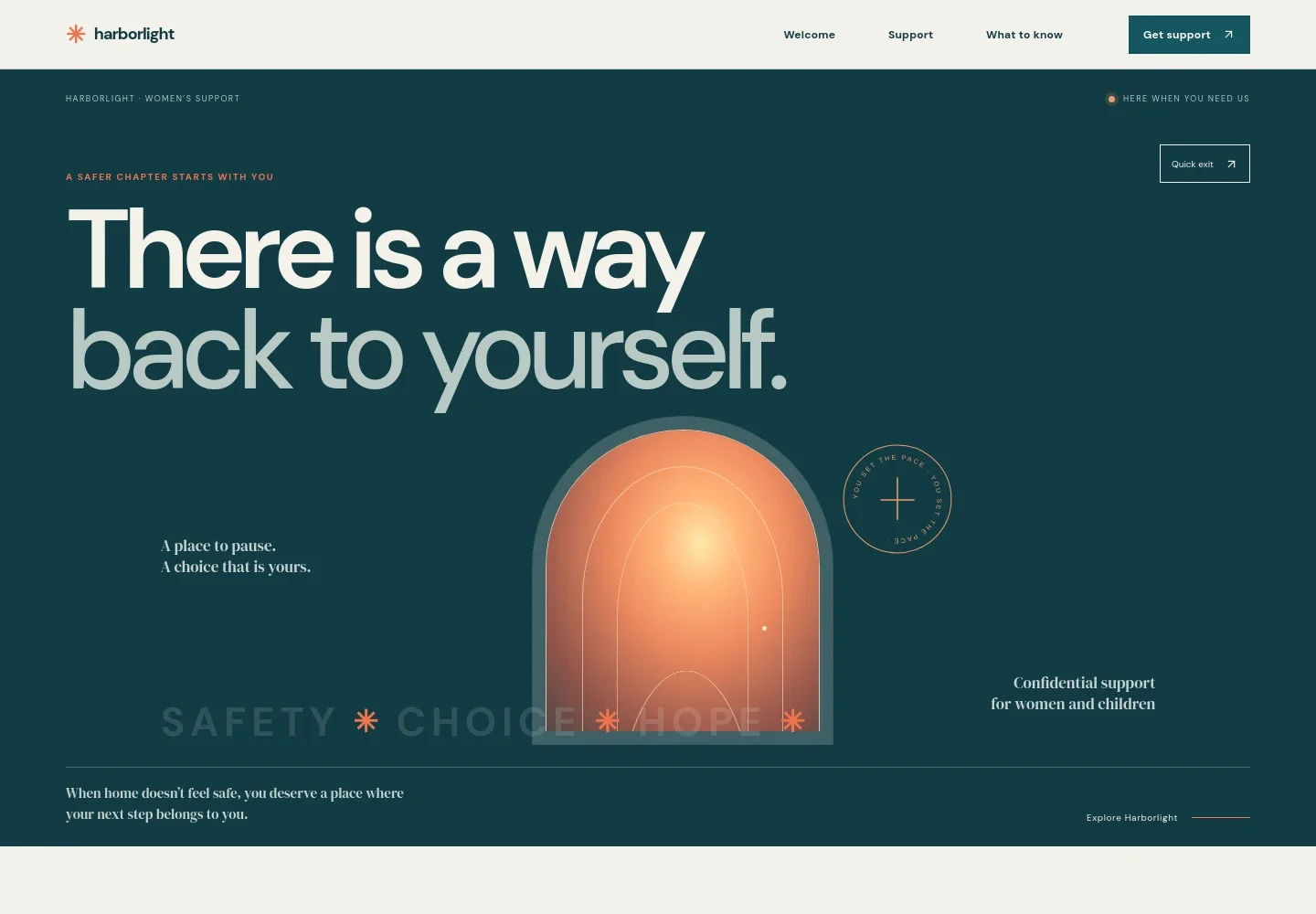
- Welcome and safety-focused hero
- Opens with a message about confidential support for women and children, a prominent Get support link, and a quick-exit link. The visual of light through an open doorway reinforces the page's calm, choice-centered tone.
- Welcome message
- Introduces the shelter as a place to talk, catch your breath, and consider what comes next. A clear link leads visitors to the support options.
- What safety can hold
- Explains that support may mean a conversation, a plan for tonight, a legal referral, or a place to rest. The accompanying image and short paragraphs make the service feel personal without claiming a single path works for everyone.
- Support options
- Presents four scannable choices: a confidential conversation, a safer next step, a place to stay, and help finding your footing. Each describes what a visitor can ask about and leads to the contact section.
- Choice-centered interlude
- Reinforces that visitors know their own lives and choose the way forward, offering a pause between the support list and practical information.
- Practical questions
- Answers questions about whether someone must be ready to leave, whether they need to identify their experience as abuse, phone monitoring, and bringing children. The device-safety answer notes that a quick-exit button does not erase browser history.
- When you're ready to reach out
- Provides a clear contact area with guidance for immediate danger and a call-to-action for confidential support. The example contact details are identified as illustrative, giving organizations a prompt to add verified local contact information.
How to use this template
Open in Revamp
Click Use this template and sign in or create an account. You’ll start with your own copy of the design, ready to personalize.
Bring your content
Replace the sample text, photos, and logo with your own. Share your content, a document, or an existing website, and ask Revamp to adapt the template to your business.
Refine and publish
Ask Revamp to adjust the colors, layout, or sections, or edit directly on the page. Review desktop and mobile, then publish. You can keep making changes after launch.
Put your website to work
Make it easier for people to find accurate local support information and for your team to coordinate referrals. Ask Revamp to add or connect suitable tools as part of personalizing the site.
-

Keep referral information organized
AirtableHelp staff maintain current details for partner organizations and local services. Ask Revamp to connect Airtable for managing a referral directory.
-

Make it easier to arrange a private conversation
CalendlyGive visitors a way to request a suitable time to speak with your team. Ask Revamp to add appointment booking with Calendly.
Frequently asked questions
Is this template free?
Yes. This premium template is free to use through Use this template. Free refers to the template itself.
Can I use my own content?
Yes. Ask Revamp to personalize the copy, contact details, support options, and other page content for your organization.
Do I need coding skills?
No. Ask Revamp to make changes to the content or design without coding.
Can I change the design?
Yes. Ask Revamp to adjust the colors, typography, layout, and other design details to suit your organization.
Can I keep editing after publishing?
Yes. You can keep editing the site after launch by asking Revamp to make updates.