About this template
Help prospective clients understand what your writing studio does, the kinds of projects you take on, and how you approach the work. The page introduces brand voice and story, editorial and thought leadership, websites and campaigns, and editing and refinement.
A point-of-view section demonstrates how a sharper edit can make a message clearer, while a three-step process explains how listening, finding the central thought, and shaping the writing together fit into a thoughtful partnership. The page closes with a direct invitation to start a conversation.
Who it’s for
Independent writers, copywriters, editorial consultants, and writing studios offering brand, editorial, website, campaign, or editing services.
What’s included
The layout guides potential clients from your writing point of view to your services, process, and contact invitation. Editorial typography, marked-up manuscript imagery, and a visible before-and-after edit reinforce the focus on clear, considered writing.
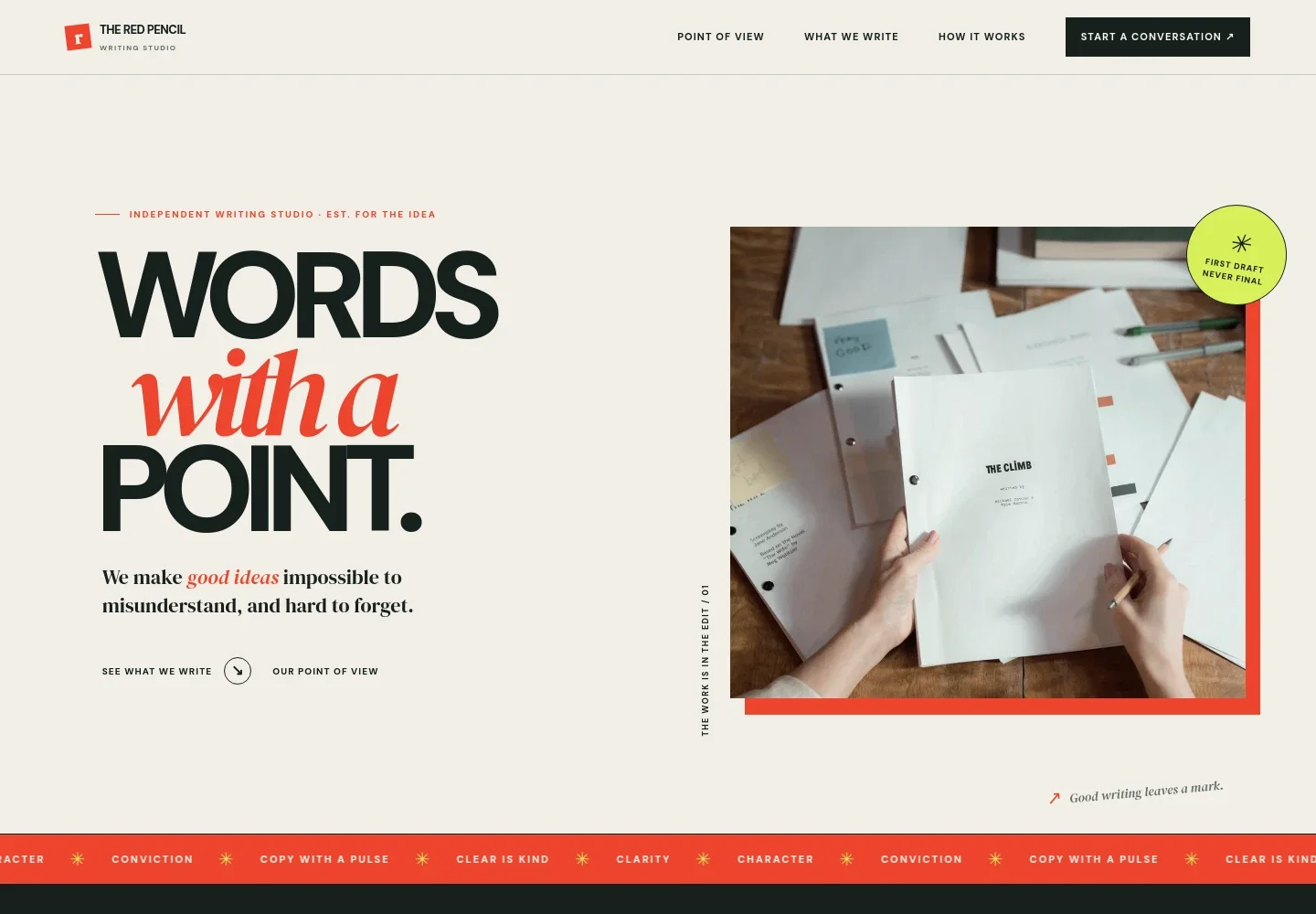
- Writing studio hero
- A prominent headline and writing-focused image introduce the studio, with links leading visitors to the services and point-of-view sections.
- Point of view
- A short editorial statement explains the value of choosing the right words. A sample edit contrasts a broad phrase with a more specific alternative to show the difference clear writing can make.
- Writing services
- Four service rows describe brand voice and story, editorial and thought leadership, websites and campaigns, and editing and refinement. Each gives visitors a concrete sense of the work on offer.
- How the process works
- A manuscript image accompanies a three-step outline: learn about the work and audience, identify what the words need to do, then write and refine the language together.
- Start a conversation
- A closing prompt asks what the visitor is trying to say and offers an email link as the next step for discussing a writing project.
How to use this template
Open in Revamp
Click Use this template and sign in or create an account. You’ll start with your own copy of the design, ready to personalize.
Bring your content
Replace the sample text, photos, and logo with your own. Share your content, a document, or an existing website, and ask Revamp to adapt the template to your business.
Refine and publish
Ask Revamp to adjust the colors, layout, or sections, or edit directly on the page. Review desktop and mobile, then publish. You can keep making changes after launch.
Put your website to work
Make it easier to organize client inquiries, schedule introductory calls, and follow up with prospective clients. Ask Revamp to add the tools that suit your writing practice.
-

Schedule introductory calls
CalendlyGive prospective clients a straightforward way to choose a time for a discovery call. Ask Revamp to add consultation booking with Calendly.
-

Track client inquiries
HubSpotKeep prospective clients, conversations, and follow-ups organized in one place. Ask Revamp to connect HubSpot for contact management.
-

Send a studio newsletter
MailchimpShare writing insights and studio updates with readers who choose to subscribe. Ask Revamp to connect Mailchimp for email marketing.
Frequently asked questions
Is this writing services template free?
Yes. This premium template is free to use when you select Use this template. The offer covers the template itself, not hosting or other services.
Can I use my own writing and business details?
Yes. Ask Revamp to personalize the page with your studio name, services, writing samples, process, and contact details.
Do I need coding skills to customize it?
No. Ask Revamp to personalize the content and design for your writing business without coding.
Can I change the design?
Yes. Ask Revamp to adjust the colors, typography, imagery, layout, or other design details to suit your studio.
Can I keep editing after publishing?
Yes. You can keep editing the site after launch. Ask Revamp to update your copy, services, or design as your writing practice changes.