About this template
Help visitors see what a day at your zoo can offer, from animal habitats and individual wildlife stories to conservation themes and practical visit information. The page pairs a bold, wildlife-focused introduction with illustrated sections about elephants, giraffes and orangutans.
A conservation feature connects animal encounters with the wider habitats wildlife depends on. The visit section gives you a clear place to share location, hours and entry information, while making it easy for visitors to plan what they want to see.
Who it’s for
Designed for zoos, wildlife parks and animal attractions that want to introduce their habitats, share animal and conservation stories, and help visitors plan a visit.
What’s included
The page guides visitors from a striking wildlife introduction through habitat and animal stories, conservation information and visit planning. Its large typography, illustrated animal scenes and clear section links make the experience easy to explore.
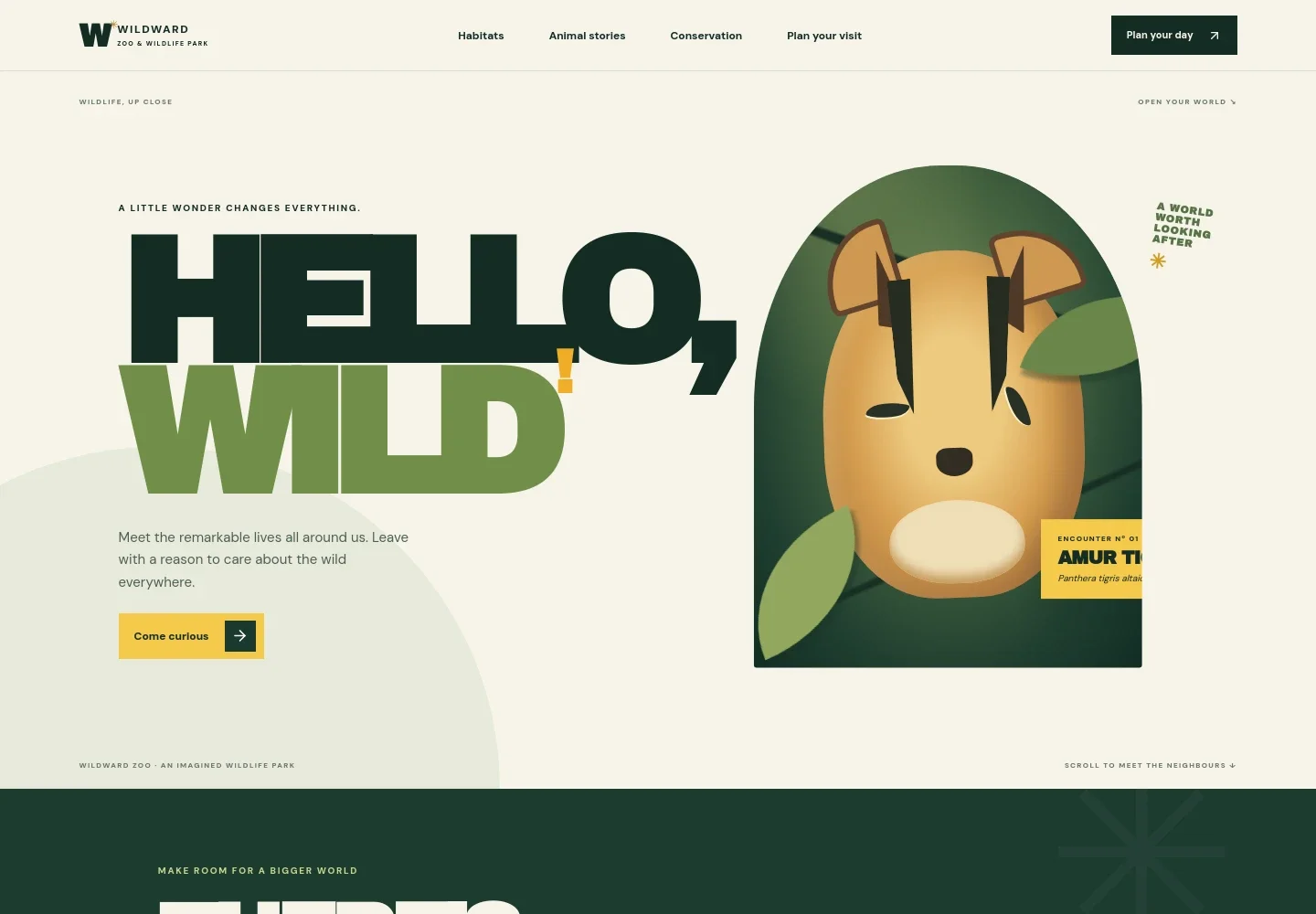
- Wildlife hero
- A prominent welcome pairs a close-up Amur tiger illustration with introductory copy and a link into the habitat section, giving visitors an immediate sense of the park's wildlife focus.
- Habitats
- An introduction to the park's different environments, with forest, savannah and canopy called out as places visitors can explore.
- Animal stories
- Three illustrated story features introduce elephants, a giraffe and an orangutan. Each has its own short narrative and links visitors onward through the page.
- Conservation
- A dedicated section connects wildlife encounters to the habitats animals depend on and gives the park room to explain its conservation message.
- Plan your visit
- A visitor information panel provides space for location and opening details, alongside a scenic illustration and a prompt to start exploring.
- Navigation and footer
- Top navigation links to habitats, animal stories, conservation and visit planning. The footer repeats the park identity and offers a link back to the top.
How to use this template
Open in Revamp
Click Use this template and sign in or create an account. You’ll start with your own copy of the design, ready to personalize.
Bring your content
Replace the sample text, photos, and logo with your own. Share your content, a document, or an existing website, and ask Revamp to adapt the template to your business.
Refine and publish
Ask Revamp to adjust the colors, layout, or sections, or edit directly on the page. Review desktop and mobile, then publish. You can keep making changes after launch.
Put your website to work
Make it easier for visitors to plan and support a zoo visit. Ask Revamp to add useful booking, ticketing or email tools to suit your visitor experience.
-

Online ticketing
TessituraGive visitors a straightforward way to choose and purchase admission. Ask Revamp to add online ticketing with Tessitura.
-

Visitor communications
MailchimpKeep visitors informed about events, seasonal updates and conservation news. Ask Revamp to add email signup with Mailchimp.
-

Donations and memberships
StripeGive supporters a convenient way to contribute to your organization. Ask Revamp to add donation payments with Stripe.
Frequently asked questions
Is this zoo website template free?
Yes. This premium template is free to use when you select Use this template. This applies to the template, not hosting or other services.
Can I use my own zoo's content?
Yes. Ask Revamp to personalize the page with your zoo's name, animal information, habitat descriptions, conservation content and visitor details.
Do I need coding skills?
No coding skills are needed. Ask Revamp to personalize the content and design for your zoo.
Can I change the design?
Yes. Ask Revamp to adjust the colors, typography, illustrations, layout or other design details to better fit your zoo.
Can I keep editing after publishing?
Yes. You can keep editing after launch. Ask Revamp to make updates to your content or design as your visitor information changes.


