About this template
Help prospective students understand an academic institute’s approach to learning, research, and study pathways. The page introduces interdisciplinary study, discussion-led seminars, supervised research, and options for undergraduate, graduate, and continuing education.
The design pairs editorial typography with library, seminar, and research imagery. Its clearly labeled sections guide visitors from the institute’s point of view to learning and research details, then to study pathways and a direct invitation to start a conversation.
Who it’s for
Designed for colleges, universities, independent academic institutes, and education teams presenting degree-level study, research, or continuing education.
What’s included
A complete academic institute homepage with dedicated sections for educational philosophy, teaching, research, study options, and prospective student inquiries.
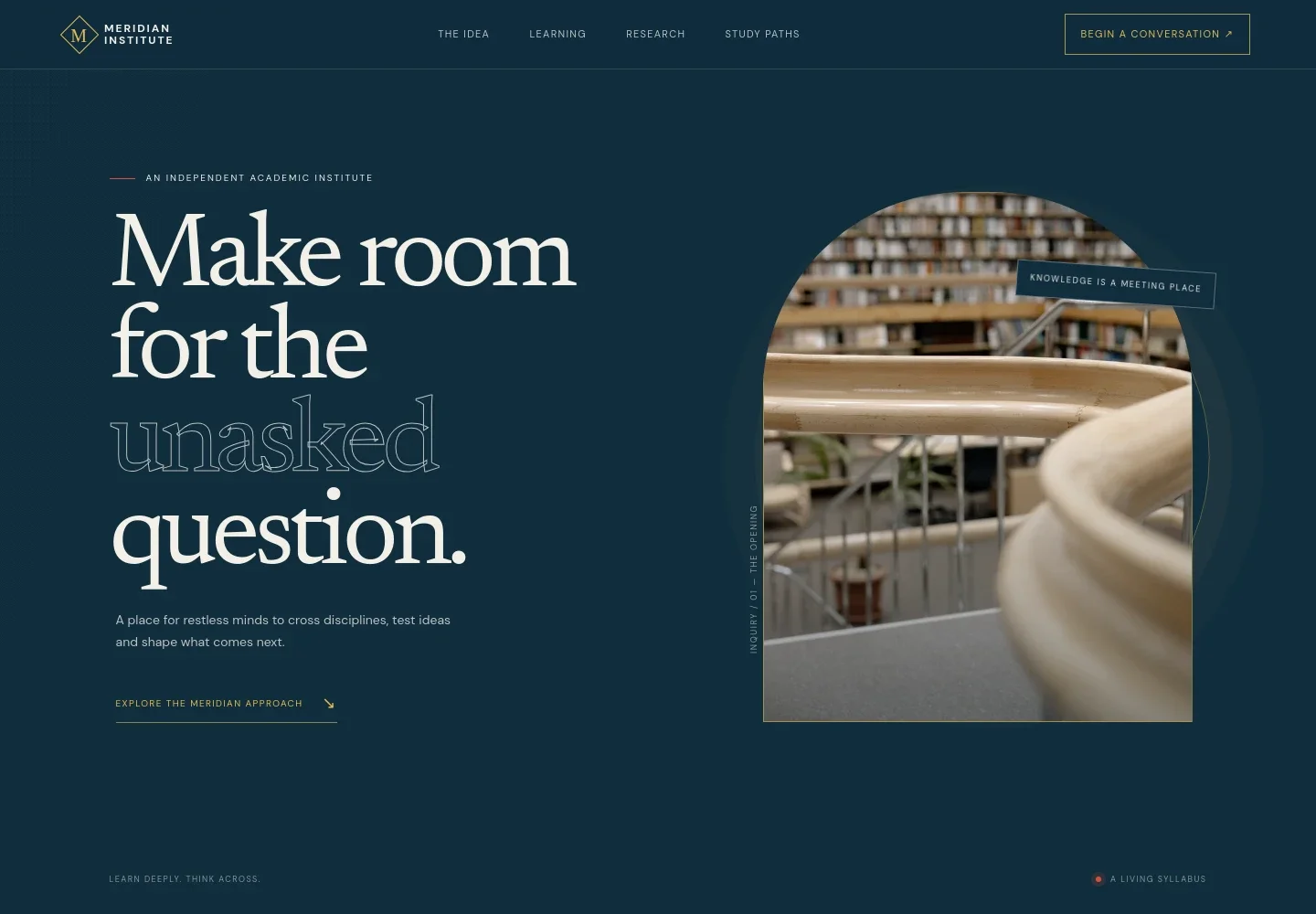
- Institute introduction
- An editorial hero introduces an independent academic institute and its focus on interdisciplinary inquiry, with a prominent link to the learning approach.
- Academic point of view
- A statement about learning across subjects is followed by four principles covering questions, interdisciplinary thinking, practical ideas, and continued growth.
- Learning approach
- A seminar image and supporting copy explain discussion-led teaching, faculty from different disciplines, and the role of guidance and practice.
- Research and applied inquiry
- This section describes studio projects, field inquiry, and supervised research, accompanied by research-lab imagery and a concise process callout.
- Study pathways
- Visitors can compare undergraduate study, graduate inquiry, and continuing education through separate descriptions of each route.
- Contact invitation
- A closing section invites prospective students to share what they are curious about and provides a direct email link to the institute.
- Footer navigation
- The footer repeats the institute identity and provides a return-to-top link.
How to use this template
Open in Revamp
Click Use this template and sign in or create an account. You’ll start with your own copy of the design, ready to personalize.
Bring your content
Replace the sample text, photos, and logo with your own. Share your content, a document, or an existing website, and ask Revamp to adapt the template to your business.
Refine and publish
Ask Revamp to adjust the colors, layout, or sections, or edit directly on the page. Review desktop and mobile, then publish. You can keep making changes after launch.
Put your website to work
Make it easier to handle prospective student inquiries and keep academic communications organized. Ask Revamp to add or connect tools such as:
-

Schedule prospective student conversations
CalendlyGive visitors a convenient way to book an introductory conversation. Ask Revamp to add consultation booking with Calendly.
-

Organize admissions inquiries
HubSpotKeep prospective student details and follow-up in one place. Ask Revamp to connect HubSpot for inquiry management.
-

Share institute news by email
MailchimpInvite interested students to receive updates about programs and academic events. Ask Revamp to connect Mailchimp for email newsletters.
Frequently asked questions
Is this template free?
Yes. The premium template is free to use when you select Use this template. This applies to the template itself.
Can I use my own content?
Yes. Ask Revamp to personalize the institute name, academic approach, program descriptions, research information, imagery, and contact details for your organization.
Do I need coding skills?
No. You can ask Revamp to personalize the content and design without coding.
Can I change the design?
Yes. Ask Revamp to adjust the layout, colors, typography, imagery, or other design details to suit your institution.
Can I keep editing after publishing?
Yes. You can keep editing the site after launch and ask Revamp to make further changes as your programs or information evolve.