About this template
Help prospective patients understand your acupuncture approach and what a first visit involves. The design introduces person-centred care, describes support for stress, pain and tension, sleep and energy, and women’s wellbeing, then guides visitors through the consultation, treatment and follow-up.
A calm editorial layout pairs treatment and room photography with clear service descriptions and practical first-visit information. Visitors can learn about your approach and contact the practice with a question.
Who it’s for
Acupuncturists, independent acupuncture practices and wellness clinics that want to explain their care approach and help new patients feel informed before getting in touch.
What’s included
The page moves from an introduction to the practice, through its care approach and areas of focus, to a practical guide to the first visit. This structure helps prospective patients understand what the practice offers and what to expect before contacting the clinic.
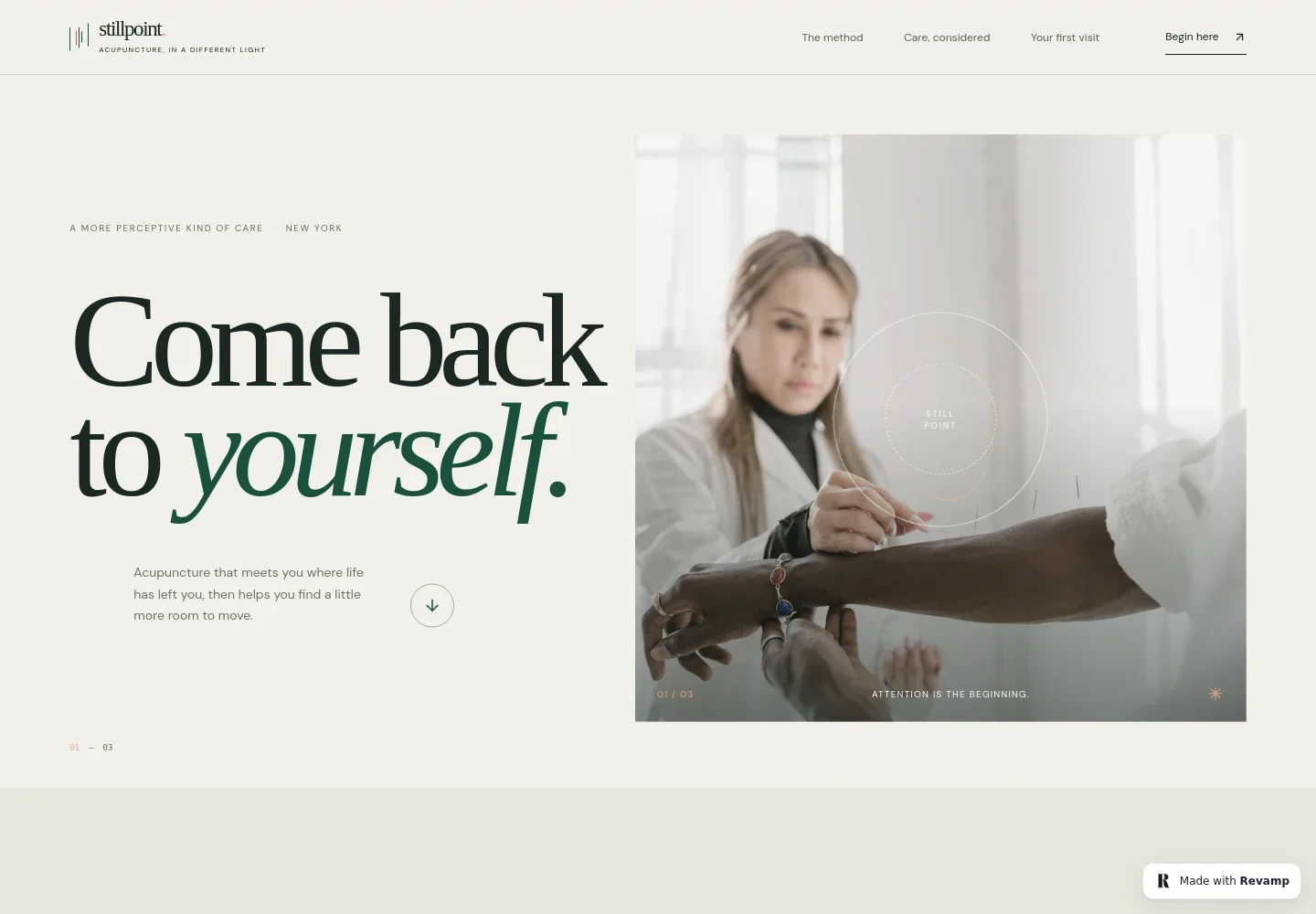
- Practice introduction
- A prominent headline, short care-focused introduction and treatment photograph establish the practice’s tone and give visitors a clear route to learn more.
- Approach to acupuncture
- Explains the practice’s traditional acupuncture foundation and person-centred approach, including taking time to understand a patient’s experience and shape a plan together.
- Care areas
- Four clearly presented areas cover stress and the nervous system, pain and tension, sleep and energy, and women’s wellbeing, with brief descriptions of the concerns each addresses.
- A session in three moments
- Describes the visit as listening, a considered treatment in a calm room, and agreeing on a next step together. A treatment-room image supports this overview.
- Your first visit
- Sets out what happens before, during and after an appointment, including discussing health history and goals, explaining treatment as it happens, and talking through a possible next step.
- Contact and footer
- A contact link invites visitors to ask a question, while the footer closes the page with the practice name and a link back to the beginning.
How to use this template
Open in Revamp
Click Use this template and sign in or create an account. You’ll start with your own copy of the design, ready to personalize.
Bring your content
Replace the sample text, photos, and logo with your own. Share your content, a document, or an existing website, and ask Revamp to adapt the template to your business.
Refine and publish
Ask Revamp to adjust the colors, layout, or sections, or edit directly on the page. Review desktop and mobile, then publish. You can keep making changes after launch.
Put your website to work
Appointment tools can make it easier for patients to arrange a visit, while practice-management software can help organize scheduling and patient records. Ask Revamp to add a tool that fits your clinic’s workflow.
-

Make appointment scheduling easier
Jane AppLet patients choose an available time online. Ask Revamp to add appointment booking with Jane App.
-

Keep practice scheduling and records organized
Practice BetterSupport day-to-day clinic administration with scheduling and patient-management tools. Ask Revamp to connect your website with Practice Better.
-

Offer convenient online bookings
CalendlyGive patients another way to request an appointment time. Ask Revamp to add appointment booking with Calendly.
Frequently asked questions
Is this acupuncture website template free?
Yes. This premium template is free to use when you select Use this template. The offer covers the template itself, not hosting or other services.
Can I use my own practice content?
Yes. Ask Revamp to personalize the page with your practice name, care descriptions, images, contact details and other content.
Do I need coding skills?
No. Ask Revamp to personalize the content and design for your practice without coding.
Can I change the design?
Yes. Ask Revamp to adjust the layout, colors, imagery and other design details to suit your practice.
Can I keep editing after publishing?
Yes. You can keep editing after launch. Ask Revamp to update your content or make further design changes as your practice evolves.