About this template
Help visitors understand indoor bodyflight, what a first session involves, and how they can get in touch with your center. The design introduces vertical wind tunnel flight in approachable language, with an illustrated flight graphic and clear routes to first-flight information.
Visitors can compare first flights, flight coaching, and group experiences, then find practical first-visit guidance alongside contact, address, and opening-hours details. Replace the illustrative business information with your own before publishing.
Who it’s for
Aerial sports centers, indoor skydiving venues, bodyflight instructors, and flight clubs welcoming first-time visitors, coaching returning flyers, or arranging group experiences.
What’s included
The page moves from an introduction to indoor bodyflight through experience options and first-visit details. Its clear section sequence helps newcomers understand the activity and gives them a direct way to ask the venue questions.
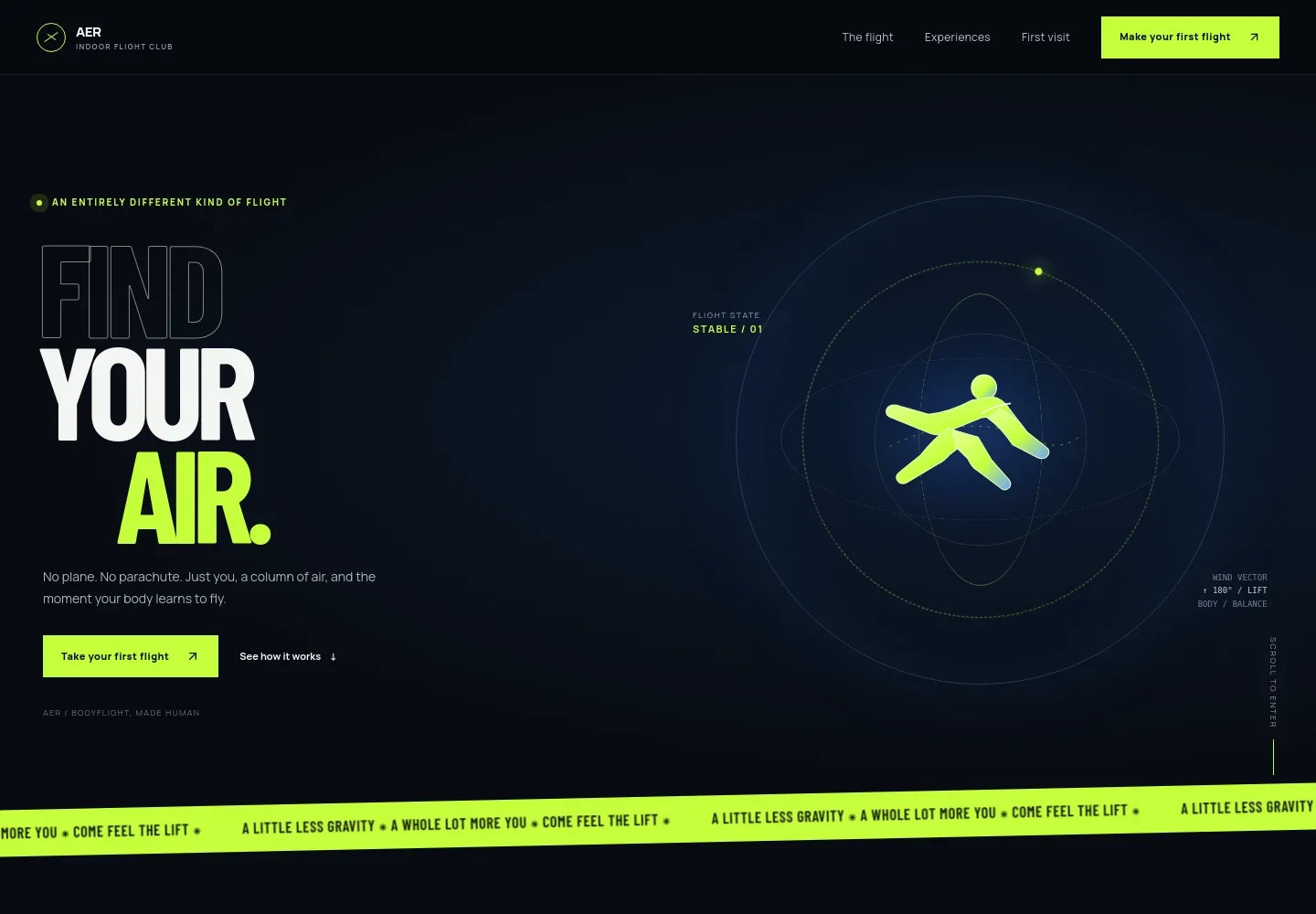
- Bodyflight introduction
- A prominent headline, short explanation, and flight-path illustration introduce the sensation of indoor flight. The following section explains how upward airflow and instructor guidance help a visitor find a stable position.
- Experiences
- Three concise entries present first flights, flight coaching, and group visits, each with a link to the first-visit section. This gives prospective visitors a clear way to identify the experience that suits them.
- First-visit guidance
- Practical introductory copy covers comfortable clothing, equipment typically provided by a center, and instructor guidance. It also prompts visitors to confirm venue-specific age, health, and accessibility requirements.
- Contact and venue details
- A dedicated details panel provides space for an address, email, and public opening hours, with a contact link for questions. The displayed information is marked as illustrative and should be replaced with the business's own details.
- Navigation and footer
- Header and footer links direct visitors to the flight explanation, experience options, and first-visit information, keeping the main paths easy to find.
How to use this template
Open in Revamp
Click Use this template and sign in or create an account. You’ll start with your own copy of the design, ready to personalize.
Bring your content
Replace the sample text, photos, and logo with your own. Share your content, a document, or an existing website, and ask Revamp to adapt the template to your business.
Refine and publish
Ask Revamp to adjust the colors, layout, or sections, or edit directly on the page. Review desktop and mobile, then publish. You can keep making changes after launch.
Put your website to work
Make it easier to coordinate visits and respond to inquiries. Ask Revamp to add or connect scheduling and customer-management tools that suit your center's booking process.
-

Let visitors request a time online
CalendlyReduce back-and-forth when arranging introductory sessions. Ask Revamp to add appointment scheduling with Calendly.
-

Keep visitor inquiries organized
HubSpotTrack questions from prospective flyers and follow up with clear next steps. Ask Revamp to connect HubSpot for contact management.
-

Manage session availability
Google CalendarCoordinate planned visits with your team's calendar. Ask Revamp to connect Google Calendar for scheduling visibility.
Frequently asked questions
Is this template free?
Yes. The premium template is free to use when you select Use this template. The free offer applies to the template itself.
Can I use my own content?
Yes. Ask Revamp to personalize the copy, venue details, contact information, and experience descriptions with your own business content.
Do I need coding skills?
No. Ask Revamp to personalize the content and design without coding.
Can I change the design?
Yes. Ask Revamp to adjust the layout, colors, imagery, and other design details to fit your aerial sports center.
Can I keep editing after publishing?
Yes. You can continue editing your website after launch. Ask Revamp to make updates as your experiences, details, or design change.


