About this template
Help visitors understand the different ways they can use your aquatic center, from open and lane swimming to lessons and warm-water movement. The layout guides them from your approach to the water through program choices and practical first-visit information.
A bold, editorial design pairs water-inspired graphics with clear program listings and welcoming copy. Use it to introduce your facility, explain who your sessions are for, and make it easier for prospective swimmers to take a first step.
Who it’s for
Aquatic centers, community pools, swimming facilities, and swim schools that want to present recreational swimming, lessons, and restorative water sessions.
What’s included
The page moves from an introduction to the center into program options and first-visit guidance, helping visitors see what they can do and what to expect before they arrive.
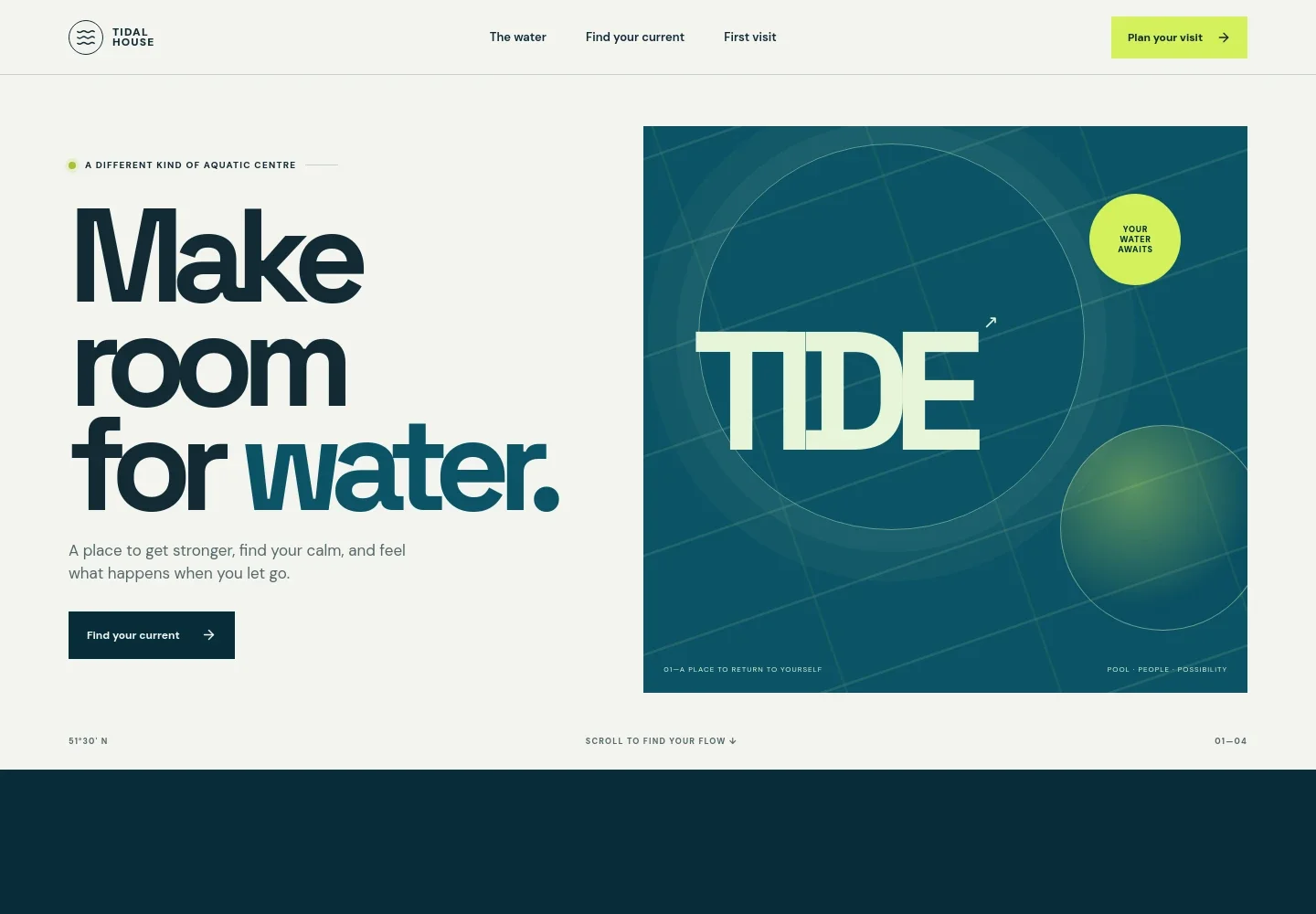
- Hero and navigation
- A prominent welcome and water-inspired graphic introduce the center, while navigation links point visitors to the water, programs, and first-visit information.
- The center's approach
- An introductory section explains the center as a welcoming place for movement and relaxation, with copy that speaks to different ages and abilities.
- Water-inspired feature graphic
- A typographic wave illustration creates a visual pause between the introduction and program listings, reinforcing the theme of finding a personal rhythm in the water.
- Programs and sessions
- Three clear program rows distinguish open and lane swimming, supportive swim lessons, and low-impact or warm-water sessions, making the available types of activity easy to scan.
- Swim lesson introduction
- A swimmer image and short copy frame lessons around building confidence, with a call to action for visitors who are new to the water.
- First-visit guidance
- Practical prompts cover what to bring, taking time to find a suitable session, and contacting the team with questions. The section provides a natural place to add your own arrival details.
- Footer navigation
- A branded footer repeats links to the center's approach, sessions, and first-visit information.
How to use this template
Open in Revamp
Click Use this template and sign in or create an account. You’ll start with your own copy of the design, ready to personalize.
Bring your content
Replace the sample text, photos, and logo with your own. Share your content, a document, or an existing website, and ask Revamp to adapt the template to your business.
Refine and publish
Ask Revamp to adjust the colors, layout, or sections, or edit directly on the page. Review desktop and mobile, then publish. You can keep making changes after launch.
Put your website to work
Give visitors a clearer next step by asking Revamp to add tools for session registration, class scheduling, or swim-program administration.
-

Simplify session sign-ups
AmiliaAsk Revamp to add class registration with Amilia so families can find and sign up for swim lessons and aquatic programs.
-

Make lesson scheduling easier
Acuity SchedulingAsk Revamp to add appointment booking with Acuity Scheduling for visitors arranging private swim lessons or consultations.
-

Organize membership inquiries
HubSpotAsk Revamp to connect HubSpot to help organize membership and program inquiries from prospective visitors.
Frequently asked questions
Is this aquatic center template free?
Yes. This premium template is free to use when you select Use this template. The free offer applies to the template itself.
Can I use my own content?
Yes. Ask Revamp to personalize the text, images, program details, contact information, and other content for your aquatic center.
Do I need coding skills to customize it?
No coding skills are needed. Ask Revamp to make content and design changes in plain language.
Can I change the design?
Yes. Ask Revamp to adjust the colors, typography, layout, imagery, or other design details to suit your facility.
Can I keep editing after publishing?
Yes. You can keep asking Revamp to update your content and design after your site launches.


