About this template
Help parents understand your newborn and family photography sessions, see the moments and details you focus on, and get in touch when they are ready. The design pairs intimate baby and family imagery with calm, personal copy.
Visitors can compare newborn sessions at home, family sessions, and milestone or just-because photography. Clear guidance about working at home, following the baby's pace, and receiving gentle direction helps families picture what a session can feel like.
Who it’s for
Designed for newborn, baby, and family photographers who want to present their approach and session options in a reassuring, image-led way for expectant parents and families with young children.
What’s included
The page moves from an expressive newborn-photo introduction through the photographer's approach and session choices to practical reassurance and a direct email contact invitation. Its soft editorial styling and prominent photography suit a personal service where families want to understand the experience before reaching out.
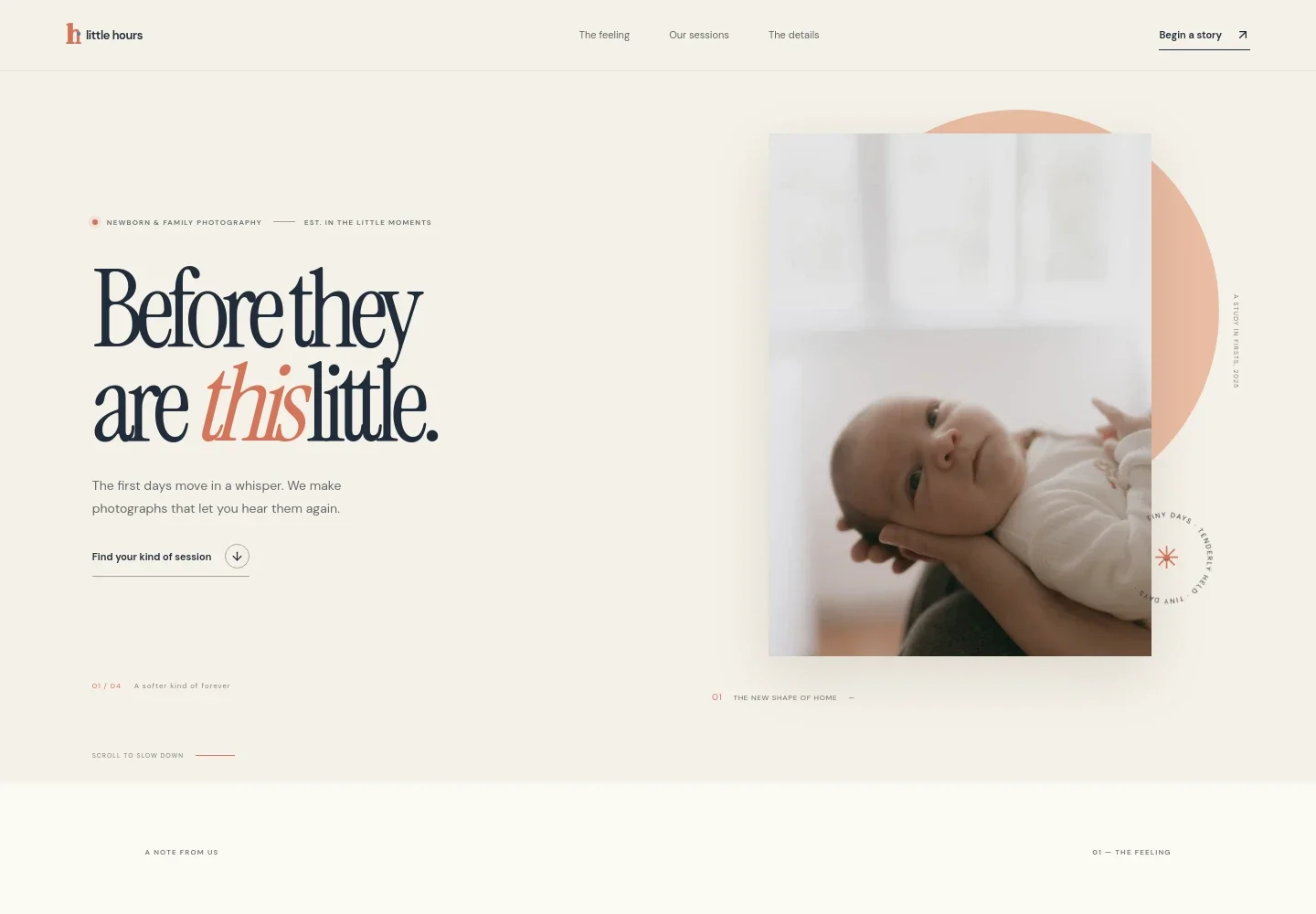
- Newborn photography hero
- A prominent newborn portrait, concise introduction, and link to session options establish the photography focus and give parents a clear next step.
- The photographer's approach
- A personal statement and supporting image describe an unposed, family-led approach, emphasizing real moments rather than a perfect-looking day.
- Photographic details
- A close-up image and short editorial feature draw attention to small newborn details, giving the page a visual pause between the approach and session information.
- Session options
- Three linked rows introduce newborn sessions at home, family sessions, and milestone or just-because photography, helping visitors identify the service that fits their family.
- What to expect
- A practical guide explains that the photographer comes to the home, follows the baby's pace, and offers gentle direction, addressing common concerns for new parents.
- Contact invitation
- A closing message invites families to send a note by email, providing a clear way to begin an inquiry.
How to use this template
Open in Revamp
Click Use this template and sign in or create an account. You’ll start with your own copy of the design, ready to personalize.
Bring your content
Replace the sample text, photos, and logo with your own. Share your content, a document, or an existing website, and ask Revamp to adapt the template to your business.
Refine and publish
Ask Revamp to adjust the colors, layout, or sections, or edit directly on the page. Review desktop and mobile, then publish. You can keep making changes after launch.
Put your website to work
Make it easier to coordinate inquiries, plan sessions, and keep in touch with families. Ask Revamp to add or connect tools that support your photography business.
-

Simplify session scheduling
CalendlyLet families choose a suitable consultation time. Ask Revamp to add booking with Calendly.
-

Keep family inquiries organized
HubSpotTrack prospective clients and follow-up conversations in one place. Ask Revamp to connect HubSpot for contact management.
-

Share availability with your calendar
Google CalendarCoordinate consultations and session dates around your schedule. Ask Revamp to connect Google Calendar.
Frequently asked questions
Is this template free?
Yes. This premium template is free to use when you select Use this template. The offer applies to the template itself, not hosting or other services.
Can I use my own content?
Yes. Ask Revamp to personalize the text, photography, business details, and contact information for your studio.
Do I need coding skills?
No. Ask Revamp to personalize the content and design without coding.
Can I change the design?
Yes. Ask Revamp to adjust the colors, typography, imagery, layout, or other design details to suit your photography business.
Can I keep editing after publishing?
Yes. You can continue making edits after launch. Ask Revamp to update your content or design as your studio and services change.


