About this template
Show prospective clients what beauty portrait sessions feel like, from the photographer’s approach to the finished images. A prominent portrait and selected work gallery put the photography first, while clear sections explain the experience and invite visitors to get in touch.
The design presents a considered, natural approach to beauty portraiture, with copy about listening, gentle direction, and retouching that preserves the person in the photograph. Its dark, editorial styling, expressive typography, and teal-accented portrait imagery give the portfolio a distinctive visual identity.
Who it’s for
Beauty and editorial portrait photographers, independent portrait studios, and photographers who want to explain their session approach while showcasing expressive, natural-looking portraits.
What’s included
The page guides visitors from a featured beauty portrait to the photographer’s point of view, selected studies, session process, and a direct contact invitation. This sequence helps people understand both the visual style and what to expect before starting a conversation.
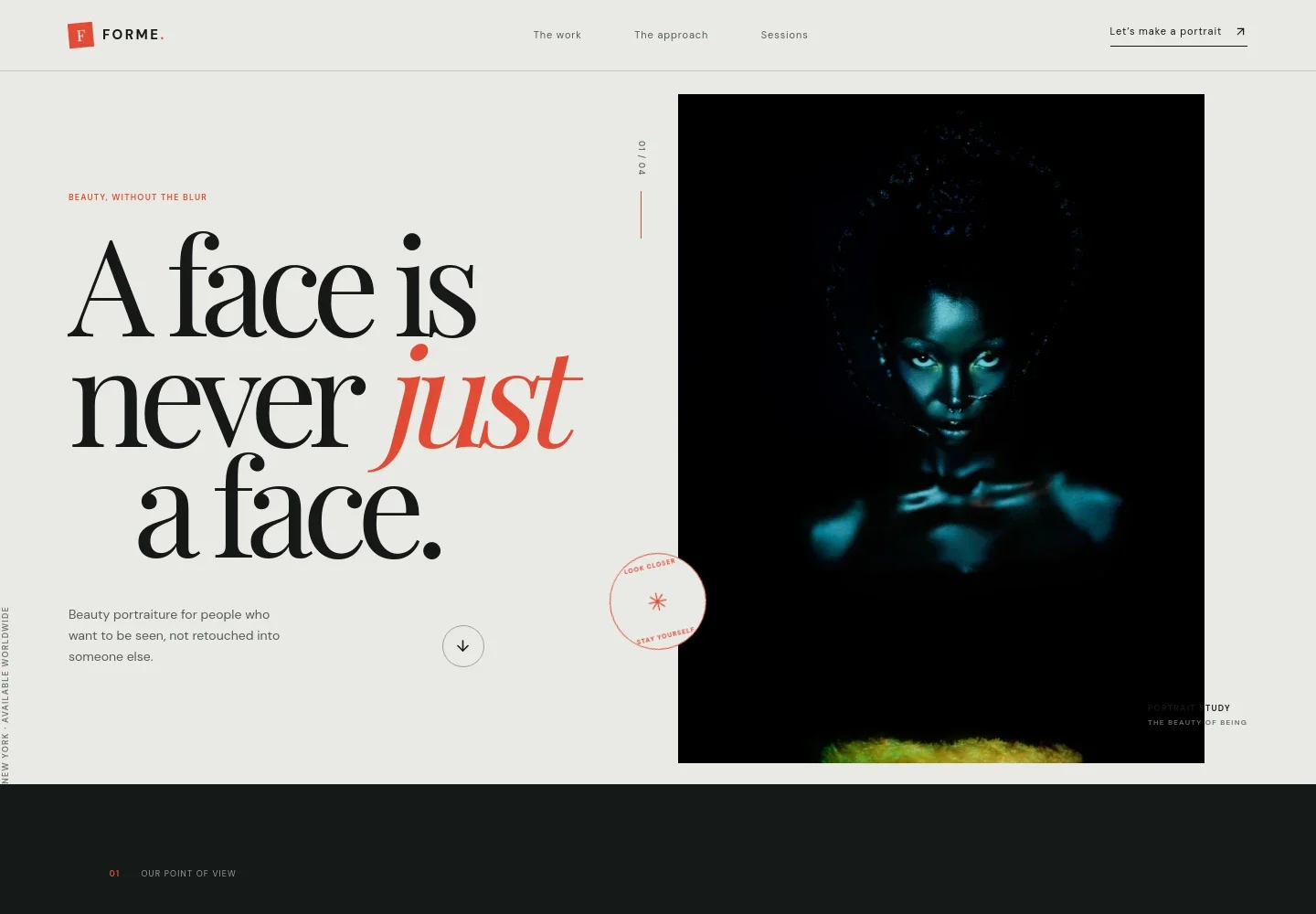
- Portrait-led hero
- A large beauty portrait sits beside a concise statement about photography that keeps the subject recognizable. The location and worldwide availability note, image caption, and links to the work and contact sections establish the studio’s presentation.
- Photographer’s approach
- This section explains the emphasis on listening, lighting, and preserving natural details, with a link to the session process. It gives visitors a clear sense of the photographer’s point of view before they browse the portfolio.
- Selected portrait studies
- A gallery of beauty portraits pairs each image with a short study name and descriptors such as texture, glow, skin, and presence. The arrangement lets the photography communicate the style while the accompanying text adds context.
- The portrait process
- Three numbered steps describe the conversation before a session, time to settle in under the lights, and choosing favorites afterward. This makes the experience easier to picture for people who may be new to being photographed.
- Session invitation
- Copy describes sessions as adaptable in mood and pace, with examples ranging from quiet and close to bold and playful. A call to explore a session gives interested visitors a next step.
- Contact
- A closing invitation asks visitors to share what they have in mind and provides a direct email link for a portrait session inquiry. The footer repeats the studio identity and location availability note.
How to use this template
Open in Revamp
Click Use this template and sign in or create an account. You’ll start with your own copy of the design, ready to personalize.
Bring your content
Replace the sample text, photos, and logo with your own. Share your content, a document, or an existing website, and ask Revamp to adapt the template to your business.
Refine and publish
Ask Revamp to adjust the colors, layout, or sections, or edit directly on the page. Review desktop and mobile, then publish. You can keep making changes after launch.
Put your website to work
Streamline portrait inquiries and session scheduling by asking Revamp to add tools that suit the way you work with clients.
-

Schedule consultations
CalendlyGive prospective clients a straightforward way to choose a time to talk. Ask Revamp to add consultation booking with Calendly.
-

Organize client details
HoneyBookKeep inquiry and session information together as you manage client conversations. Ask Revamp to connect your workflow with HoneyBook.
-

Coordinate session dates
Acuity SchedulingLet clients request available times while keeping your schedule organized. Ask Revamp to add appointment scheduling with Acuity Scheduling.
Frequently asked questions
Is this template free?
Yes. This premium template is free to use through Use this template. Free refers to the template itself.
Can I use my own content?
Yes. Ask Revamp to personalize the page with your portraits, studio details, session information, and contact content.
Do I need coding skills?
No. Ask Revamp to make content and design changes for you, without coding.
Can I change the design?
Yes. Ask Revamp to adjust the layout, colors, typography, imagery, or other design details to better suit your photography.
Can I keep editing after publishing?
Yes. You can keep asking Revamp to update your site after launch.


