About this template
Help couples see how your bridal business can shape a celebration around their own tastes, from finding a wedding dress to designing the day and its details. The page introduces bridal styling, celebration design, and event styling in distinct service sections.
Editorial bridal photography, a clear statement of your point of view, and a fitting-room feature give visitors a feel for your approach before they get in touch. A journal-style feature offers space to share ideas about creating a personal celebration, followed by a direct invitation to write a note.
Who it’s for
Bridal boutiques, independent bridal stylists, wedding planners, and event designers who want to explain their services and invite prospective clients to start a conversation.
What’s included
The layout guides couples from your bridal philosophy to specific services and a personal contact invitation. Distinct visual sections make it easy to understand the breadth of your offer, while the fitting-room and journal features add context for visitors considering what kind of celebration they want.
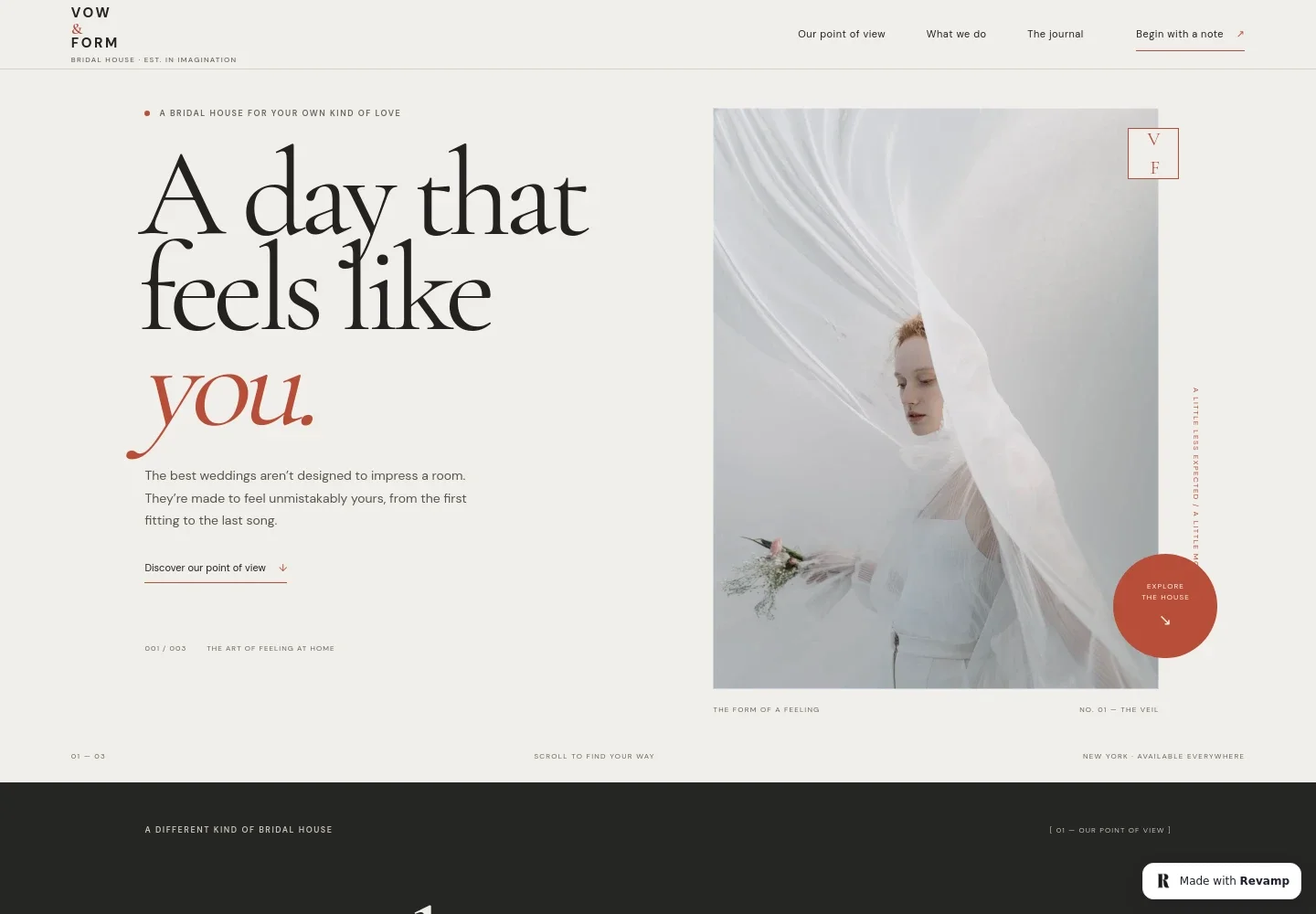
- Editorial hero
- Pairs a bridal portrait with a concise statement about creating a wedding that feels personal. Navigation links visitors to your approach, services, journal, and contact sections.
- Point of view
- A prominent statement and supporting copy explain an approach that treats tradition as a starting point and makes room for the couple’s own preferences.
- Services
- Three clearly separated entries describe bridal styling and private appointments, celebration design with creative direction and vendor curation, and event details such as florals, paper, and tablescape.
- Fitting room
- Photography and copy describe a thoughtful bridal appointment, including discussion of silhouette, fabric, movement, and budget.
- Journal feature
- A wedding-table image accompanies editorial copy about shaping celebration details around the moments a couple wants to remember.
- Visual story
- A veil-inspired image and short captions create a visual pause between the journal and the closing contact section.
- Contact invitation
- A closing message invites visitors to write a note and share what they are imagining, with a visible email link that can be personalized for the business.
How to use this template
Open in Revamp
Click Use this template and sign in or create an account. You’ll start with your own copy of the design, ready to personalize.
Bring your content
Replace the sample text, photos, and logo with your own. Share your content, a document, or an existing website, and ask Revamp to adapt the template to your business.
Refine and publish
Ask Revamp to adjust the colors, layout, or sections, or edit directly on the page. Review desktop and mobile, then publish. You can keep making changes after launch.
Put your website to work
Give prospective couples clearer next steps by asking Revamp to add appointment scheduling or inquiry management with tools used by wedding businesses.
-

Schedule bridal appointments
CalendlyMake it easier for clients to request a fitting time. Ask Revamp to add appointment booking with Calendly.
-

Organize wedding inquiries
HoneyBookKeep track of prospective couples and follow-up conversations. Ask Revamp to connect your inquiry process with HoneyBook.
-

Manage planning and client details
Aisle PlannerBring client communication, planning tasks, and event details into a wedding-focused workspace. Ask Revamp to connect your workflow with Aisle Planner.
Frequently asked questions
Is this template free?
Yes. This premium template is free to use through Use this template. The free offer applies to the template itself.
Can I use my own content?
Yes. Ask Revamp to personalize the copy, images, service details, and contact information for your bridal business.
Do I need coding skills?
No. You can ask Revamp to personalize the content and design without coding.
Can I change the design?
Yes. Ask Revamp to adjust the design to suit your brand, from the visual style to the page content and sections.
Can I keep editing after publishing?
Yes. You can keep asking Revamp to make changes after your website is published.