About this template
This maritime brokerage website template helps shipowners, operators and commercial partners understand your areas of work, how you approach complex decisions and how to start a conversation.
The layout presents ship sale and purchase, chartering and freight, and strategic advisory as distinct services. A dedicated approach section explains the path from understanding a client’s brief to weighing market conditions and moving forward with intent.
Who it’s for
Independent maritime brokers and shipping advisers working with vessel owners, operators, cargo interests and other businesses involved in global trade.
What’s included
The page moves from a clear maritime brokerage introduction to service details, working principles and a direct contact invitation. Its navigation links visitors to the sections they are most likely to need when assessing a broker.
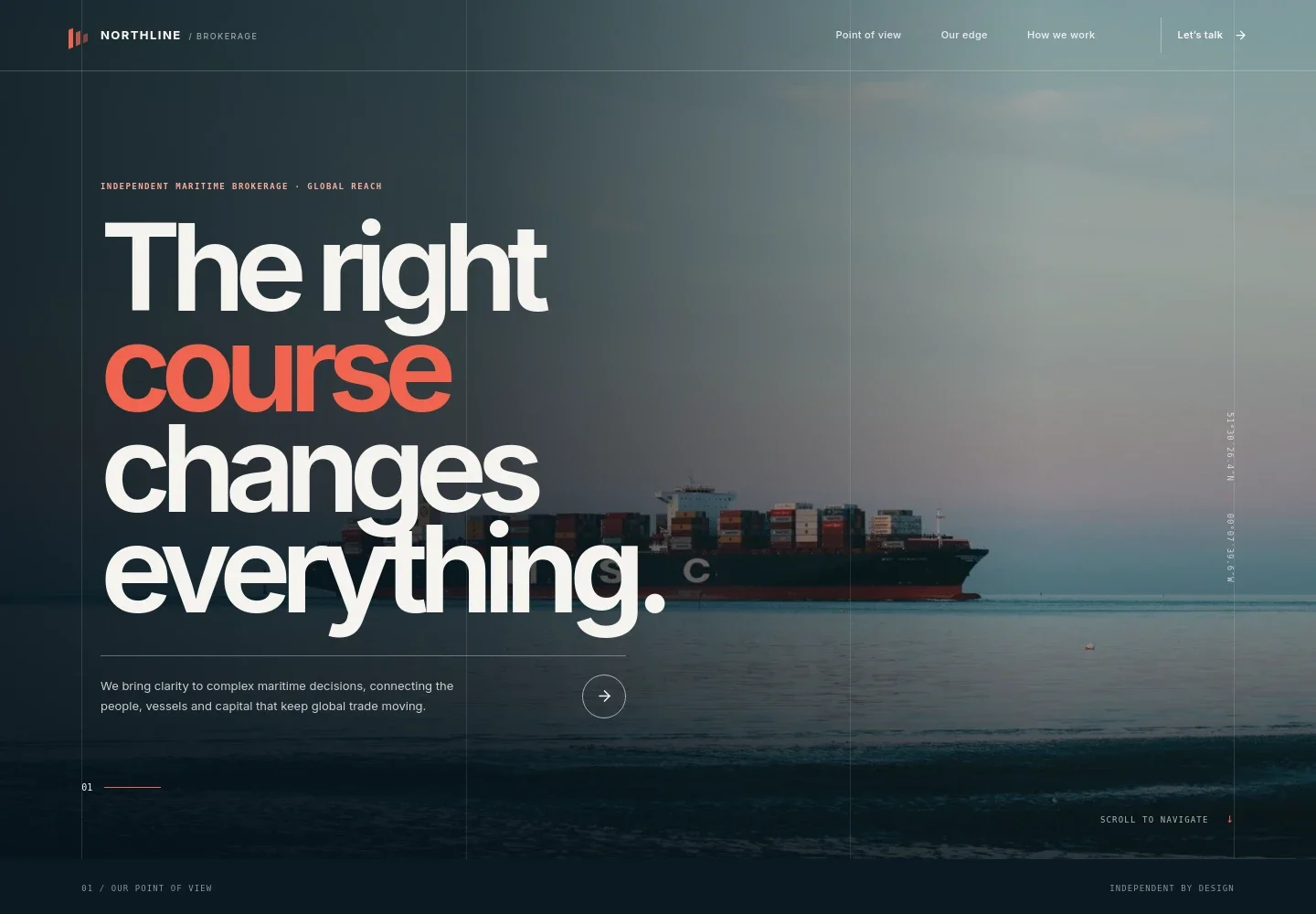
- Maritime brokerage hero
- A full-width vessel-at-sea image, concise positioning and a short explanation of the brokerage’s role introduce the business and its global trade focus.
- Point of view
- An editorial section explains the value of perspective in a changing shipping market, supported by a radar-style visual and a link to the working approach.
- Brokerage services
- Three clearly separated service rows describe ship sale and purchase, chartering and freight, and strategic advisory, helping visitors identify the support relevant to their needs.
- How the brokerage works
- A three-step approach covers understanding the brief, reading the wider market and moving forward with intent. The accompanying image and concise explanations make the process easy to scan.
- Contact invitation
- A closing call to begin a conversation pairs an email link with a short prompt for visitors to explain the decision they are considering.
- Section navigation and footer
- Top navigation links to the point of view, services and approach, while the footer repeats the brokerage identity and offers a return-to-top link.
How to use this template
Open in Revamp
Click Use this template and sign in or create an account. You’ll start with your own copy of the design, ready to personalize.
Bring your content
Replace the sample text, photos, and logo with your own. Share your content, a document, or an existing website, and ask Revamp to adapt the template to your business.
Refine and publish
Ask Revamp to adjust the colors, layout, or sections, or edit directly on the page. Review desktop and mobile, then publish. You can keep making changes after launch.
Put your website to work
Keep enquiries organized and make it easier for shipping clients to move from an initial conversation to a considered next step. Ask Revamp to add or connect tools such as:
-

Schedule client conversations
CalendlyMake it easier for owners and operators to arrange an introductory discussion. Ask Revamp to add consultation booking with Calendly.
-

Track business enquiries
HubSpotKeep prospective client conversations and follow-ups organized in one place. Ask Revamp to connect enquiry management with HubSpot.
-

Coordinate follow-up meetings
Google CalendarHelp a brokerage team keep client calls and internal discussions on its calendar. Ask Revamp to add calendar scheduling with Google Calendar.
Frequently asked questions
Is this template free?
Yes. This premium template is free to use when you select Use this template. Free refers to the template itself.
Can I use my own content?
Yes. Ask Revamp to personalize the text, images, services and contact details for your brokerage.
Do I need coding skills?
No. Ask Revamp to make content and design changes in plain language, without coding.
Can I change the design?
Yes. Ask Revamp to adjust the layout, colors, imagery and other design choices to suit your business.
Can I keep editing after publishing?
Yes. You can keep editing after launch. Ask Revamp to make updates as your brokerage, services or content change.


