About this template
Help construction clients understand how your logistics service coordinates materials from a managed hub to the site. The page explains a clear sequence: consolidate deliveries, coordinate delivery windows, move loads in order, and hand them over ready for site work.
An illustrated route, connected-site map, and on-site photography make the process easier to follow. Visitors can also read about coordination between suppliers, carriers, and site teams, then find a direct contact prompt to discuss a project.
Who it’s for
Building logistics providers, construction delivery coordinators, and off-site logistics teams looking to explain their approach to developers, contractors, suppliers, and site managers.
What’s included
The design leads with a clear explanation of construction logistics, then uses a step-by-step delivery sequence and site network illustration to show how coordination fits together.
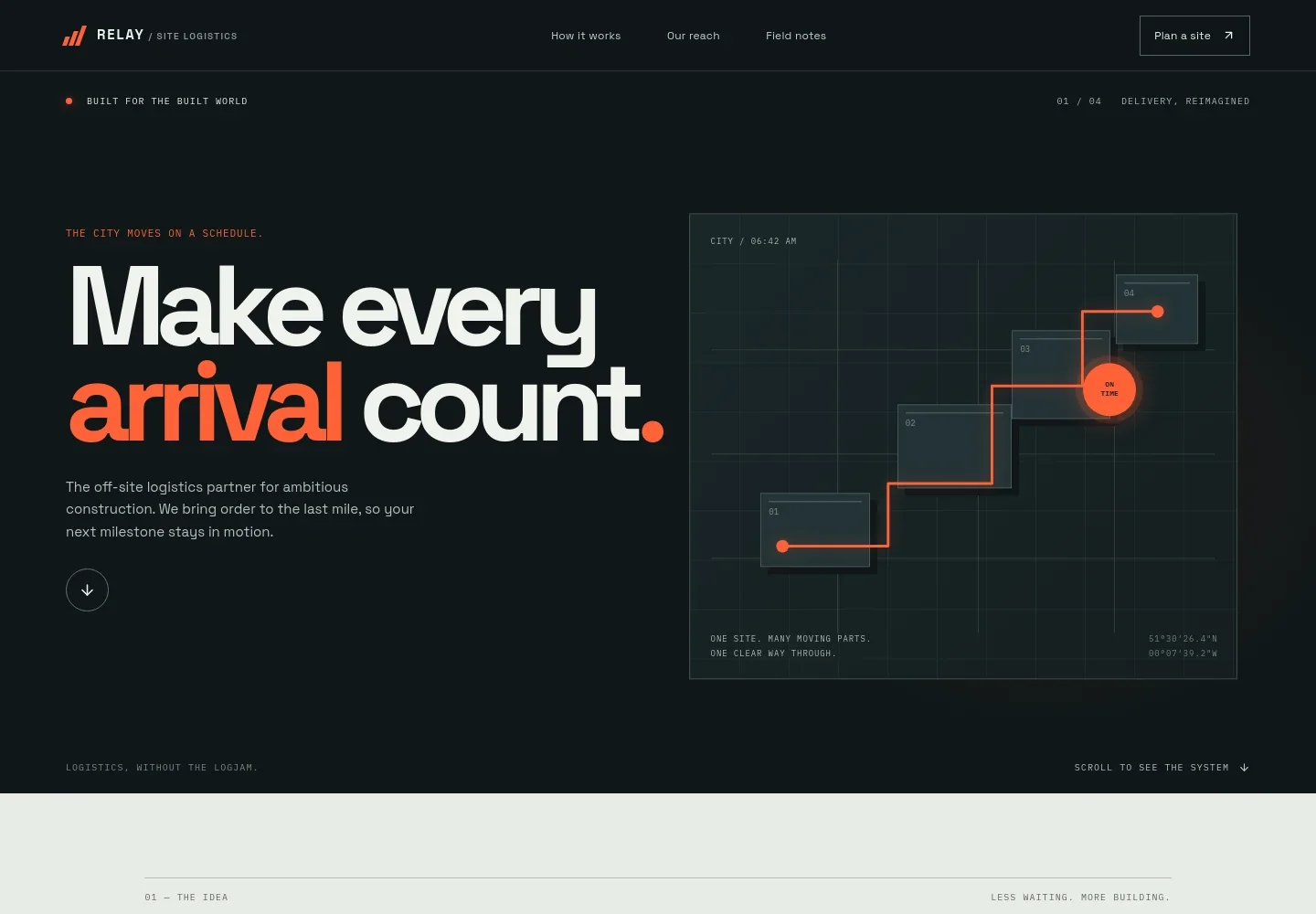
- Construction logistics hero
- A prominent headline and abstract route illustration introduce the idea of coordinating arrivals for construction sites.
- Service approach
- Explains how delivery planning, consolidation, and site-side sequencing work together, with a prompt to discuss a site.
- Delivery sequence
- Shows four stages: consolidate materials at a managed hub, coordinate delivery windows, sequence loads, and hand them off for site work.
- Connected site map
- A labeled diagram links a hub, site gate, lift zone, and trade floor to illustrate how deliveries move toward the work area.
- People and site work
- Pairs construction-site photography with copy about practical planning and clear handoffs for drivers, supervisors, and crews.
- Contact prompt
- Invites visitors to discuss project pressure points and provides an email contact area that can be personalized for the business.
How to use this template
Open in Revamp
Click Use this template and sign in or create an account. You’ll start with your own copy of the design, ready to personalize.
Bring your content
Replace the sample text, photos, and logo with your own. Share your content, a document, or an existing website, and ask Revamp to adapt the template to your business.
Refine and publish
Ask Revamp to adjust the colors, layout, or sections, or edit directly on the page. Review desktop and mobile, then publish. You can keep making changes after launch.
Put your website to work
If you want visitors or project teams to take a next step online, Ask Revamp to add relevant tools for inquiries, scheduling, and operational coordination.
-

Capture and organize project inquiries
HubSpotKeep prospective client details and follow-up in one place. Ask Revamp to connect HubSpot for inquiry management.
-

Coordinate planning meetings
CalendlyLet clients choose a time to discuss site requirements. Ask Revamp to add consultation booking with Calendly.
-

Track delivery and site coordination details
Google SheetsOrganize operational information in shared spreadsheets. Ask Revamp to connect Google Sheets for delivery and site planning records.
Frequently asked questions
Is this template free?
Yes. This premium template is free to use through Use this template. Free refers to the template itself.
Can I use my own content?
Yes. Ask Revamp to personalize the copy, contact details, images, and other content for your building logistics business.
Do I need coding skills?
No. Ask Revamp to make content and design changes for you without coding.
Can I change the design?
Yes. Ask Revamp to adjust the layout, colors, imagery, and other design choices to suit your business.
Can I keep editing after publishing?
Yes. You can keep making changes after launch by asking Revamp to update your site.


