About this template
Help customers understand what parts you carry and what information matters when choosing a component. The design gives air and induction, braking systems, suspension and chassis, and drivetrain parts distinct places to start.
A clear three-step guide walks visitors through identifying their vehicle, comparing component details, and checking installation guidance. A dedicated fitment-notes section highlights dimensions, materials, included hardware, and questions to ask before ordering.
Who it’s for
Car parts retailers, performance parts suppliers, and automotive businesses that want to present component categories, make fitment considerations easier to understand, and invite customers to ask about a part.
What’s included
The layout pairs a prominent engine image and concise introduction with clearly labeled parts categories, practical fitment guidance, and a direct contact invitation. This helps visitors move from browsing components to gathering the vehicle details needed for a parts question.
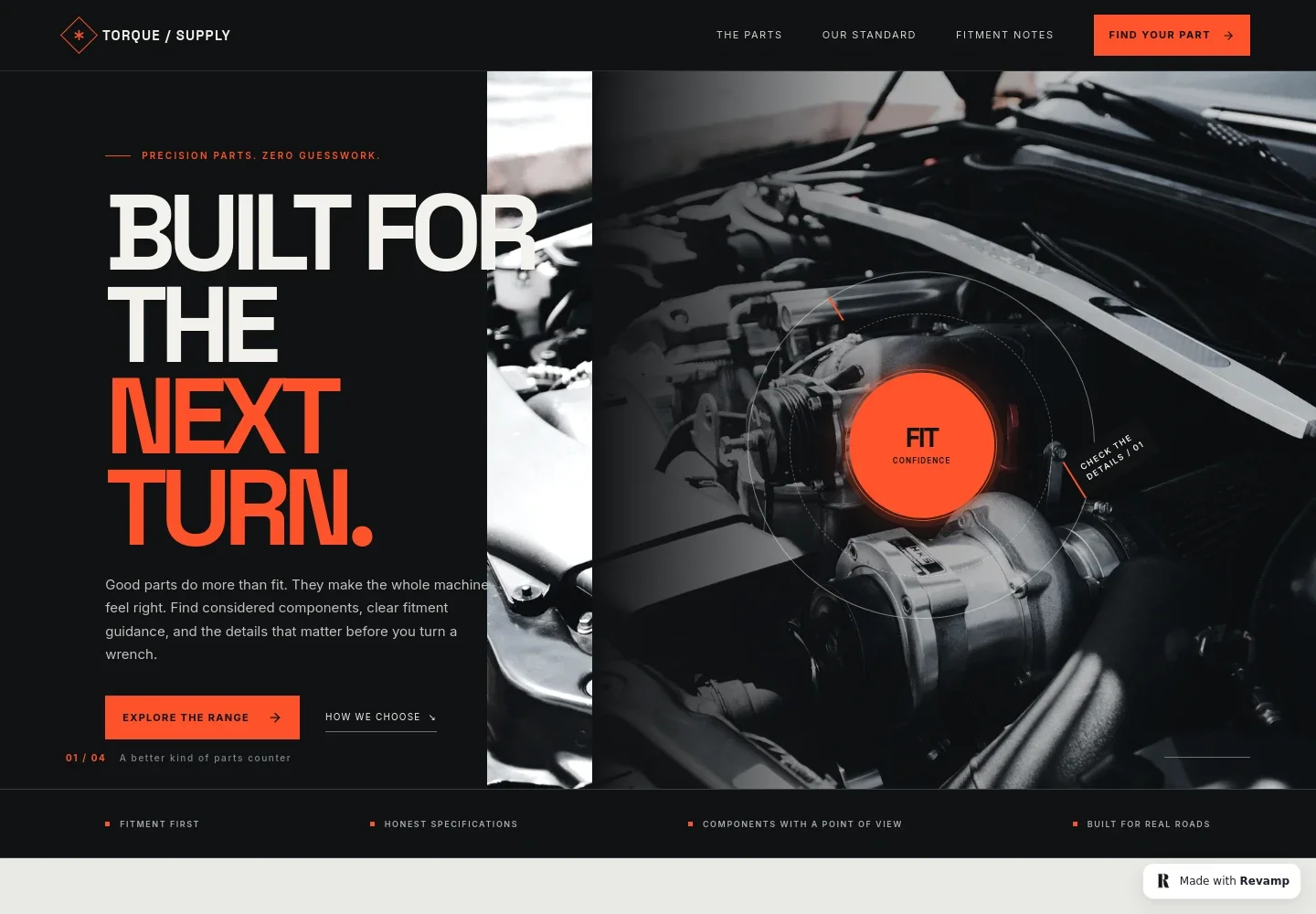
- Automotive parts hero
- An engine-detail image, introductory copy, and a prominent route to the component categories frame the site around fitment and informed parts selection.
- Parts categories
- Four linked categories cover air and induction, braking systems, suspension and chassis, and drivetrain essentials, each with a short note about its focus.
- How to choose a component
- A three-step guide asks visitors to identify the car, compare dimensions and other specifications, then follow the component maker’s fitting and safety guidance.
- Fitment notes
- A dedicated section emphasizes clear dimensions, material information, what is included, and what else a system may need, with a link to ask a fitment question.
- Parts inquiry
- A closing contact section invites visitors to share the vehicle year, make, model, engine, and build plan, with an email link to start the conversation.
How to use this template
Open in Revamp
Click Use this template and sign in or create an account. You’ll start with your own copy of the design, ready to personalize.
Bring your content
Replace the sample text, photos, and logo with your own. Share your content, a document, or an existing website, and ask Revamp to adapt the template to your business.
Refine and publish
Ask Revamp to adjust the colors, layout, or sections, or edit directly on the page. Review desktop and mobile, then publish. You can keep making changes after launch.
Put your website to work
A parts catalog and customer-management tools can help visitors find suitable components and help your team keep inquiries organized. Ask Revamp to add the tools and workflows that suit your business.
-

Help shoppers identify compatible parts
ShopifyAsk Revamp to add a product catalog with vehicle-based fitment data using Shopify, so customers can browse parts and see vehicle compatibility information.
-

Keep parts inquiries organized
HubSpotAsk Revamp to add customer inquiry tracking with HubSpot, helping your team follow up on fitment questions and prospective orders.
-

Make parts purchasing straightforward
StripeAsk Revamp to add online payment with Stripe as part of a suitable purchasing flow for your parts business.
Frequently asked questions
Is this template free?
Yes. This premium template is free to use when you select Use this template. Free refers to the template; other services may have their own costs.
Can I use my own content?
Yes. Ask Revamp to personalize the page with your business name, parts categories, product details, fitment guidance, images, and contact information.
Do I need coding skills?
No. Ask Revamp to personalize the content and design in plain language, without coding.
Can I change the design?
Yes. Ask Revamp to adjust the colors, imagery, layout, and other design details to suit your parts business.
Can I keep editing after publishing?
Yes. You can keep editing after launch. Ask Revamp to update your content or design as your parts range and business needs change.


