About this template
Help patients understand your cardiology approach, the kinds of heart care you offer, and how to begin a conversation. The page presents preventive care, assessment of symptoms and imaging, and ongoing support in clear, patient-focused language.
A first-visit section invites people to bring their questions and explains that care starts with understanding their concerns. The design uses a clinician portrait, cardiac imaging imagery, and a visual sequence from listening to a clear next step to make the information easier to follow.
Who it’s for
Independent cardiologists, cardiology clinics, and heart-care practices looking to explain their approach and give prospective patients a clear way to get in touch.
What’s included
The page guides visitors from an introduction to your cardiology practice through its approach and care options, then toward a first conversation. Its numbered sections and concise copy make the patient journey easy to scan.
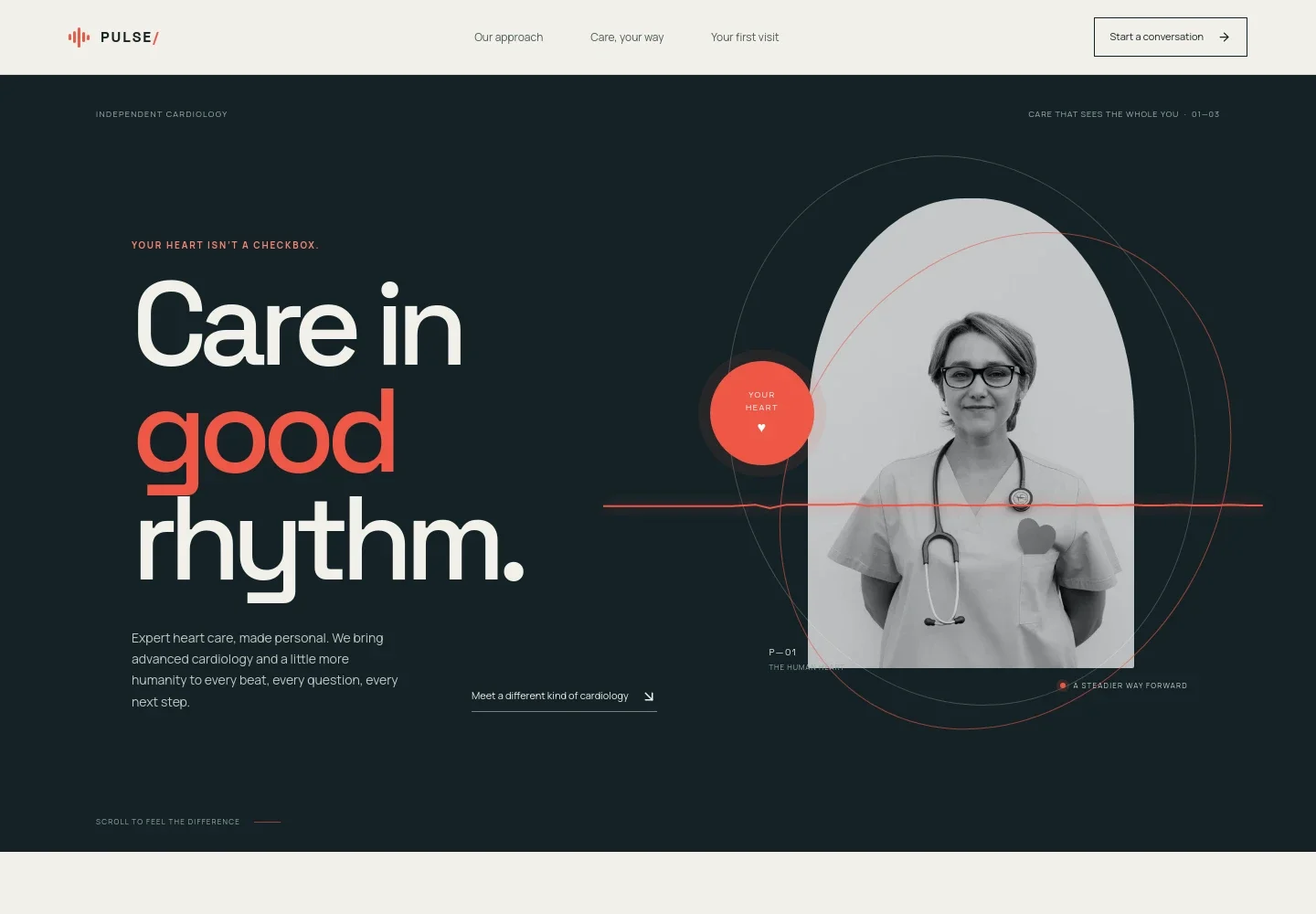
- Cardiology introduction
- A prominent opening introduces independent cardiology and personal heart care, paired with a clinician portrait and a direct link to learn about the practice's approach.
- Our approach
- A dedicated section explains the value of making time for patients' questions, helping them understand test results, and shaping a plan around their lives.
- Care options
- Three concise entries cover preventive cardiology and risk conversations, assessment of symptoms, rhythm and imaging, and follow-up support. Cardiac imaging photography adds context to the services described.
- How care progresses
- A three-step sequence shows how a visit can move from listening, to connecting symptoms, history and investigations, to identifying a next step.
- Your first visit and contact
- The closing section reassures visitors that they can start with their questions and provides a contact link, phone number, and space for practice-specific details.
- Practice footer
- A simple footer repeats the practice identity and provides a link back to the top of the page.
How to use this template
Open in Revamp
Click Use this template and sign in or create an account. You’ll start with your own copy of the design, ready to personalize.
Bring your content
Replace the sample text, photos, and logo with your own. Share your content, a document, or an existing website, and ask Revamp to adapt the template to your business.
Refine and publish
Ask Revamp to adjust the colors, layout, or sections, or edit directly on the page. Review desktop and mobile, then publish. You can keep making changes after launch.
Put your website to work
A practice-management or scheduling tool can help prospective patients take the next step and help your team organize appointments. Ask Revamp to add a connection that suits your intake process.
-

Appointment scheduling
CalendlyMake it easier for prospective patients to request a suitable time. Ask Revamp to add consultation booking with Calendly.
-

Cardiology practice management
athenahealthBring appointment coordination and patient administration into a dedicated practice-management workflow. Ask Revamp to connect your page with athenahealth.
-

Patient communication
KlaraOrganize patient messages and follow-up communication in a healthcare-focused system. Ask Revamp to connect your page with Klara.
Frequently asked questions
Is this cardiology template free?
Yes. This premium template is free to use when you select Use this template. Free refers to the template itself.
Can I use my own practice content?
Yes. Ask Revamp to personalize the page with your practice name, cardiology services, clinician information, contact details, and other content.
Do I need coding skills?
No. You can ask Revamp to personalize the content and design without coding.
Can I change the design?
Yes. Ask Revamp to adjust the colors, imagery, layout, and other design details to suit your practice.
Can I keep editing after publishing?
Yes. You can keep editing after launch by asking Revamp to make further changes to your content or design.


