About this template
Help prospective customers understand how your freight services connect ocean, air, and road transport into a coordinated journey. The design introduces your network, explains the shipment modes you handle, and describes an approach centered on clear communication and considered handoffs.
A prominent freight-vessel image, route illustration, and service rows give visitors a quick visual guide to your capabilities. Further sections explain how you work and invite visitors to discuss a route or shipping challenge.
Who it’s for
Freight carriers, freight forwarders, and logistics providers looking to explain their transport capabilities and give prospective business customers a clear way to start a conversation.
What’s included
The page moves from a clear freight-focused introduction to network context, transport services, operating approach, and a direct contact invitation. Large transport imagery and a route graphic help visitors see how the different parts of a shipment fit together.
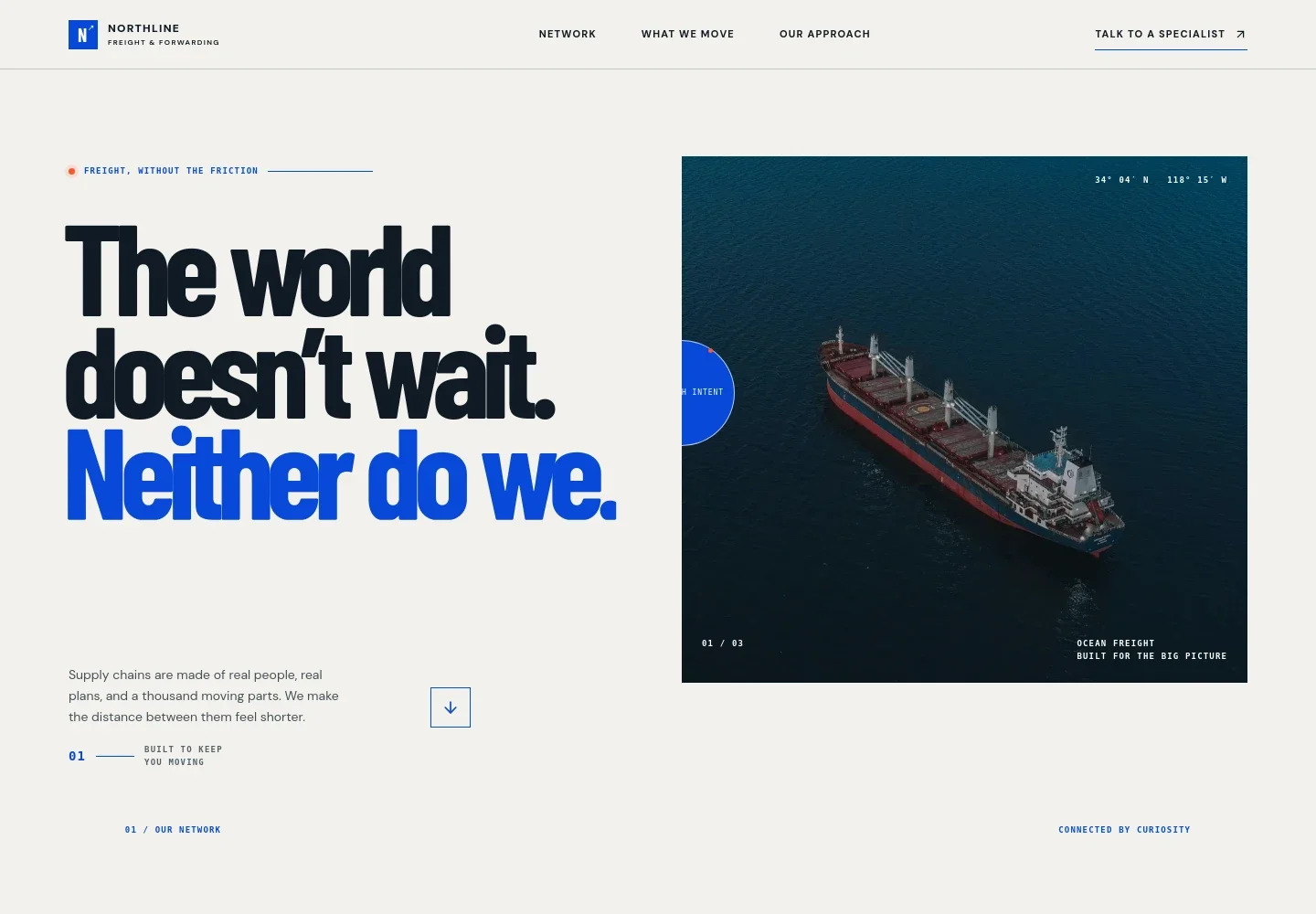
- Freight introduction
- A bold headline, cargo-vessel image, and short copy establish the focus on moving goods and keeping supply chains in motion.
- Network overview
- Explains how shipment planning begins with understanding the cargo and its needs, then brings people, transport modes, and milestones into a clear plan.
- What we move
- An illustrated route connects ocean, air, and road freight, followed by separate descriptions of full and shared container options, time-sensitive air freight, and regional or cross-border road freight.
- Our approach
- Pairs a road-freight image with copy about asking questions upfront, communicating plainly, and adapting plans as circumstances change.
- The handoff
- Describes the links between ports, warehouses, airports, and storefronts, emphasizing visible handoffs and considered next steps.
- Contact invitation
- Closes with a prompt to discuss a route or shipping challenge and a direct contact link for talking with a specialist.
How to use this template
Open in Revamp
Click Use this template and sign in or create an account. You’ll start with your own copy of the design, ready to personalize.
Bring your content
Replace the sample text, photos, and logo with your own. Share your content, a document, or an existing website, and ask Revamp to adapt the template to your business.
Refine and publish
Ask Revamp to adjust the colors, layout, or sections, or edit directly on the page. Review desktop and mobile, then publish. You can keep making changes after launch.
Put your website to work
Ask Revamp to add logistics tools that help customers request quotes, follow shipment progress, and organize freight operations.
-

Collect freight quote requests
HubSpotGive prospective customers a structured way to submit shipment details. Ask Revamp to add a quote request form connected to HubSpot.
-

Keep shipment and customer records organized
CargoWiseBring shipment coordination and customer information into a logistics platform. Ask Revamp to connect CargoWise for freight operations management.
-

Share shipment status with customers
project44Help customers check shipment milestones and tracking updates. Ask Revamp to connect project44 for transportation visibility.
Frequently asked questions
Is this template free?
Yes. This premium template is free to use when you select Use this template. This applies to the template itself, not hosting or other services.
Can I use my own content?
Yes. Ask Revamp to personalize the text, images, freight services, routes, contact details, and branding for your business.
Do I need coding skills?
No. Ask Revamp to make content and design changes in plain language, without coding.
Can I change the design?
Yes. Ask Revamp to adjust the layout, colors, typography, imagery, and other design details to suit your business.
Can I keep editing after publishing?
Yes. You can keep asking Revamp to update your site after launch as your services, routes, or business information change.


