About this template
Help parents see what a children and family photography session can feel like: relaxed, outdoors or at home, and shaped around children being themselves. The design leads with a large meadow photograph and a clear point of view focused on real moments rather than posed behavior.
The page introduces a simple session process, then distinguishes family portraits, newborn and first-year stories, and larger gatherings with cousins and grandparents. A direct contact section gives families a next step to ask about a session.
Who it’s for
Children, newborn, and family photographers who want to show their approach, present session options, and make it easy for parents to get in touch.
What’s included
The design pairs expressive photography with concise, family-focused copy. Its sequence moves from the photographer’s point of view to the session experience, session types, and a clear contact invitation.
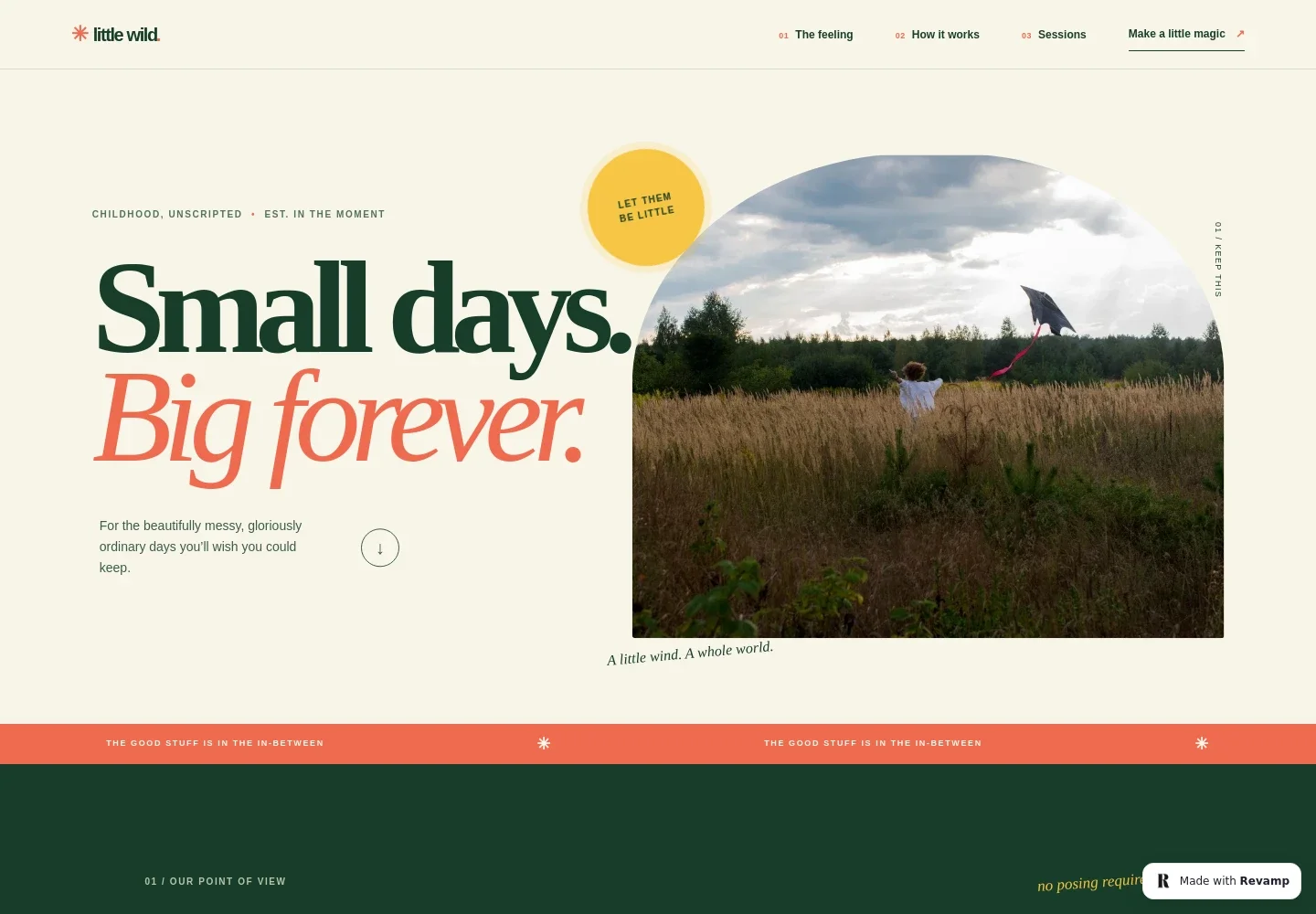
- Photographic hero
- A prominent image of a child playing in a meadow introduces the candid, outdoors-oriented style, alongside a short statement about preserving ordinary childhood moments.
- Photography approach
- A point-of-view section explains the focus on children’s real expressions and everyday details, with a link to the session process.
- How a session works
- Three steps describe choosing an outdoor setting, allowing room for play and spontaneous moments, and creating a collection of photographs.
- Session options
- The page presents family outings, newborn and first-year stories at home, and sessions for extended families, with short descriptions of each.
- Reassurance for parents
- A closing note addresses a common concern directly: children do not need to pose or behave a certain way for photos.
- Contact invitation
- The footer invites families to share details about their children and includes an illustrative email address that can be replaced with the photographer’s contact information.
How to use this template
Open in Revamp
Click Use this template and sign in or create an account. You’ll start with your own copy of the design, ready to personalize.
Bring your content
Replace the sample text, photos, and logo with your own. Share your content, a document, or an existing website, and ask Revamp to adapt the template to your business.
Refine and publish
Ask Revamp to adjust the colors, layout, or sections, or edit directly on the page. Review desktop and mobile, then publish. You can keep making changes after launch.
Put your website to work
Make it easier to coordinate family sessions and keep inquiries organized. Ask Revamp to add booking or client-management tools that fit your workflow.
-

Simplify session scheduling
CalendlyAsk Revamp to add consultation or session booking with Calendly so families can request a suitable time.
-

Keep client inquiries organized
HubSpotAsk Revamp to connect HubSpot to help organize prospective client details and follow-up.
-

Manage photography clients and projects
HoneyBookAsk Revamp to connect HoneyBook to support inquiry tracking, client communication, and project organization.
Frequently asked questions
Is this template free?
Yes. The premium template is free to use when you select Use this template. This applies to the template itself.
Can I use my own content?
Yes. Ask Revamp to personalize the text, photographs, contact details, and session descriptions for your photography business.
Do I need coding skills?
No. Ask Revamp to personalize the content and design without coding.
Can I change the design?
Yes. Ask Revamp to adjust the colors, typography, layout, imagery, or other design details to suit your brand.
Can I keep editing after publishing?
Yes. You can keep editing after launch. Ask Revamp to make further changes as your photography business evolves.


