About this template
Help coffee buyers understand what sets your beans apart, from growing region and harvest to roast approach and flavor. The design gives origin and taste the focus, with editorial copy, coffee imagery, and a flavor index visitors can use to explore tasting notes.
Use the page to introduce your coffee philosophy, present featured lots, explain how you roast, and invite visitors to get in touch. Its clear story-led sections suit a roaster or coffee brand that wants to share the character behind each bag.
Who it’s for
Independent coffee roasters, specialty bean brands, and coffee businesses presenting single-origin or small-lot coffees to curious customers.
What’s included
A complete coffee brand page that guides visitors from the idea behind your coffee to its origin, flavor, and roast, ending with a direct invitation to connect.
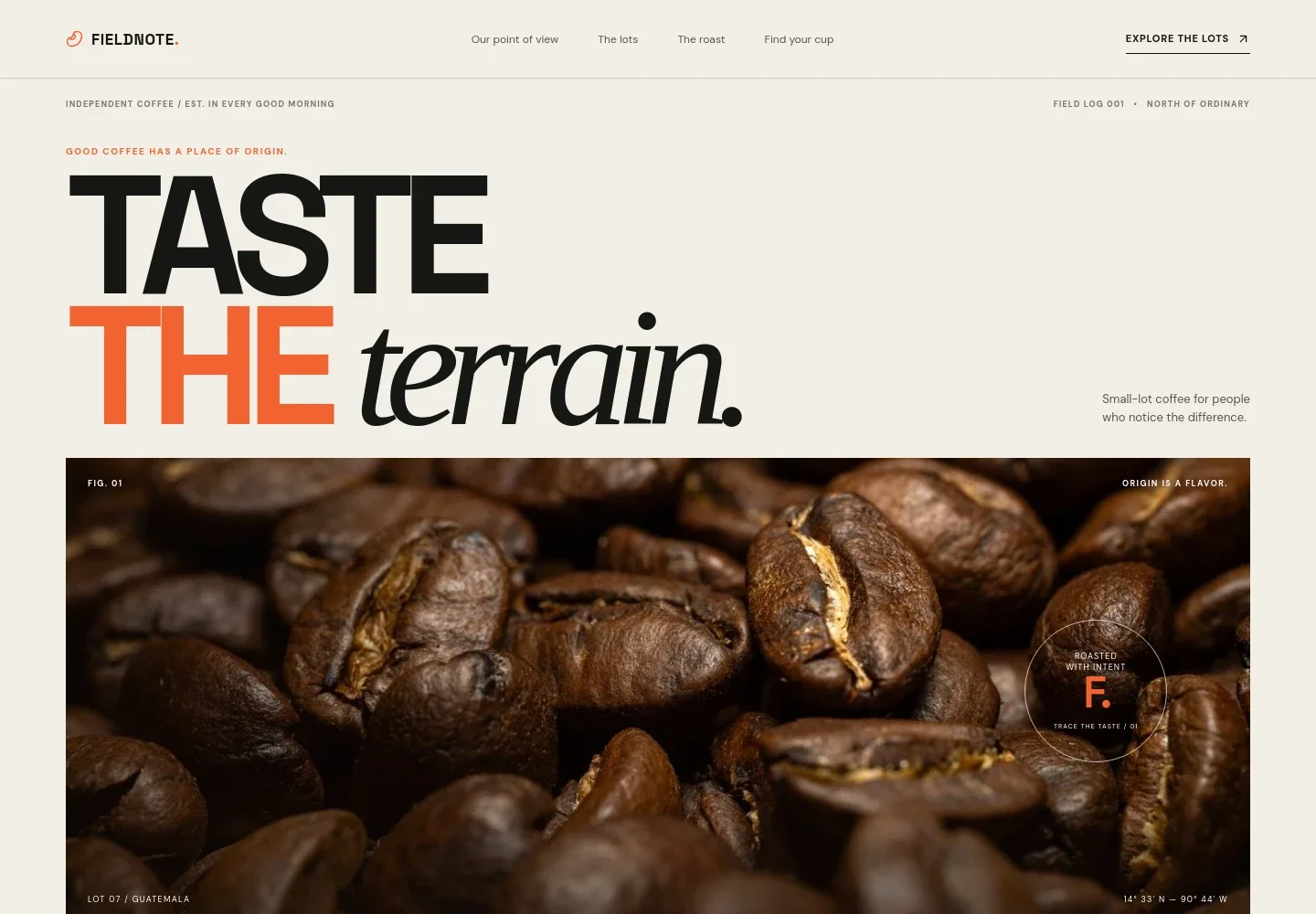
- Editorial hero
- A large coffee-bean photograph, prominent brand headline, and concise supporting message establish the coffee’s point of view. Origin and roast annotations give the opening a field-notes feel.
- Coffee philosophy
- A manifesto-style section explains the approach to sourcing and roasting, with a link leading visitors toward the featured lots.
- Origin and harvest
- Pair origin-focused copy with a photograph of coffee cherries and field-note details to show how place and harvest inform the cup.
- Interactive flavor index
- A selectable three-note flavor dial presents citrus, stone fruit, and cacao as approachable tasting references, alongside copy encouraging visitors to trust their palate.
- Roasting approach
- A roaster photograph and focused copy explain the idea of tailoring a roast to each coffee. A compact visual set of roast-related statements supports the story.
- Contact invitation
- A closing message invites visitors to start with a bag, follow the tasting notes, or say hello through the displayed email link.
- Navigation and footer
- The header links to the philosophy, lots, roast, and contact sections. The footer repeats the brand identity and provides a return-to-top link.
How to use this template
Open in Revamp
Click Use this template and sign in or create an account. You’ll start with your own copy of the design, ready to personalize.
Bring your content
Replace the sample text, photos, and logo with your own. Share your content, a document, or an existing website, and ask Revamp to adapt the template to your business.
Refine and publish
Ask Revamp to adjust the colors, layout, or sections, or edit directly on the page. Review desktop and mobile, then publish. You can keep making changes after launch.
Put your website to work
Make it easier to sell coffee, manage repeat orders, and keep customers interested. Ask Revamp to add or connect business tools that fit the way you sell.
-

Online coffee sales
ShopifyGive customers a straightforward way to buy beans and manage a product catalog. Ask Revamp to add an online store with Shopify.
-

Recurring bean orders
RechargeMake regular coffee deliveries easier for customers who want to replenish on a schedule. Ask Revamp to connect subscription management with Recharge.
-

Coffee updates by email
MailchimpKeep customers informed about new lots, seasonal releases, and brewing ideas. Ask Revamp to add email marketing with Mailchimp.
Frequently asked questions
Is this template free?
Yes. This premium template is free to use when you select Use this template. Free refers to the template itself.
Can I use my own coffee, brand, and photos?
Yes. Ask Revamp to personalize the text, coffee details, brand identity, and imagery so the page reflects your business.
Do I need coding skills?
No. Ask Revamp to make content and design changes in plain language, without coding.
Can I change the design?
Yes. Ask Revamp to adjust the layout, colors, typography, imagery, or other design details to suit your coffee brand.
Can I keep editing after publishing?
Yes. You can keep asking Revamp to update your content and design after the site is published.