About this template
Help business buyers compare work trucks, commercial vans, and fleet vehicles, then start a conversation about what fits their operation. The design pairs a bold truck-led opening with clear paths to explore vehicle types, fleet needs, and service support.
An approach section frames the buying conversation around the work, routes, loads, and drivers involved. A separate service feature keeps maintenance and ongoing support visible alongside vehicle options, while the contact section gives visitors a direct way to call.
Who it’s for
Commercial vehicle dealerships, truck and van retailers, and fleet sales teams looking to explain vehicle options and service support to business owners, fleet managers, and commercial buyers.
What’s included
The page guides business visitors from the dealership’s approach to vehicle choices, ongoing service, and a direct contact point. Its dark, editorial layout uses prominent truck and fleet imagery to make each part of the offer easy to scan.
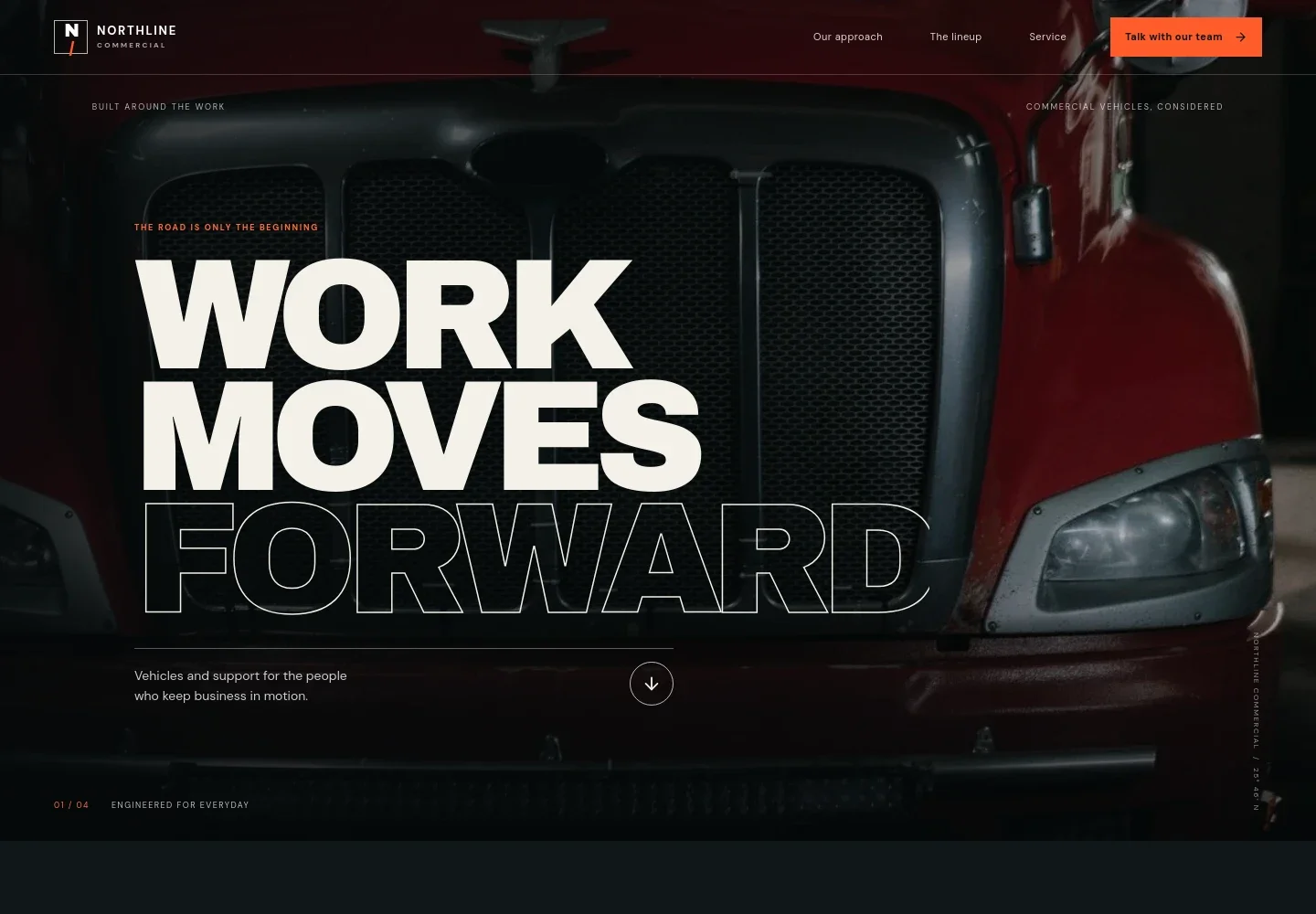
- Hero with dealership introduction
- A full-width commercial truck image, concise headline, and supporting line introduce vehicles and support for businesses. The navigation links visitors to the approach, lineup, service, and contact sections.
- Our approach
- Explains how the dealership considers the work, route, load, and people behind a vehicle decision. A three-step visual sequence, listen closely, find the fit, keep moving, gives the section a clear progression.
- Vehicle lineup and fleet solutions
- A large fleet image and introductory copy lead into a fleet solutions feature, followed by separate rows for work trucks, commercial vans, and fleet vehicles. These visible categories help buyers find a relevant starting point.
- Service support
- A technician-and-truck image accompanies copy about routine maintenance, discussing concerns, and getting back to work. A service link directs visitors to the contact section.
- Contact and dealership details
- A closing call to action invites visitors to discuss vehicles, fleet needs, or service. The layout includes a phone link and labeled areas for location and weekday hours, with illustrative details ready to personalize.
How to use this template
Open in Revamp
Click Use this template and sign in or create an account. You’ll start with your own copy of the design, ready to personalize.
Bring your content
Replace the sample text, photos, and logo with your own. Share your content, a document, or an existing website, and ask Revamp to adapt the template to your business.
Refine and publish
Ask Revamp to adjust the colors, layout, or sections, or edit directly on the page. Review desktop and mobile, then publish. You can keep making changes after launch.
Put your website to work
Give buyers a clearer path from vehicle research to a dealership conversation. Ask Revamp to add or connect tools for inquiries, sales follow-up, and fleet operations.
-

Organize buyer inquiries and follow-up
HubSpotKeep prospective buyer conversations and follow-up organized in one place. Ask Revamp to connect HubSpot for dealership lead management.
-

Manage vehicle inventory and sales
DealerSocketTrack vehicle listings, buyer activity, and dealership sales in a system built for automotive retail. Ask Revamp to connect DealerSocket for dealership management.
-

Coordinate fleet maintenance
FleetioKeep fleet maintenance schedules and vehicle records easier to manage. Ask Revamp to connect Fleetio for fleet operations.
Frequently asked questions
Is this template free?
Yes. This premium template is free to use when you select Use this template. Free refers to the template itself.
Can I use my own dealership content?
Yes. Ask Revamp to personalize the page with your dealership name, vehicle inventory, service details, contact information, and imagery.
Do I need coding skills?
No coding skills are needed. Ask Revamp to personalize the content and design for your dealership.
Can I change the design?
Yes. Ask Revamp to adjust the colors, imagery, layout, and other design details to suit your dealership.
Can I keep editing after publishing?
Yes. You can keep making changes after launch. Ask Revamp to update your dealership details, vehicle categories, service information, or design as your needs change.


