About this template
Help architects, contractors and project teams see what materials you supply and how you can support decisions around specification and sourcing. The design presents aggregates, concrete, masonry, and civil and drainage products in a clear, organized format.
A restrained, editorial layout pairs close-up material photography with concise category descriptions and a step-by-step approach to selecting materials. Dedicated sourcing and contact sections give visitors a clear path from initial research to a conversation about their project.
Who it’s for
Construction material suppliers, distributors and independent materials partners serving architects, contractors, engineers, developers and project teams.
What’s included
The page brings together material categories, decision-making guidance, sourcing considerations and a direct contact prompt, helping visitors understand your offer and know how to start a project conversation.
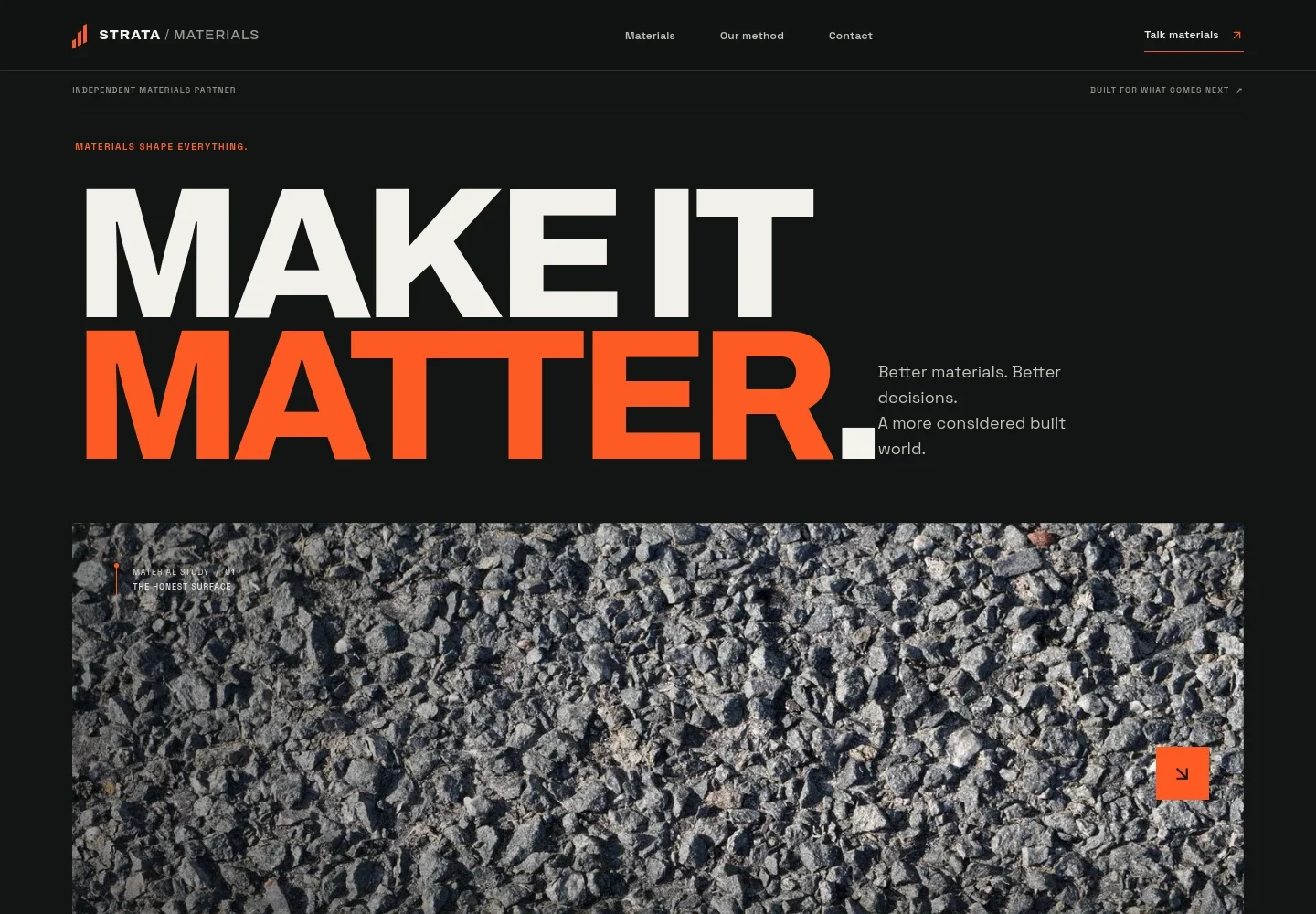
- Material-led hero
- A close-up aggregate image, bold headline and concise supporting copy introduce the business as a construction materials partner. Navigation points visitors to materials, the approach and contact.
- Material categories
- Four numbered entries organize the visible offer: aggregates, concrete, masonry, and civil and drainage. Each names example products, including washed stone, ready-mix, facing brick and geotextiles.
- Material decision approach
- Three steps explain a considered process: understand the project context, review performance and specification options, then coordinate choices through delivery.
- Sourcing considerations
- A dedicated section frames source, specification, transport and use as connected considerations, supported by a landscape image and an invitation to discuss a specification.
- Project conversation contact
- A closing contact section invites visitors to share where they are in the process and discuss material, specification and supply. The design includes a prominent email contact link.
How to use this template
Open in Revamp
Click Use this template and sign in or create an account. You’ll start with your own copy of the design, ready to personalize.
Bring your content
Replace the sample text, photos, and logo with your own. Share your content, a document, or an existing website, and ask Revamp to adapt the template to your business.
Refine and publish
Ask Revamp to adjust the colors, layout, or sections, or edit directly on the page. Review desktop and mobile, then publish. You can keep making changes after launch.
Put your website to work
Make it easier to manage product enquiries, coordinate sales follow-up and keep project information organized. Ask Revamp to add connections with tools your business uses.
-

Organize product enquiries
HubSpotKeep prospective customer details and follow-up activity together. Ask Revamp to connect HubSpot for managing enquiries and sales conversations.
-

Track product and supply information
Google SheetsMaintain structured records for material details, availability and internal coordination. Ask Revamp to connect Google Sheets for shared product and supply tracking.
-

Arrange project discussions
CalendlyLet prospective customers choose a suitable time to discuss specifications and supply. Ask Revamp to add consultation booking with Calendly.
Frequently asked questions
Is this template free?
Yes. This premium template is free to use through Use this template. Free refers to the template itself, not hosting or other services.
Can I use my own content?
Yes. Ask Revamp to personalize the text, product categories, images, branding and contact details for your materials business.
Do I need coding skills?
No. Ask Revamp to make content and design changes without coding.
Can I change the design?
Yes. Ask Revamp to adjust the colors, typography, layout, imagery and other design details to suit your brand.
Can I keep editing after publishing?
Yes. You can keep editing your site after launch. Ask Revamp to update its content or design as your business changes.


