About this template
Help prospective customers see what your print business makes, from product labels and packaging to campaign materials and large-format graphics. The design pairs bold print-floor imagery with clear service descriptions so visitors can connect your capabilities to the project they have in mind.
A dedicated method section describes an example process, from understanding the idea and selecting materials to reviewing a proof and preparing printed work. The closing contact section gives visitors a clear place to start a project conversation.
Who it’s for
Digital printers and print shops serving brands, businesses, and creative teams with labels, packaging, campaign print, large-format graphics, and finishing.
What’s included
The page is structured to show the range of print work, explain how projects take shape, and guide visitors toward an inquiry. Its large images and editorial typography put tangible print materials at the center.
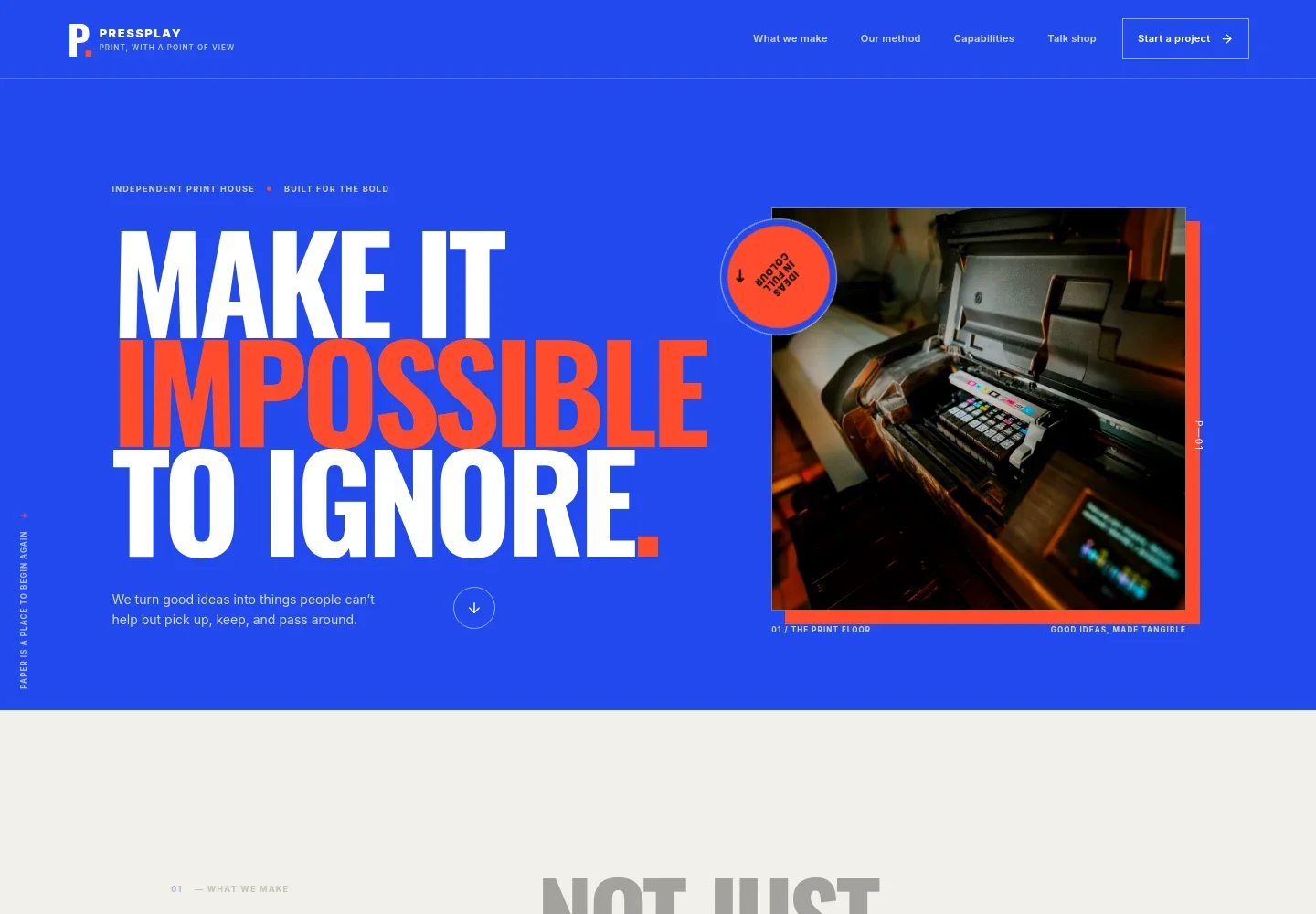
- Hero and navigation
- A prominent headline, print-floor image, short introduction, and project link establish the print business and point visitors toward its work and contact information.
- What we make
- An introductory statement explains the value of physical print and links visitors to the capabilities section.
- Print work feature
- A large image of colorful packaging sits alongside copy about labels, packaging, and posters, giving visitors a concrete sense of the work being presented.
- Method
- A three-step process describes listening to the project brief, choosing stock and finish with a proof, then printing and preparing the work.
- Capabilities
- A scannable list groups services into labels and packaging, campaign print, large format, and finishing, with examples such as flyers, window graphics, foil, and embossing.
- Materials and print choices
- Supporting copy and a studio materials image introduce paper samples, color, gloss, and other print decisions as part of shaping a finished piece.
- Contact
- A closing project invitation and email link give visitors a direct next step. The displayed contact address is illustrative and can be personalized.
- Footer
- Repeats the print-house identity and provides a back-to-top link.
How to use this template
Open in Revamp
Click Use this template and sign in or create an account. You’ll start with your own copy of the design, ready to personalize.
Bring your content
Replace the sample text, photos, and logo with your own. Share your content, a document, or an existing website, and ask Revamp to adapt the template to your business.
Refine and publish
Ask Revamp to adjust the colors, layout, or sections, or edit directly on the page. Review desktop and mobile, then publish. You can keep making changes after launch.
Put your website to work
Make it easier to manage new project inquiries and keep customer details organized. Ask Revamp to add or connect tools such as:
-

Organize customer and project inquiries
HubSpotKeep prospective customer details and follow-up in one place. Ask Revamp to connect HubSpot for contact and inquiry management.
-

Schedule project conversations
CalendlyGive customers a way to choose a time to discuss print specifications and timelines. Ask Revamp to add consultation booking with Calendly.
-

Track inquiry and quote details
Google SheetsOrganize lead and project information in a shared spreadsheet. Ask Revamp to connect Google Sheets for inquiry tracking.
Frequently asked questions
Is this template free?
Yes. This premium template is free to use when you select Use this template. Free refers to the template itself.
Can I use my own content?
Yes. Ask Revamp to personalize the text, images, print services, contact details, and other content for your business.
Do I need coding skills?
No. Ask Revamp to personalize the content and design without coding.
Can I change the design?
Yes. Ask Revamp to adjust the colors, typography, layout, imagery, or other design details to suit your print business.
Can I keep editing after publishing?
Yes. You can keep making changes after launch. Ask Revamp to update your content or design as your services and business needs change.


