About this template
Help prospective patients understand your approach to care, the services you offer, and what to expect from a first visit. The design puts patient-centered messaging up front, then guides visitors through care areas, a simple three-step care philosophy, and a clear contact invitation.
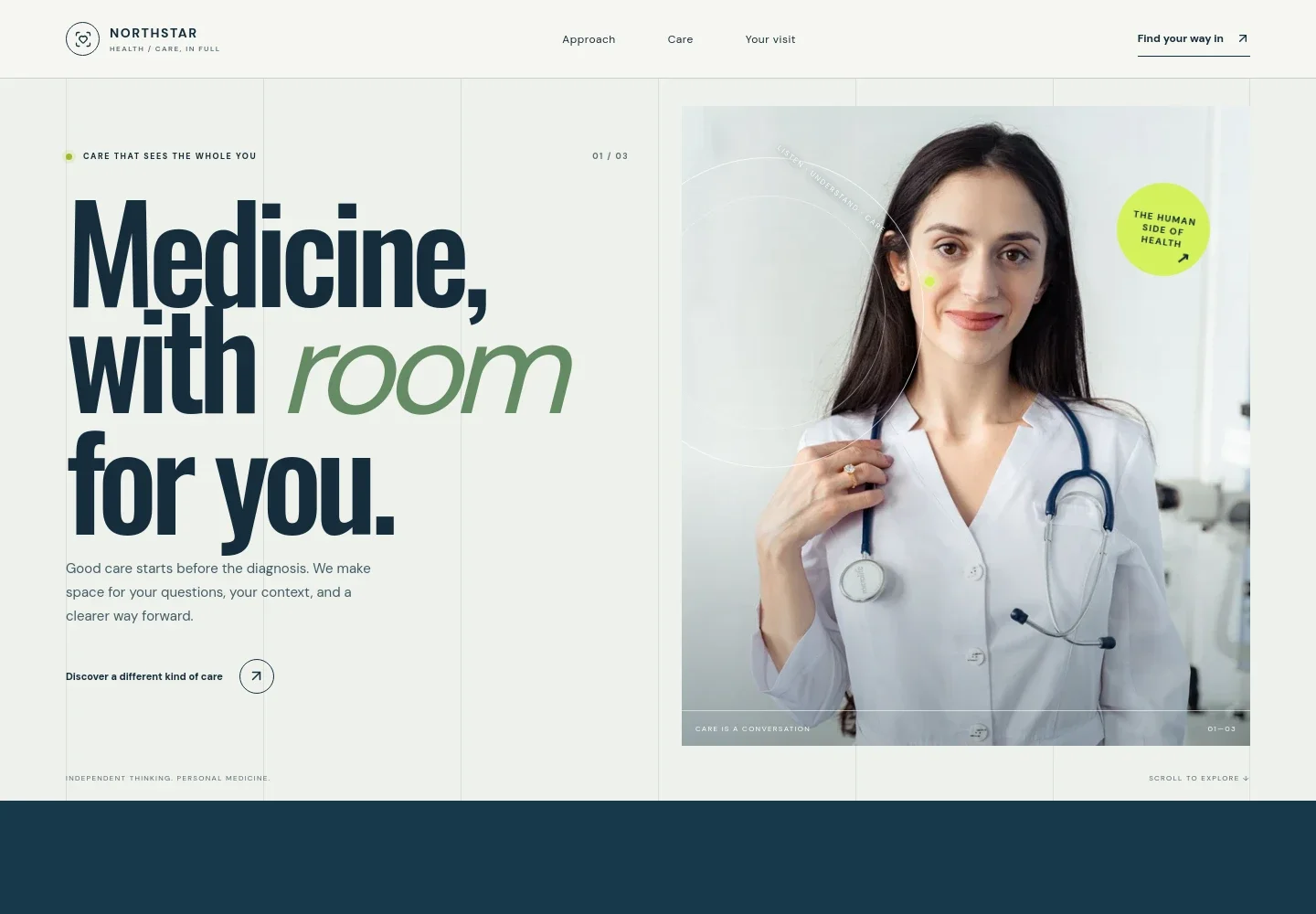
The visual layout pairs a prominent clinician portrait with spacious typography, numbered sections, and a warm palette. It gives a medical practice room to explain how it listens, considers a patient's wider context, and works with them on next steps.
Who it’s for
Designed for doctors, primary care practices, and clinics that want to introduce their care philosophy, explain general service areas, and help prospective patients understand how to get in touch.
What’s included
The page is structured around the questions a prospective patient may have: what kind of care the practice provides, how its approach works, and how to begin a conversation.
- Hero and practice introduction
- A large headline and short welcome message introduce a human-centered approach to medicine, supported by a clinician portrait and a link to learn about the practice.
- Approach to care
- A prominent statement and supporting paragraph explain the practice's emphasis on an ongoing relationship and attention to each patient's context.
- Care areas
- Three numbered entries describe everyday health, ongoing conditions, and prevention and wellbeing, with space to explain each area in concise language.
- How care begins
- A three-step sequence shows visitors the intended conversation flow: share what brought them in, look at the wider picture together, and make a plan.
- First visit and contact
- A welcoming first-visit message leads into a contact link, giving patients a clear place to start. The sample contact details are illustrative and can be personalized.
- Navigation and footer
- Top navigation links to the approach, care areas, and visit information. The footer repeats the practice identity and provides a return-to-top link.
How to use this template
Open in Revamp
Click Use this template and sign in or create an account. You’ll start with your own copy of the design, ready to personalize.
Bring your content
Replace the sample text, photos, and logo with your own. Share your content, a document, or an existing website, and ask Revamp to adapt the template to your business.
Refine and publish
Ask Revamp to adjust the colors, layout, or sections, or edit directly on the page. Review desktop and mobile, then publish. You can keep making changes after launch.
Put your website to work
Make it easier for patients to take a next step by asking Revamp to add appointment scheduling or secure patient communication using tools commonly used by medical practices.
-

Let patients request a visit online
CalendlyReduce back-and-forth when arranging appointments. Ask Revamp to add appointment booking with Calendly.
-

Keep appointment details organized
Google CalendarHelp staff coordinate schedules and reminders. Ask Revamp to add calendar scheduling with Google Calendar.
-

Manage patient inquiries
HubSpotKeep track of prospective patient questions and follow-up. Ask Revamp to add inquiry management with HubSpot.
Frequently asked questions
Is this template free?
Yes. This premium template is free to use when you select Use this template. The offer is for the template itself.
Can I use my own content?
Yes. Ask Revamp to personalize the practice name, care descriptions, contact information, images, and other content for your medical practice.
Do I need coding skills?
No coding skills are needed. Ask Revamp to personalize the page and its design using your instructions.
Can I change the design?
Yes. Ask Revamp to adjust the colors, typography, imagery, layout, and other design details to suit your practice.
Can I keep editing after publishing?
Yes. You can keep making changes after launch. Ask Revamp to update content or design as your practice and information evolve.


