About this template
Help prospective clients understand your aerial photography and cinematography services, see the kind of landscapes and built environments you work with, and start a conversation about their project.
The design pairs large aerial imagery with clear service descriptions and a visual flight sequence. Its dark, editorial style gives landscape and architecture photography room to make an impression, while the planning and approach sections explain how a shoot takes shape.
Who it’s for
Independent drone photographers, aerial cinematographers, and visual studios presenting services to brands, creative teams, publications, and organizations with places or projects to show.
What’s included
The page guides visitors from a striking coastal aerial into your selected work, capabilities, planning approach, and contact details. Image-led sections suit a visual service, while concise supporting copy makes the work and next step easy to understand.
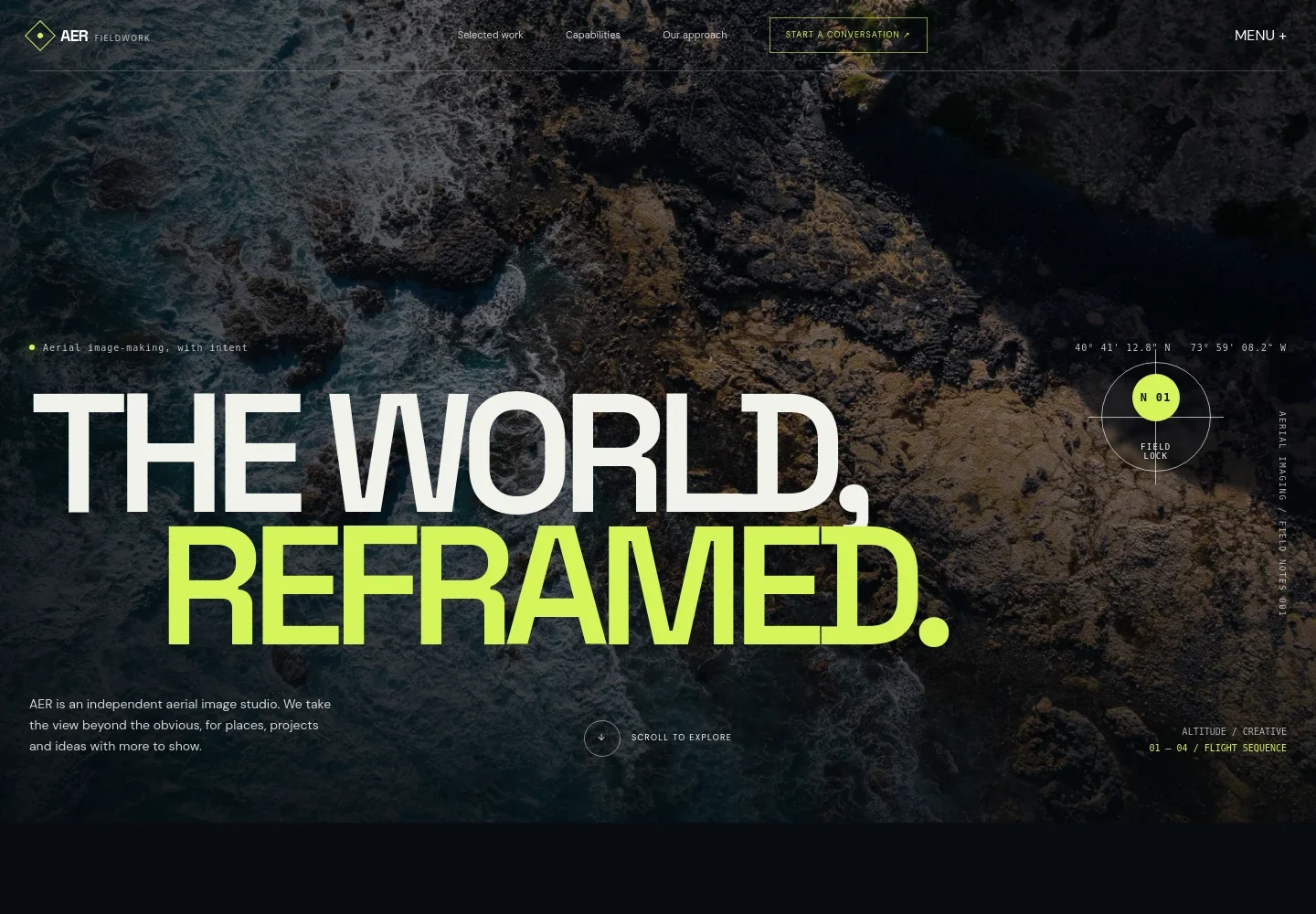
- Aerial image hero
- A full-width coastal image, studio introduction, and prominent conversation link establish the aerial photography focus and invite project inquiries.
- Studio introduction
- An editorial introduction explains the role of considered aerial imagery and links visitors to the capabilities section.
- Four-phase flight sequence
- A visual sequence labeled Lift, Find the line, Hold the frame, and Bring it home gives visitors a simple view of the capture process.
- Selected aerial work
- A large landscape image and caption demonstrate how the portfolio can present an aerial study, with room for a customer’s own selected imagery.
- Capabilities
- Separate service rows describe aerial photography, drone cinematography, flight planning, and image direction and editing.
- Approach
- Three numbered steps cover understanding the brief, considering location and conditions, and following a shot plan while responding to the site.
- Contact
- A closing project invitation and email link give prospective clients a clear way to begin a conversation.
How to use this template
Open in Revamp
Click Use this template and sign in or create an account. You’ll start with your own copy of the design, ready to personalize.
Bring your content
Replace the sample text, photos, and logo with your own. Share your content, a document, or an existing website, and ask Revamp to adapt the template to your business.
Refine and publish
Ask Revamp to adjust the colors, layout, or sections, or edit directly on the page. Review desktop and mobile, then publish. You can keep making changes after launch.
Put your website to work
Make it easier to arrange project discussions, keep inquiries organized, and follow up with prospective clients. Ask Revamp to add or connect tools such as these.
-

Schedule project calls
CalendlyLet prospective clients choose a time to discuss a shoot. Ask Revamp to add consultation booking with Calendly.
-

Organize client inquiries
HubSpotKeep project leads and follow-ups together as inquiries come in. Ask Revamp to connect HubSpot for contact and sales pipeline management.
Frequently asked questions
Is this template free?
Yes. This premium template is free to use through Use this template. The offer applies to the template itself.
Can I use my own content?
Yes. Ask Revamp to personalize the copy, portfolio images, services, contact details, and other page content for your business.
Do I need coding skills?
No. Ask Revamp to personalize the content and design in plain language, without coding.
Can I change the design?
Yes. Ask Revamp to adjust the layout, colors, typography, imagery, and other design details to suit your studio.
Can I keep editing after publishing?
Yes. You can keep making changes after launch. Ask Revamp to update your content or design as your work and services evolve.


