About this template
Help prospective clients understand how aerial capture can clarify a site, asset, or project. The design presents mapping, visual inspection, aerial imagery, and mission planning as distinct capabilities.
A considered dark visual system, flight-path graphics, coordinates, and terrain-study imagery establish an aerial perspective. The page then explains an approach from defining the question through planning a mission to delivering agreed outputs, with a clear contact invitation.
Who it’s for
Independent drone operators and aerial service businesses offering mapping, asset inspection, photography, video, or mission planning to project teams, site owners, and organizations.
What’s included
The page moves from the value of an aerial perspective to specific services, an explanation of the working approach, and a contact prompt. Its sections help visitors understand both what a drone service can provide and how a project conversation begins.
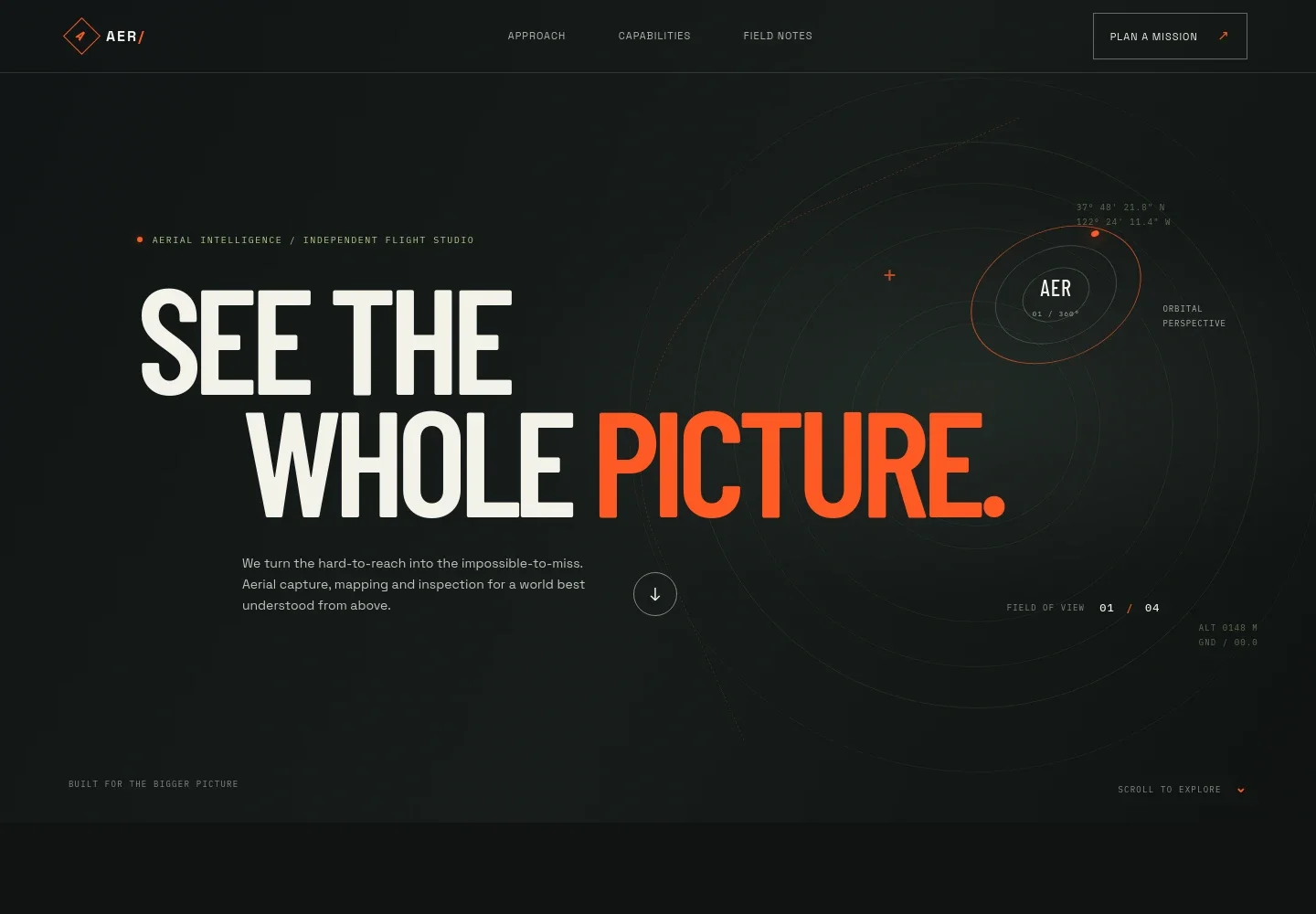
- Aerial services hero
- A bold headline and concise introduction frame aerial capture, mapping, and inspection as ways to see sites and projects more clearly. Flight-path and coordinate details reinforce the drone-focused identity.
- Approach
- Explains how aerial data can help teams understand sites, assets, and landscapes, and invites visitors to describe what they need to see.
- Aerial perspective feature
- A terrain-study visual and short supporting copy illustrate the shift from uncertainty toward insight, emphasizing the value of a considered flight.
- Capabilities
- Four service rows describe aerial mapping, asset inspection, visual storytelling, and mission planning, with concise explanations of the purpose of each.
- Field notes and working approach
- Three steps explain the process shown on the page: define the question, shape the mission around the site and conditions, then deliver imagery or agreed outputs for the team's next decision.
- Project contact
- A closing invitation asks visitors to share the place, asset, or story they have in mind and start a conversation about a suitable plan.
How to use this template
Open in Revamp
Click Use this template and sign in or create an account. You’ll start with your own copy of the design, ready to personalize.
Bring your content
Replace the sample text, photos, and logo with your own. Share your content, a document, or an existing website, and ask Revamp to adapt the template to your business.
Refine and publish
Ask Revamp to adjust the colors, layout, or sections, or edit directly on the page. Review desktop and mobile, then publish. You can keep making changes after launch.
Put your website to work
Make project inquiries easier to manage by asking Revamp to add scheduling, customer management, or mapping tools suited to your workflow.
-

Schedule project consultations
CalendlyGive prospective clients a convenient way to arrange an initial conversation. Ask Revamp to add consultation booking with Calendly.
-

Keep client and project inquiries organized
HubSpotTrack prospective clients and follow-up conversations in one place. Ask Revamp to connect HubSpot for contact management.
-

Review sites and plan flight areas
Google MapsUse satellite imagery and maps to discuss locations with clients. Ask Revamp to add a Google Maps link for site references.
Frequently asked questions
Is this template free?
Yes. This premium template is free to use via Use this template. Free refers to the template itself.
Can I use my own content?
Yes. Ask Revamp to personalize the text, imagery, service descriptions, and contact details for your drone business.
Do I need coding skills?
No. Ask Revamp to personalize the content and design without coding.
Can I change the design?
Yes. Ask Revamp to adjust the visual style, layout, colors, and other design details to suit your business.
Can I keep editing after publishing?
Yes. You can keep editing your site after launch. Ask Revamp to update content or make design changes as your business evolves.


