About this template
Show authors how an idea can become a finished book, from editorial development and design to ebook files, metadata guidance and launch planning. The page introduces the publishing approach, outlines the craft involved and gives prospective authors a clear way to start a conversation.
The editorial-led design pairs bookmaking imagery with a three-step process and clearly grouped editorial, design and production services. Its author-focused section speaks to independent writers, founders and specialists, while the closing contact section invites visitors to share an idea at any stage.
Who it’s for
Independent publishing studios and book professionals offering editorial, design or ebook production services to authors, founders and subject-matter specialists.
What’s included
The page guides visitors from the publishing studio’s point of view to its process, services, author audience and contact details.
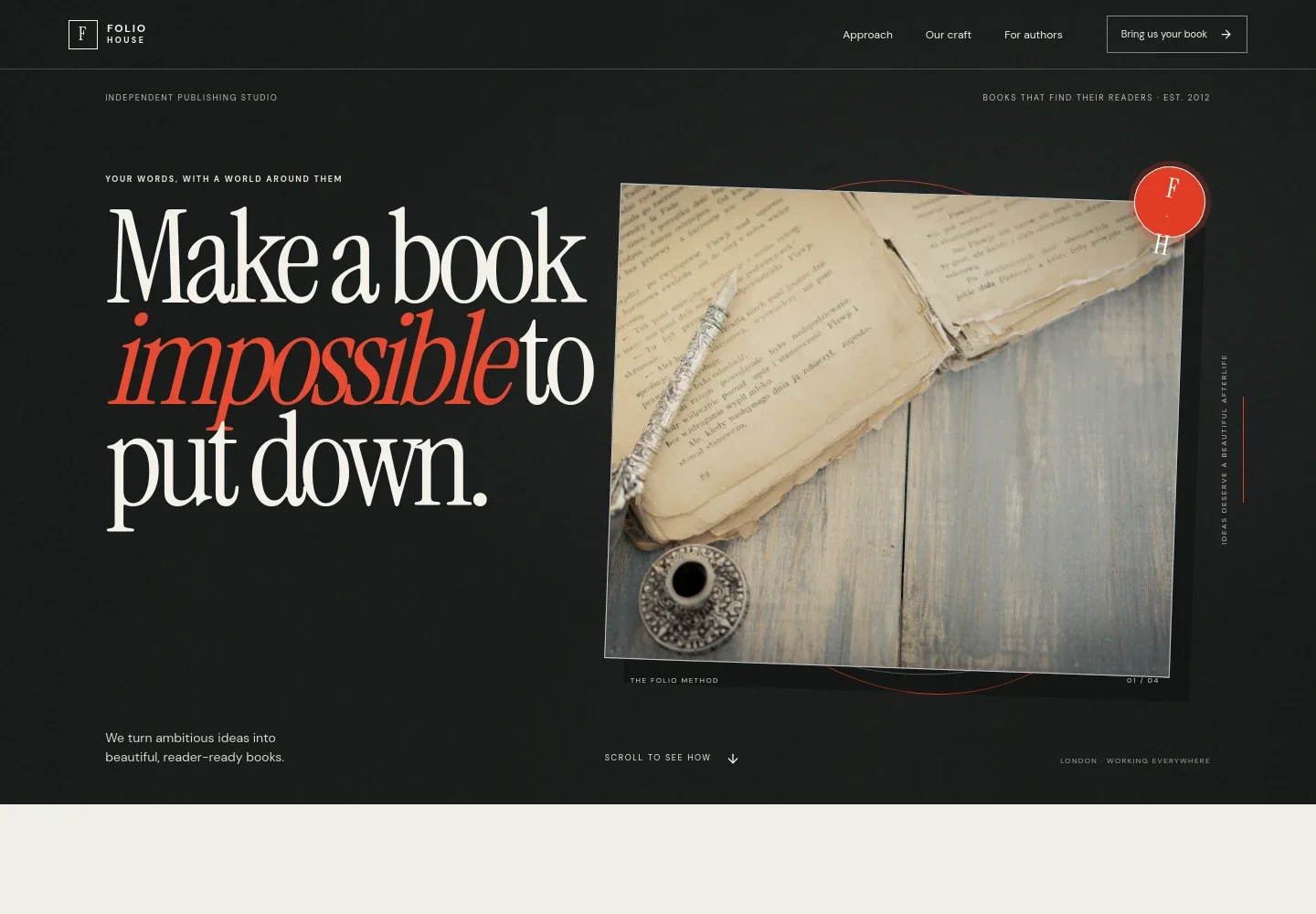
- Publishing studio hero
- A prominent book still life, editorial headline and short statement introduce the studio and its aim of making ambitious ideas into reader-ready books.
- Three-step publishing approach
- A numbered sequence explains how the work moves from sharpening an idea and identifying its reader to editorial and design development, then production and launch planning.
- Editorial, design and production services
- Three service descriptions cover developmental and line editing, cover and interior design including ebook design, and proofing, print and ebook files, metadata guidance and launch planning.
- For authors
- This section addresses independent authors, founders and specialists, describing a collaborative publishing process and inviting them to share what they are making.
- Contact invitation
- A closing prompt welcomes an idea, chapter or manuscript and points visitors to an email contact they can replace with their own details.
- Studio footer
- The footer repeats the Folio House wordmark and offers a link back to the beginning of the page.
How to use this template
Open in Revamp
Click Use this template and sign in or create an account. You’ll start with your own copy of the design, ready to personalize.
Bring your content
Replace the sample text, photos, and logo with your own. Share your content, a document, or an existing website, and ask Revamp to adapt the template to your business.
Refine and publish
Ask Revamp to adjust the colors, layout, or sections, or edit directly on the page. Review desktop and mobile, then publish. You can keep making changes after launch.
Put your website to work
A few publishing and email tools can help organize book production and keep readers informed. Ask Revamp to add or connect the tools that suit your workflow.
-

Keep manuscripts and production files organized
Google DriveAsk Revamp to connect Google Drive so your team can organize and share book drafts, artwork and production files.
-

Manage editorial tasks and production milestones
TrelloAsk Revamp to connect Trello to track editing, design, proofing and launch tasks across a book project.
-

Build an author and reader mailing list
MailchimpAsk Revamp to add Mailchimp signup options so visitors can join your publishing updates or author newsletter.
Frequently asked questions
Is this template free?
Yes. This premium template is free to use when you select Use this template. The offer applies to the template, not hosting or other services.
Can I use my own content?
Yes. Ask Revamp to personalize the page with your publishing studio’s name, services, author information, imagery and contact details.
Do I need coding skills?
No. Ask Revamp to personalize the content and design in plain language, without coding.
Can I change the design?
Yes. Ask Revamp to adjust the colors, typography, imagery, layout or other design details to better reflect your publishing brand.
Can I keep editing after publishing?
Yes. You can keep editing the site after launch. Ask Revamp to update your services, content or design as your publishing business evolves.