About this template
Help prospective clients understand your estate planning services and find a clear way to begin a conversation. The design presents wills and trusts, probate and estate settlement, trust administration, and legacy and succession planning.
A calm, editorial layout pairs concise service descriptions with an approach section, a three-step process, practical estate planning questions, and a consultation invitation. These visible sections help visitors see what the firm handles and what an initial conversation may cover.
Who it’s for
Estate planning attorneys, probate and trust practices, and law firms serving individuals, families, trustees, and business owners planning for succession.
What’s included
The page guides visitors from an introduction to the firm's approach through practice areas, process details, common questions, and a contact prompt. Its restrained typography and family-focused imagery suit the careful, personal decisions involved in estate law.
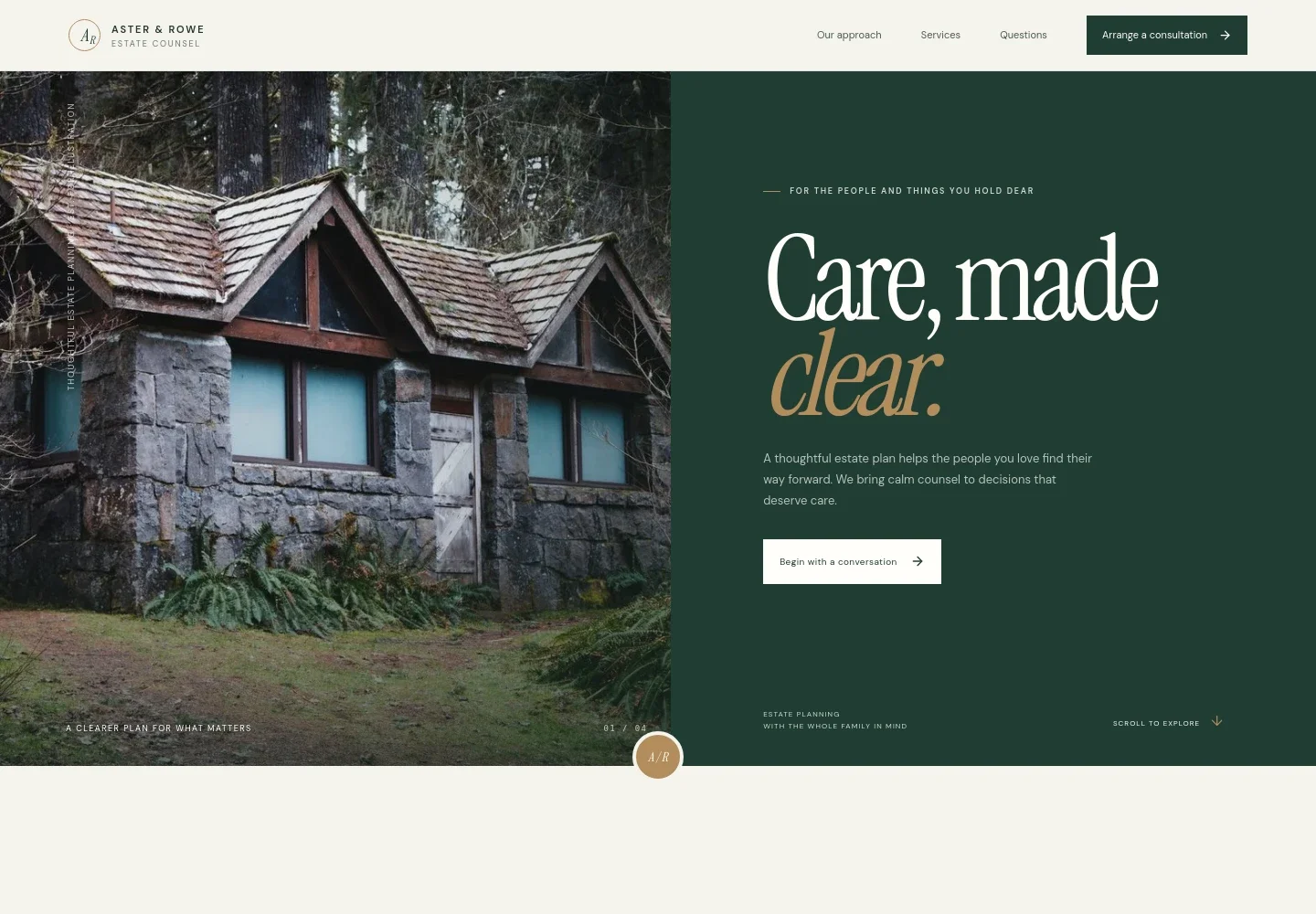
- Hero and consultation prompt
- A prominent headline and concise introduction frame estate planning as a way to clarify intentions for loved ones, with a direct link to begin a conversation.
- Approach
- Explains the firm's human-centered view of estate planning and directs visitors to the services overview.
- Services
- Lists wills and trusts, probate and estate settlement, trust administration, and legacy and succession, each with a short description and consultation link.
- Three-step process
- Outlines listening, clarifying choices and trade-offs, and preparing a plan, helping prospective clients understand the firm's stated approach.
- Planning for family and legacy
- Connects planning decisions with the people who may carry out responsibilities, supported by illustrative family archive imagery.
- Common questions
- Answers questions about when to plan, whether a trust is needed, and reviewing existing documents.
- Consultation and contact
- Closes with an invitation to share what is on a visitor's mind and an email contact link, with illustrative contact details ready for personalization.
- Navigation and footer
- Provides links to the approach, services, questions, and consultation sections, plus a footer with the firm wordmark and a return-to-top link.
How to use this template
Open in Revamp
Click Use this template and sign in or create an account. You’ll start with your own copy of the design, ready to personalize.
Bring your content
Replace the sample text, photos, and logo with your own. Share your content, a document, or an existing website, and ask Revamp to adapt the template to your business.
Refine and publish
Ask Revamp to adjust the colors, layout, or sections, or edit directly on the page. Review desktop and mobile, then publish. You can keep making changes after launch.
Put your website to work
Help prospective clients take the next step and keep inquiries organized. Ask Revamp to add or connect tools that fit the way your practice handles consultations and client communication.
-

Make consultation scheduling easier
CalendlyLet visitors choose a suitable time for an introductory meeting. Ask Revamp to add consultation booking with Calendly.
-

Keep prospective client inquiries organized
HubSpotTrack inquiries and follow-up in one place. Ask Revamp to connect HubSpot for contact and inquiry management.
-

Coordinate consultation availability
Google CalendarManage meeting availability alongside your calendar. Ask Revamp to connect Google Calendar for scheduling coordination.
Frequently asked questions
Is this template free?
Yes. This premium template is free to use when you select Use this template. Free refers to the template itself.
Can I use my own content?
Yes. Ask Revamp to personalize the page with your firm's name, practice details, contact information, imagery, and other content.
Do I need coding skills?
No. Ask Revamp to personalize the content and design in plain language, without coding.
Can I change the design?
Yes. Ask Revamp to adjust the layout, colors, typography, imagery, or other design details to suit your practice.
Can I keep editing after publishing?
Yes. You can keep asking Revamp to update your content and design after launch.