About this template
Show visitors the kinds of gatherings you create, from weddings and brand events to milestone celebrations. The page introduces your point of view and describes a four-part planning arc, helping prospective clients understand how an idea can become an event.
A large atmospheric hero image sets the mood, followed by sections on your approach, planning process, and services. A full-width event image and a direct contact invitation give visitors a visual sense of the work and a clear next step.
Who it’s for
Independent event planners, event designers, and production studios looking to present wedding planning, brand gatherings, milestone parties, or creative production services.
What’s included
The layout pairs atmospheric event imagery with clear explanations of your perspective, process, and service areas, so visitors can see both the creative direction and the practical scope of your work.
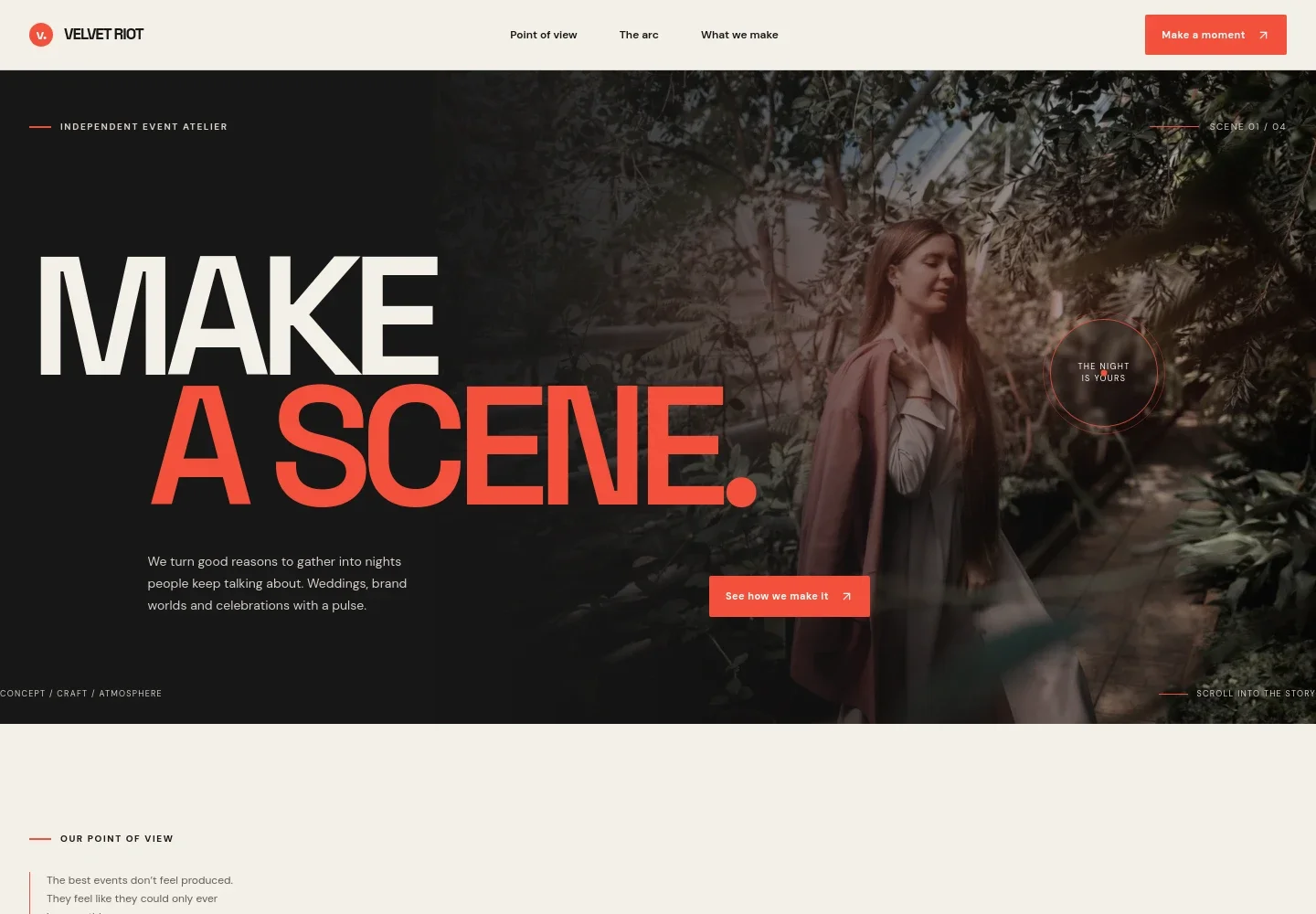
- Image-led hero
- A prominent, moody event image sits behind a concise introduction to the studio and the gatherings it creates, giving visitors an immediate sense of the brand’s atmosphere.
- Point of view
- A dedicated section explains the studio’s approach to creating events around connection, setting, and the details that shape how a gathering feels.
- Planning process
- Four stages describe the path from listening and shaping an event concept to production and day-of direction. This helps prospective clients understand the planner’s role from the first conversation through the event.
- Event services
- Separate service rows cover weddings, brand gatherings, milestones and parties, and creative production, with a short description of each.
- Atmosphere image
- A wide event image and brief caption reinforce the visual style of the studio and provide a strong showcase area for event photography.
- Contact invitation
- The closing section invites visitors to share an early idea and begin a conversation, offering a direct contact call to action.
How to use this template
Open in Revamp
Click Use this template and sign in or create an account. You’ll start with your own copy of the design, ready to personalize.
Bring your content
Replace the sample text, photos, and logo with your own. Share your content, a document, or an existing website, and ask Revamp to adapt the template to your business.
Refine and publish
Ask Revamp to adjust the colors, layout, or sections, or edit directly on the page. Review desktop and mobile, then publish. You can keep making changes after launch.
Put your website to work
Make it easier to handle inquiries, coordinate planning details, and keep prospective clients informed. Ask Revamp to add or connect tools such as these to suit your workflow.
-

Organize leads and client conversations
HubSpotKeep inquiries, client details, and follow-up in one place. Ask Revamp to connect HubSpot for event lead and client relationship management.
-

Let prospective clients book a call
CalendlyGive visitors a simple way to choose a consultation time. Ask Revamp to add consultation booking with Calendly.
-

Coordinate dates and planning milestones
Google CalendarKeep event dates and planning meetings organized on a shared calendar. Ask Revamp to connect Google Calendar.
Frequently asked questions
Is this template free?
Yes. This premium template is free to use when you select Use this template. Free refers to the template itself.
Can I use my own content?
Yes. Ask Revamp to personalize the page with your event photos, services, studio details, and contact information.
Do I need coding skills?
No coding skills are needed. Ask Revamp to make content and design changes in plain language.
Can I change the design?
Yes. Ask Revamp to adjust the imagery, colors, typography, layout, or other design details to fit your event business.
Can I keep editing after publishing?
Yes. You can keep asking Revamp to update your site after launch as your services, portfolio, and contact details change.