About this template
Help people understand an event and the path from discovery to arrival. The design pairs a dramatic live-event hero with a clear three-step flow covering event discovery, ticket checkout, and arrival.
For event ticketing businesses and independent promoters, the page also speaks directly to the people putting on a show. Promoter-focused content highlights event storytelling, clear details, and room to shape the experience around each event.
Who it’s for
Event ticketing companies, independent promoters, concert and festival organizers, and teams presenting live events.
What’s included
A dark, high-contrast layout uses concert imagery, oversized type, and lime and violet accents to make the event experience easy to follow. The sections move from audience anticipation to the promoter's perspective, helping both visitors and organizers see how the ticketing journey is presented.
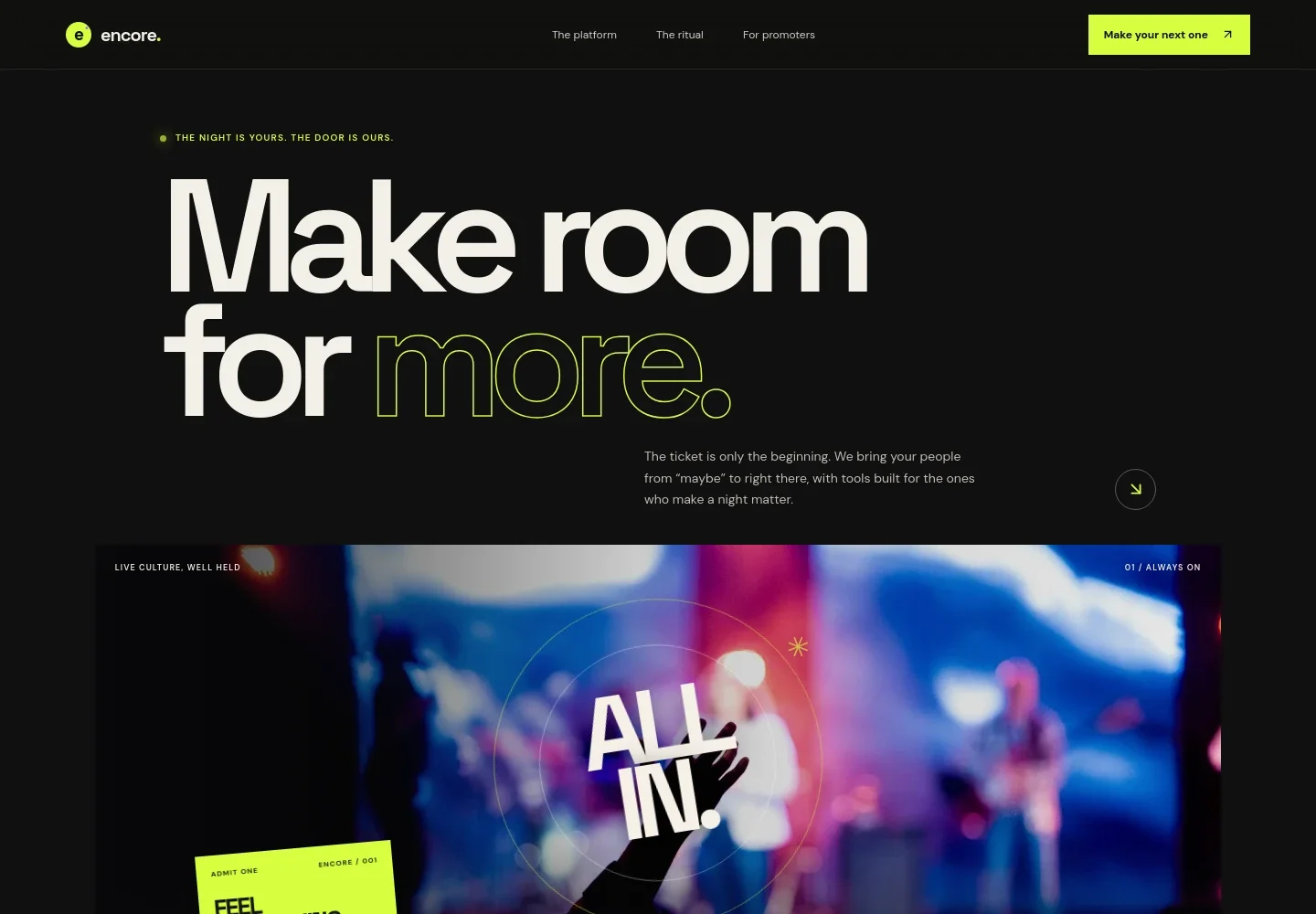
- Event ticketing hero
- A concert-crowd visual, sample ticket graphic, and concise introduction establish the live-event focus and direct visitors toward the platform overview.
- Platform introduction
- A short statement explains the emphasis on event discovery, checkout, and the details around opening the doors, with a link into the journey section.
- Three-step ticketing journey
- The Discover, Check Out, and Arrive steps describe how an event page, ticket options, and a digital ticket fit into the visitor's experience.
- Promoter overview
- Content for event makers describes shaping an event page, setting ticket types, and keeping track of details as the event approaches.
- Promoter principles
- Three concise points focus on putting the event story first, keeping information clear, and making space for each promoter's style.
- Closing contact prompt
- A conversation link and footer provide a clear way to continue the discussion, alongside the brand and a return-to-top link.
How to use this template
Open in Revamp
Click Use this template and sign in or create an account. You’ll start with your own copy of the design, ready to personalize.
Bring your content
Replace the sample text, photos, and logo with your own. Share your content, a document, or an existing website, and ask Revamp to adapt the template to your business.
Refine and publish
Ask Revamp to adjust the colors, layout, or sections, or edit directly on the page. Review desktop and mobile, then publish. You can keep making changes after launch.
Put your website to work
Connect ticket sales, attendee records, and event communications with tools suited to your operation. Ask Revamp to add or connect the services that fit your workflow.
-

Manage ticket sales and attendee check-in
EventbriteKeep event registration, ticket sales, and attendee management together. Ask Revamp to add an Eventbrite ticketing link or event signup flow.
-

Sell tickets and manage event entry
Ticket TailorUse a ticketing service with event pages and attendee check-in tools. Ask Revamp to add a ticket purchase link for events hosted on Ticket Tailor.
-

Send event updates to your audience
MailchimpBuild event announcements and reminders into your email outreach. Ask Revamp to add a Mailchimp signup form for your event mailing list.
Frequently asked questions
Is this template free?
Yes. This premium template is free to use when you select Use this template. Free refers to the template itself.
Can I use my own event content?
Yes. Ask Revamp to personalize the page with your event name, descriptions, imagery, ticket information, and contact details.
Do I need coding skills?
No. Ask Revamp to personalize the content and design in plain language, without coding.
Can I change the design?
Yes. Ask Revamp to adjust the colors, imagery, layout, and other design details to suit your event ticketing business.
Can I keep editing after publishing?
Yes. You can keep editing after launch. Ask Revamp to update event information, content, or design as your needs change.