About this template
Help prospective clients understand how your studio shapes gatherings into live experiences, from the first creative idea through production and guest experience. The design presents brand events, launches and celebrations alongside spatial design and atmosphere.
A large visual hero and bold editorial typography establish a distinctive creative point of view. Dedicated sections explain your approach, outline services, introduce the studio and invite visitors to start a conversation about an event.
Who it’s for
Independent event studios, creative producers and event production teams presenting services for brand launches, gatherings, celebrations and other live experiences.
What’s included
The page guides visitors from your creative approach to the kinds of events you make, how the studio works and how to begin a conversation.
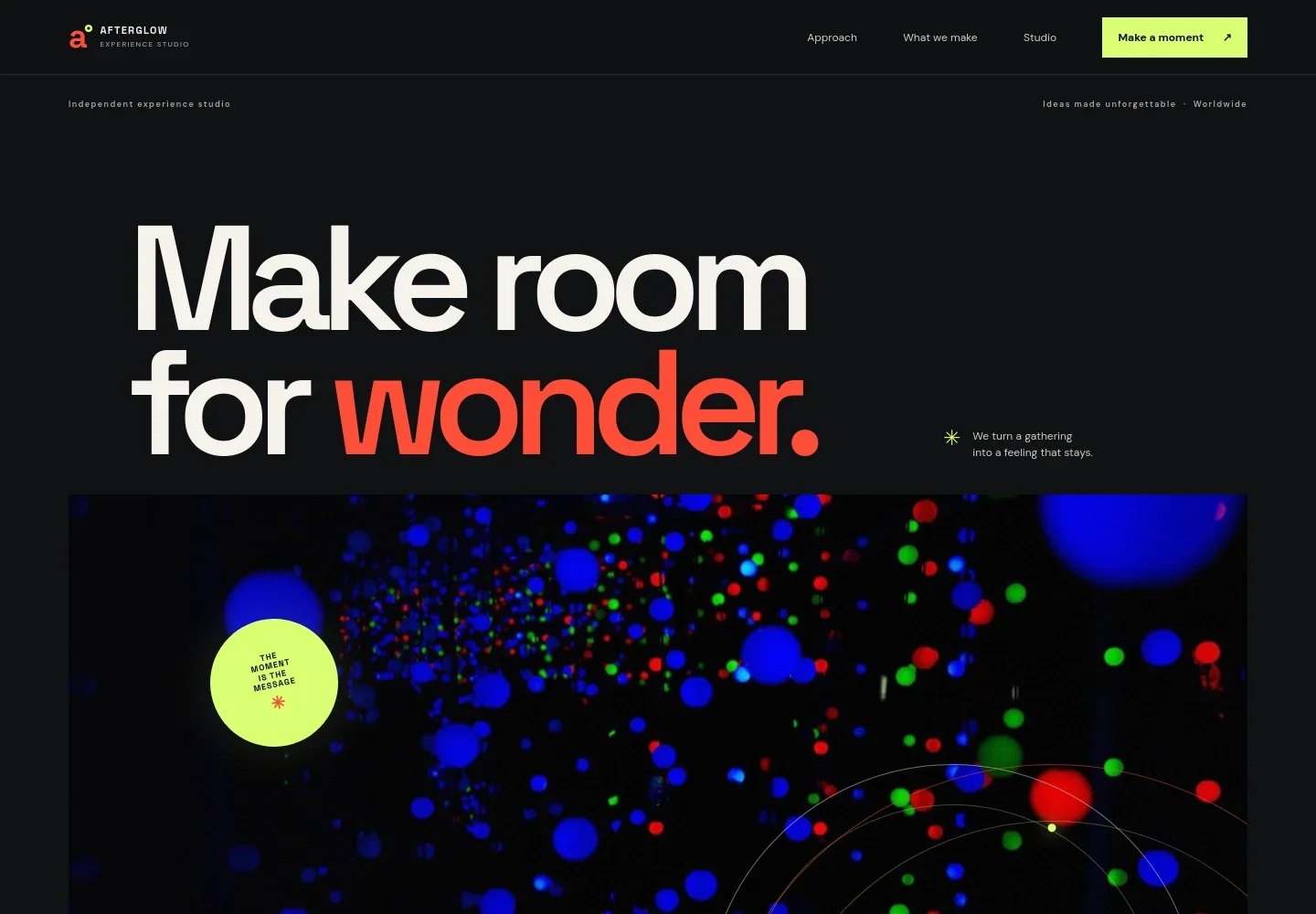
- Hero and studio introduction
- A striking image-led opening introduces the experience studio and its focus on live gatherings, with concise messaging and navigation to the main sections.
- Approach
- An editorial statement explains how the studio builds an experience around a central idea, the atmosphere of a space and the role of guests.
- What we make
- A featured event image and three service descriptions cover brand gatherings, spatial design and scenography, and joined-up creative direction, production and guest experience.
- Studio
- A short introduction presents the studio as an independent creative team and describes its interest in bringing people together.
- Contact
- A closing invitation prompts prospective clients to share what they are imagining and provides an email contact link.
How to use this template
Open in Revamp
Click Use this template and sign in or create an account. You’ll start with your own copy of the design, ready to personalize.
Bring your content
Replace the sample text, photos, and logo with your own. Share your content, a document, or an existing website, and ask Revamp to adapt the template to your business.
Refine and publish
Ask Revamp to adjust the colors, layout, or sections, or edit directly on the page. Review desktop and mobile, then publish. You can keep making changes after launch.
Put your website to work
Make it easier to coordinate event inquiries, planning calendars and attendee communications. Ask Revamp to add or connect tools suited to your process.
-

Schedule discovery calls
CalendlyGive prospective clients a simple way to request a time to discuss an event. Ask Revamp to add consultation booking with Calendly.
-

Coordinate event timelines
Google CalendarKeep planning dates and team schedules easier to manage. Ask Revamp to connect Google Calendar for event and consultation scheduling.
-

Manage event inquiries and client follow-up
HubSpotOrganize prospective client details and keep conversations moving from initial inquiry. Ask Revamp to connect HubSpot for contact management.
-

Send event updates
MailchimpShare planning news and attendee information through email campaigns. Ask Revamp to connect Mailchimp for audience communications.
Frequently asked questions
Is this template free?
Yes. This premium template is free to use through Use this template. The offer covers the template, not hosting or other services.
Can I use my own content?
Yes. Ask Revamp to personalize the page with your event studio’s name, services, images, contact details and copy.
Do I need coding skills?
No. Ask Revamp to personalize the content and design for you, without coding.
Can I change the design?
Yes. Ask Revamp to adjust the colors, typography, imagery, layout or other design details to suit your studio.
Can I keep editing after publishing?
Yes. You can keep editing the page after launch. Ask Revamp whenever you want to update your content or design.