About this template
Help passengers understand the crossing, what they can bring aboard, and how to plan a day around the route. The design pairs coastal imagery with clear sections for the journey, onboard details, and a sample sailing schedule.
Built around an imagined harbor-to-islands ferry service, the page gives visitors a strong sense of place while providing practical route and contact information. Ask Revamp to personalize the route, sailing details, and copy for your ferry operation.
Who it’s for
Ferry operators, passenger boat services, and island transport businesses that want to introduce a route and give travelers useful information before they sail.
What’s included
The page moves from the ferry and coastal setting to route details, onboard information, and an illustrative schedule, helping visitors picture the trip and find a next step.
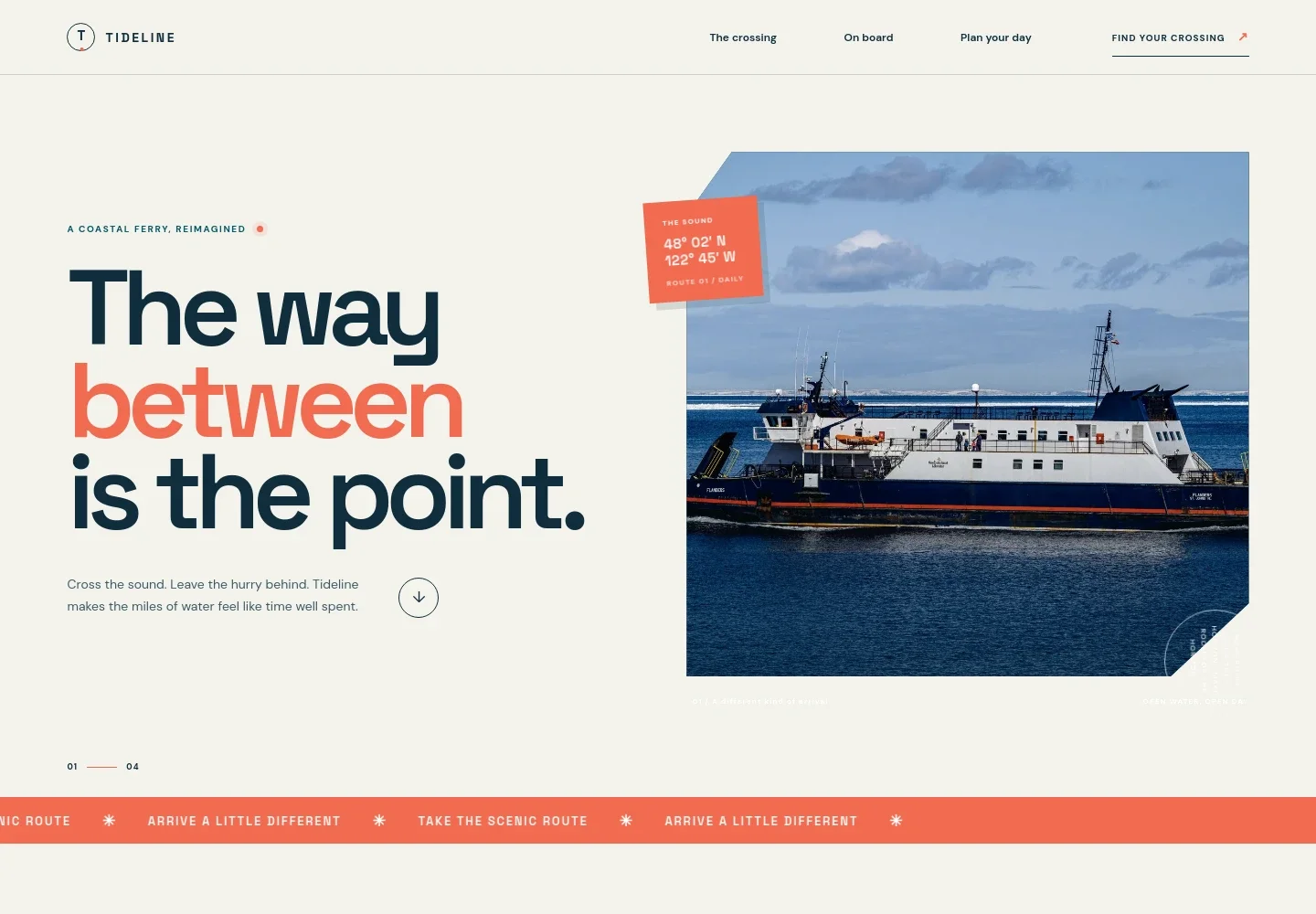
- Ferry introduction
- A prominent ferry photograph, concise welcome copy, and a route-themed visual introduce the service and establish the coastal setting.
- The crossing
- Explains the harbor-to-islands journey with coastal imagery, route points, and an approximate time on the water.
- Onboard details
- Describes easy boarding, indoor and open-deck seating, and welcoming pets, alongside a photograph of passengers on deck.
- Sample sailing schedule
- Shows three illustrative sailings between the harbor and islands, clearly labeled as a sample rather than current timetable information.
- Contact call to action
- Closes the schedule section with an invitation to ask about a crossing, giving visitors a clear route to make an inquiry.
- Footer
- Repeats the Tideline identity and provides a back-to-top link and illustrative contact details.
How to use this template
Open in Revamp
Click Use this template and sign in or create an account. You’ll start with your own copy of the design, ready to personalize.
Bring your content
Replace the sample text, photos, and logo with your own. Share your content, a document, or an existing website, and ask Revamp to adapt the template to your business.
Refine and publish
Ask Revamp to adjust the colors, layout, or sections, or edit directly on the page. Review desktop and mobile, then publish. You can keep making changes after launch.
Put your website to work
Give passengers clearer ways to check sailings, plan their trip, and receive service updates. Ask Revamp to request additions such as these tools for your operation.
-

Simplify passenger ticket sales
FareHarborAsk Revamp to add a booking or ticketing flow using FareHarbor, so visitors can take the next step toward reserving a trip.
-

Keep sailings and service changes visible
Google CalendarAsk Revamp to connect Google Calendar for publishing sailing times or sharing schedule updates with visitors.
-

Organize passenger inquiries
HubSpotAsk Revamp to connect HubSpot to help collect and organize questions from passengers and group travel planners.
Frequently asked questions
Is this template free?
Yes. This premium template is free to use when you select Use this template. This applies to the template itself, not hosting or other services.
Can I use my own content?
Yes. Ask Revamp to personalize the copy, route details, images, and contact information for your ferry service.
Do I need coding skills?
No. Ask Revamp to personalize the content and design in plain language, without coding.
Can I change the design?
Yes. Ask Revamp to adjust the layout, colors, imagery, and other design choices to suit your business.
Can I keep editing after publishing?
Yes. You can keep editing after launch. Ask Revamp to update your site as route information, schedules, or passenger details change.


