About this template
Help visitors understand your approach to film photography through a design centered on seeing, choosing film, reading light, and waiting for the finished frames. The animated contact-sheet-style hero and editorial sections make room for both striking imagery and thoughtful guidance.
Use the page to introduce your photography practice, share field notes, explain your perspective on the film process, and give visitors a clear way to get in touch. Ask Revamp to personalize the copy, images, and design for your work.
Who it’s for
Film photographers, analogue photography educators, photography collectives, and creative studios sharing a film-focused practice or field guide.
What’s included
The layout pairs a film-frame hero with editorial storytelling, practical photography principles, and a contact-focused footer. Its large image areas and concise text sections help visitors move from your point of view to useful guidance and a way to say hello.
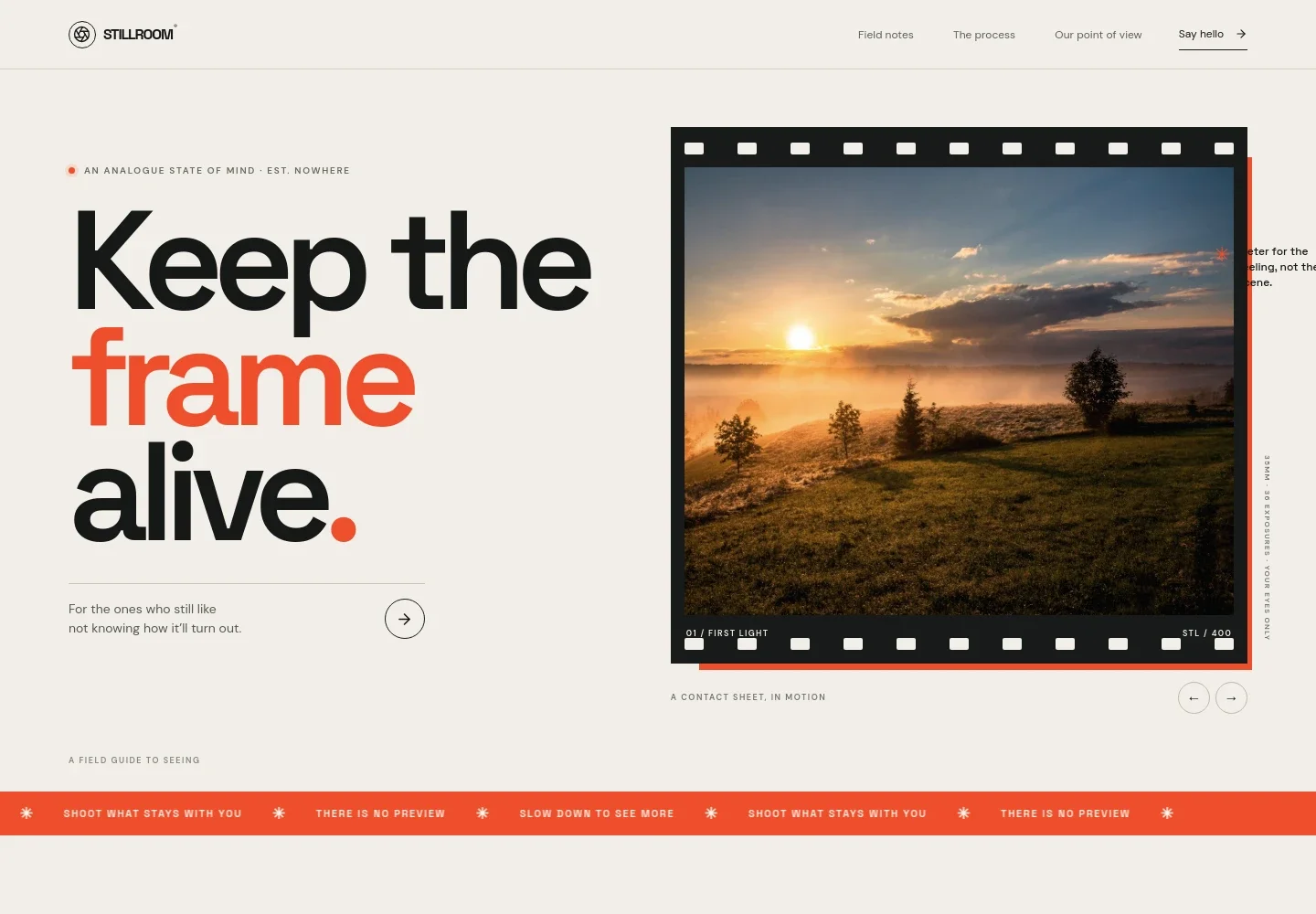
- Film-frame hero
- A prominent photographic frame with film-strip details, image captions, and previous and next controls introduces the visual character of the site. Supporting copy and a link invite visitors into the field notes.
- Photography manifesto
- A statement-led section introduces a belief in the beauty of the unexpected, with space to explain what film photography means to your practice.
- Film process story
- An image and editorial text describe the rhythm of making photographs on film, from the walk and exposure to waiting for lab results. A visual sequence marks expose, wait, and reveal.
- Point of view and principles
- A short introduction leads into three practical principles: choose film with intention, meter for the moment, and make peace with the wait. This structure works well for advice visitors can scan and revisit.
- Closing invitation
- A brief closing message and prominent link give visitors a natural next step after reading the photography story.
- Contact footer
- The footer repeats the brand introduction and provides a contact link, along with navigation back to the top of the page.
How to use this template
Open in Revamp
Click Use this template and sign in or create an account. You’ll start with your own copy of the design, ready to personalize.
Bring your content
Replace the sample text, photos, and logo with your own. Share your content, a document, or an existing website, and ask Revamp to adapt the template to your business.
Refine and publish
Ask Revamp to adjust the colors, layout, or sections, or edit directly on the page. Review desktop and mobile, then publish. You can keep making changes after launch.
Put your website to work
Make it easier to arrange photography inquiries, share news with readers, or manage a print shop. Ask Revamp to add or connect tools that fit the way you work.
-

Book photography consultations
CalendlyGive prospective clients a straightforward way to choose a time for a portfolio review or project discussion. Ask Revamp to add consultation booking with Calendly.
-

Keep readers informed
MailchimpBuild an email list for new field notes, project updates, or photography workshops. Ask Revamp to connect Mailchimp for newsletter signups.
-

Sell prints online
StripeOffer visitors a way to purchase prints or photography-related products. Ask Revamp to connect Stripe for payment handling.
Frequently asked questions
Is this template free?
Yes. This premium template is free to use when you select Use this template. The offer applies to the template, not hosting or other services.
Can I use my own content?
Yes. Ask Revamp to personalize the text, photography, and other page content for your own work and audience.
Do I need coding skills?
No. You can ask Revamp to personalize the content and design without coding.
Can I change the design?
Yes. Ask Revamp to adjust the layout, colors, typography, imagery, and other design details to suit your photography practice.
Can I keep editing after publishing?
Yes. You can continue editing after launch. Ask Revamp to make updates as your work, content, or needs change.


