About this template
Help customers see what your print studio can produce, from storefront window graphics and wall murals to event displays, boards, and banners. The page pairs large-scale print imagery with clear descriptions of each service.
A bold, editorial layout gives the work room to make an impression while explaining how you approach materials, setting, and finish. Visitors can follow the process from an initial brief to print preparation, then use the contact section to start a conversation.
Who it’s for
Flex and large-format print shops, signage businesses, and print studios serving brands, retailers, venues, and event organizers.
What’s included
The design presents large-format printing through vivid imagery, confident typography, and service descriptions that help prospective customers identify the right kind of print for their space or event.
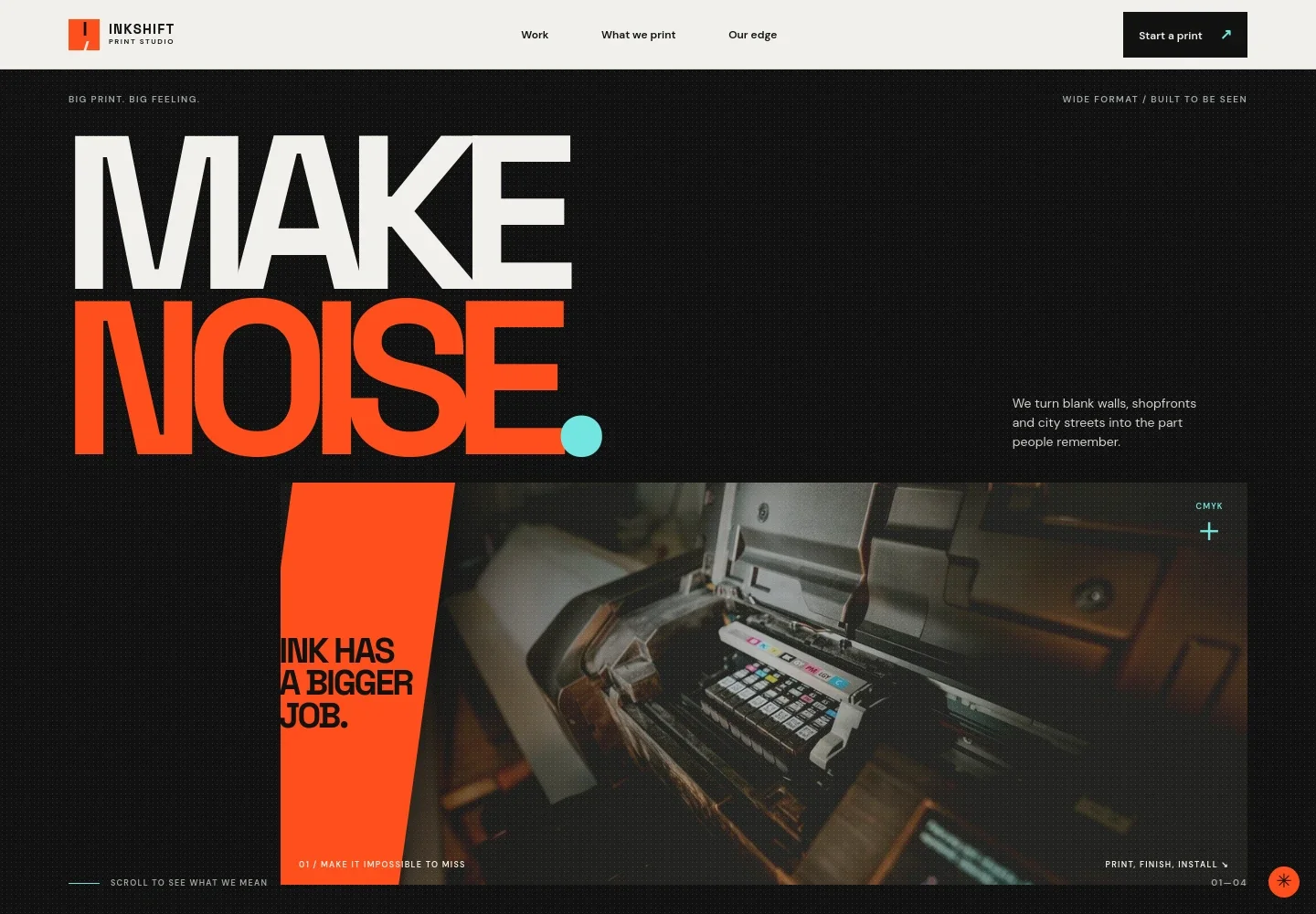
- Hero and navigation
- A prominent printer image and concise introduction establish the studio’s large-format focus. Navigation links take visitors to work, print capabilities, and the process, with a contact call to action.
- Studio point of view
- An editorial text section explains the value of physical print in storefronts, public spaces, and events, with a link to the print services.
- Large-scale work feature
- A mural image and supporting copy show how print can use a wall or other setting as part of the visual impact, followed by a prompt to discuss a project.
- What we print
- Four service rows describe window graphics, walls and murals, events and exhibitions, and boards and banners, helping visitors connect their needs to a print format.
- Print process
- A three-step overview moves from sharing an idea to shaping the print approach around its setting, then making and finishing the print.
- Contact
- A closing project invitation asks visitors to share what they have in mind and provides an email contact link that can be personalized.
- Footer
- The footer repeats the print studio identity and provides a back-to-top link.
How to use this template
Open in Revamp
Click Use this template and sign in or create an account. You’ll start with your own copy of the design, ready to personalize.
Bring your content
Replace the sample text, photos, and logo with your own. Share your content, a document, or an existing website, and ask Revamp to adapt the template to your business.
Refine and publish
Ask Revamp to adjust the colors, layout, or sections, or edit directly on the page. Review desktop and mobile, then publish. You can keep making changes after launch.
Put your website to work
Make it easier to handle project enquiries, keep quote details organized, and follow up with customers. Ask Revamp to add connections that fit the way your print business works.
-

Capture project enquiries
HubSpotRoute new print enquiries into a customer pipeline so your team can keep project details and follow-ups organized. Ask Revamp to connect HubSpot.
-

Organize quote requests
Google SheetsCollect job details in a shared spreadsheet to help your team review sizes, materials, quantities, and requested dates. Ask Revamp to connect Google Sheets.
-

Arrange project consultations
CalendlyGive prospective customers a way to choose a time to discuss their print brief. Ask Revamp to add consultation booking with Calendly.
Frequently asked questions
Is this template free?
Yes. This premium template is free to use when you select Use this template. This applies to the template itself, not hosting or other services.
Can I use my own content?
Yes. Ask Revamp to personalize the text, print services, images, contact details, and other content for your business.
Do I need coding skills?
No. Ask Revamp to personalize the content and design in plain language, without coding.
Can I change the design?
Yes. Ask Revamp to adjust the colors, typography, imagery, layout, or other design details to suit your print business.
Can I keep editing after publishing?
Yes. You can keep editing after launch. Ask Revamp to make further changes as your services or business details evolve.


