About this template
Help customers find a bouquet for a specific feeling or occasion, add a personal message, and understand how delivery works. The page pairs a prominent bouquet image with three named arrangements, brief descriptions, and starting prices.
An editorial look with expressive floral imagery, seasonal language, and clear steps gives a flower delivery business room to show its style and explain ordering and delivery details. The closing contact section gives visitors a direct way to get in touch.
Who it’s for
Florists and flower delivery businesses that want to present their bouquets, describe their approach, and make ordering and delivery information easy to find.
What’s included
The layout takes visitors from a featured bouquet to arrangement choices, the florist's approach, delivery steps, and a closing contact link.
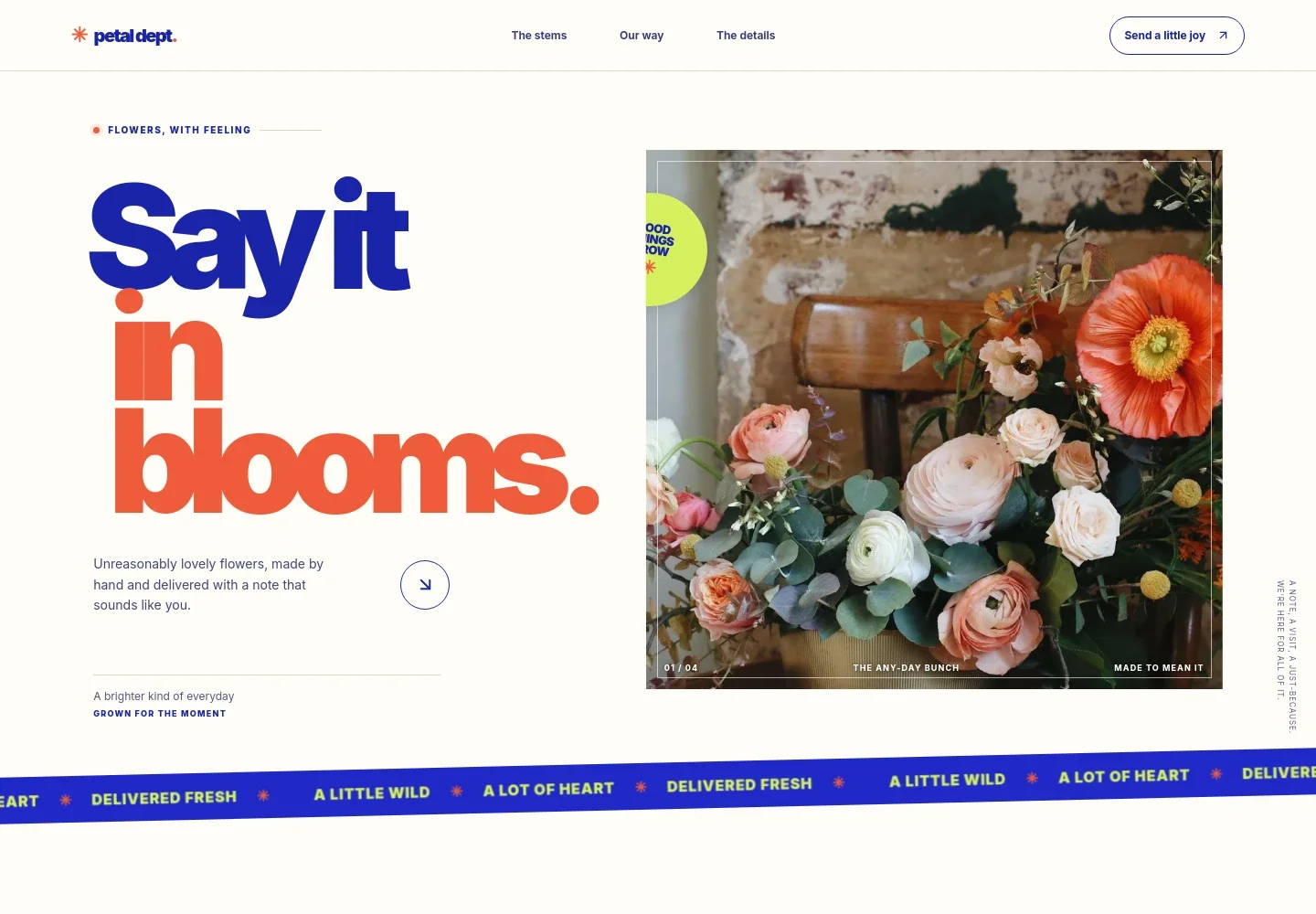
- Bouquet-led hero
- A large bouquet photograph, concise introduction, and link to the flower selection make the product and brand style the first things visitors see.
- Featured arrangements
- Three named bouquet options have short descriptions and starting prices, helping customers compare choices for celebrations, difficult days, or an everyday surprise.
- Our approach
- A dedicated section explains the seasonal, loose, garden-inspired style and how the florist thinks about making arrangements.
- Ordering and delivery steps
- Three numbered steps describe choosing a bouquet, adding a handwritten message, and delivery. The sample copy also gives delivery days and a same-day order cutoff.
- Contact close and footer
- A prominent closing invitation links to email, with the footer repeating the contact address and identifying sample business details.
How to use this template
Open in Revamp
Click Use this template and sign in or create an account. You’ll start with your own copy of the design, ready to personalize.
Bring your content
Replace the sample text, photos, and logo with your own. Share your content, a document, or an existing website, and ask Revamp to adapt the template to your business.
Refine and publish
Ask Revamp to adjust the colors, layout, or sections, or edit directly on the page. Review desktop and mobile, then publish. You can keep making changes after launch.
Put your website to work
Make bouquet orders and customer follow-up easier to manage by asking Revamp to add tools suited to your shop's workflow.
-

Manage online orders
ShopifyGive customers a way to browse and purchase bouquets online. Ask Revamp to add a Shopify storefront for your flower shop.
-

Coordinate local deliveries
OnfleetOrganize delivery dispatch and keep track of orders going to customers. Ask Revamp to connect your store with Onfleet for delivery management.
-

Keep in touch with customers
MailchimpShare seasonal bouquets and store updates with your customer list. Ask Revamp to connect Mailchimp for email marketing.
Frequently asked questions
Is this template free?
Yes. This premium template is free to use when you select Use this template. This applies to the template itself, not hosting or other services.
Can I use my own content?
Yes. Ask Revamp to personalize the text, bouquet names, prices, photos, delivery details, and contact information for your flower business.
Do I need coding skills?
No. Ask Revamp to personalize the content and design for you, without coding.
Can I change the design?
Yes. Ask Revamp to adjust the colors, typography, imagery, layout, or other design details to suit your floral brand.
Can I keep editing after publishing?
Yes. You can keep asking Revamp to update your site after launch as your bouquets, delivery information, and business details change.