About this template
Showcase food photography through a bold editorial layout that brings images, visual approach, and services into view. A large still-life hero introduces the portfolio, followed by selected food imagery and clear descriptions of the studio’s creative work.
The design also explains the studio’s approach to planning and making a shoot, then gives prospective clients a direct way to make a project enquiry.
Who it’s for
Food photographers, food stylists, and image-making studios presenting editorial, campaign, menu, packaging, or social content services to restaurants, food brands, publishers, and creative teams.
What’s included
The page pairs expressive food imagery with concise editorial copy, helping visitors understand the photographer’s visual point of view, see examples of work, review services, and find a clear route to enquire.
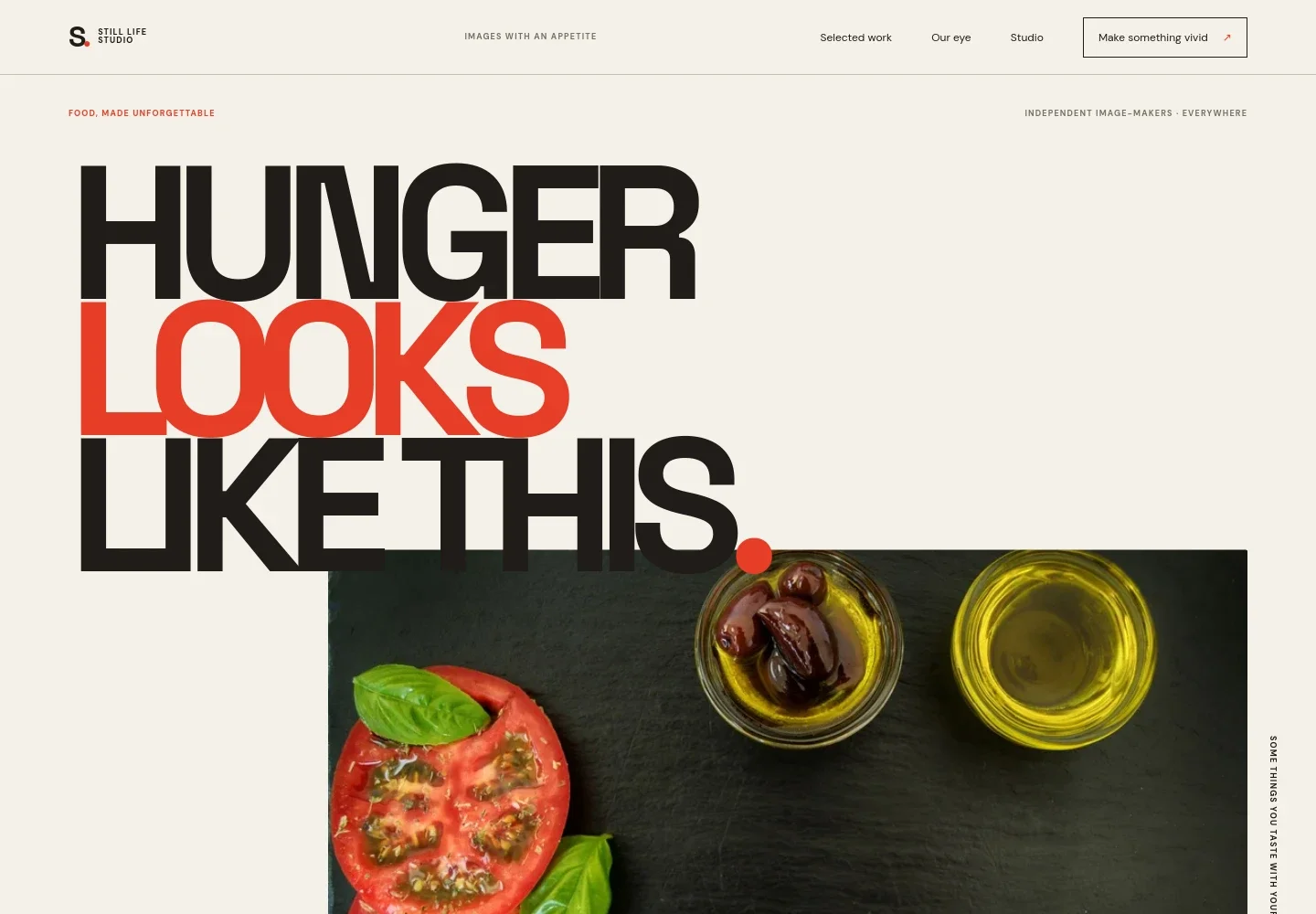
- Image-led hero
- A prominent overhead still life of tomatoes, basil, olives, and olive oil opens the page, alongside a short introduction and a link to the selected work.
- Creative approach
- A point-of-view section describes the studio’s focus on mood, light, texture, and the feeling behind a food image.
- Selected work
- Two featured food-image examples pair photography with project-style captions and short descriptions, giving visitors a quick sense of the portfolio’s visual range.
- Services
- A numbered list presents art direction, food photography, motion and moving image, and image libraries, with a short explanation of each.
- Studio process
- A kitchen photograph accompanies a three-step overview: share the project story, shape the visual direction, and make the images together.
- Project enquiry
- A closing contact section invites visitors to discuss a project and displays an illustrative email address that can be personalized.
- Footer navigation
- The footer repeats the studio identity and offers a back-to-top link.
How to use this template
Open in Revamp
Click Use this template and sign in or create an account. You’ll start with your own copy of the design, ready to personalize.
Bring your content
Replace the sample text, photos, and logo with your own. Share your content, a document, or an existing website, and ask Revamp to adapt the template to your business.
Refine and publish
Ask Revamp to adjust the colors, layout, or sections, or edit directly on the page. Review desktop and mobile, then publish. You can keep making changes after launch.
Put your website to work
Make it easier to arrange shoots, manage enquiries, and keep clients informed. Ask Revamp to add or connect business tools that fit your booking and communication process.
-

Schedule project consultations
CalendlyGive prospective clients a simple way to choose a time to discuss a shoot. Ask Revamp to add consultation booking with Calendly.
-

Organize client enquiries
HubSpotKeep prospective-client details and follow-up activity together as your project enquiries grow. Ask Revamp to connect HubSpot for contact management.
-

Coordinate shoot dates
Google CalendarMake shoot planning easier by keeping meetings and project dates in a shared calendar. Ask Revamp to add Google Calendar scheduling.
Frequently asked questions
Is this template free?
Yes. This premium template is free to use when you select Use this template. This applies to the template itself.
Can I use my own content?
Yes. Ask Revamp to personalize the page with your own photography, studio details, services, project descriptions, and contact information.
Do I need coding skills?
No. Ask Revamp to make content and design changes in natural language, without coding.
Can I change the design?
Yes. Ask Revamp to adjust the layout, colors, typography, imagery, and other design details to suit your studio.
Can I keep editing after publishing?
Yes. You can keep asking Revamp to update your content and design after launch.


