About this template
Help prospective customers understand how your freight forwarding business can coordinate a shipment from origin to arrival. The design clearly presents ocean, air, road and rail freight, alongside customs and documentation support.
A route illustration, a network section and a direct contact invitation give visitors a useful overview of how handoffs fit together and a clear next step for discussing a shipment.
Who it’s for
Freight forwarders, logistics providers and shipping businesses explaining their transport modes, customs support and partner network to companies planning domestic or international shipments.
What’s included
The page moves from a prominent freight-forwarding introduction to practical service details, a route illustration, network information and a contact invitation. Its numbered sections help visitors follow the story from shipment planning to arrival.
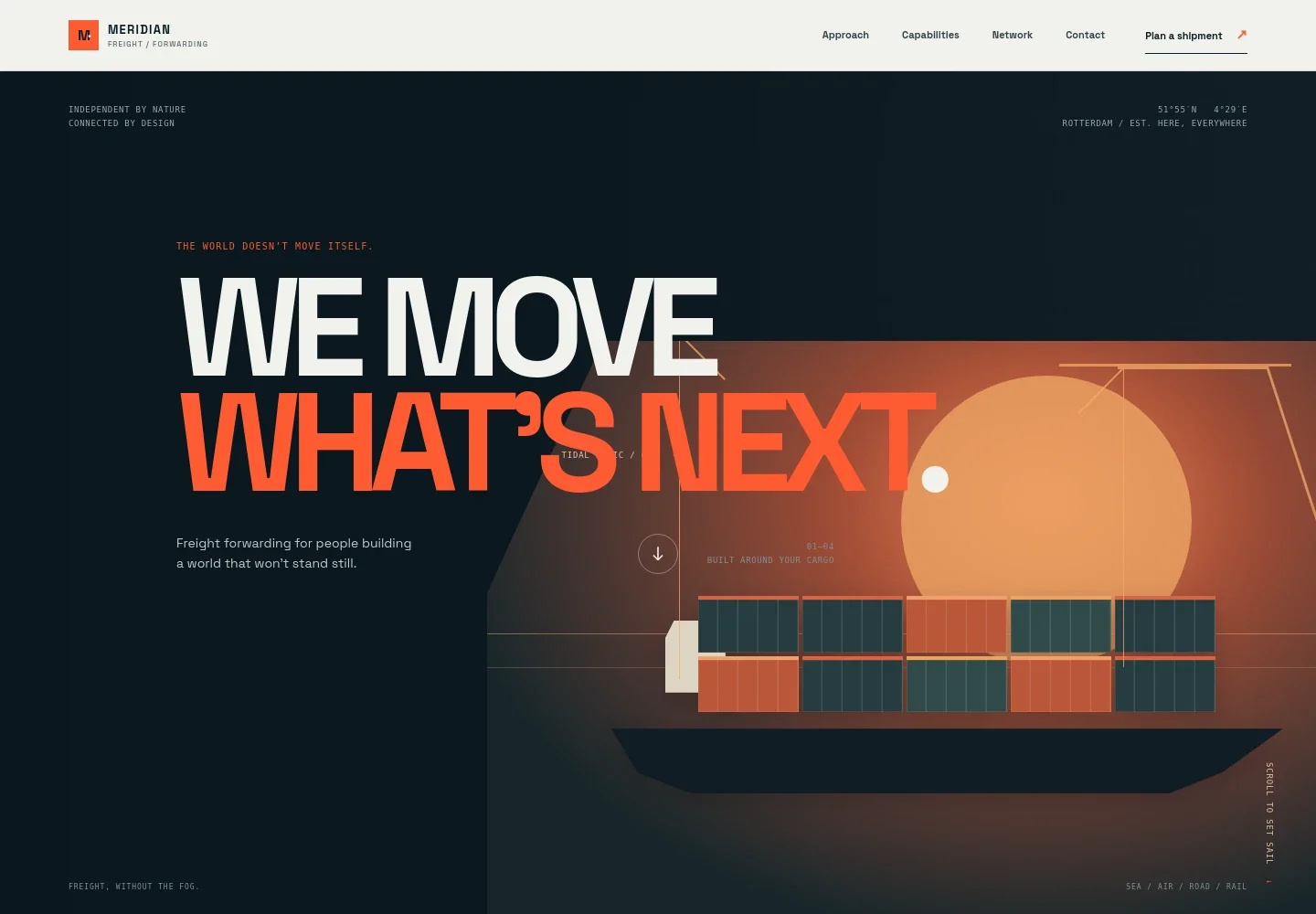
- Freight forwarding hero
- A bold headline introduces the business, while the ship-and-port illustration and sea, air, road and rail labels quickly establish the focus. A plan-a-shipment link points visitors toward contact.
- Approach
- Explains that coordination, timing and paperwork are part of the work around moving cargo, and gives visitors a link to the capabilities section.
- Shipment route illustration
- A visual route from Shanghai to Rotterdam shows origin, ocean, customs and arrival as stages of a shipment. It helps visitors understand the handoffs at a glance.
- Freight capabilities
- Four service rows describe ocean freight, including full-container and shared-load options; air freight; road and rail; and customs and clearance support.
- Partner network
- Introduces coordination with carriers, customs specialists and destination partners. An explicitly illustrative network diagram names example locations and is marked not to scale.
- Contact invitation
- Prompts visitors to share where a shipment starts and needs to go, with a direct email contact link and a call to talk with the team.
How to use this template
Open in Revamp
Click Use this template and sign in or create an account. You’ll start with your own copy of the design, ready to personalize.
Bring your content
Replace the sample text, photos, and logo with your own. Share your content, a document, or an existing website, and ask Revamp to adapt the template to your business.
Refine and publish
Ask Revamp to adjust the colors, layout, or sections, or edit directly on the page. Review desktop and mobile, then publish. You can keep making changes after launch.
Put your website to work
Shipment-management and customer-relationship tools can help organize operations and customer follow-up. Ask Revamp to add or connect tools that fit your workflow.
-

Coordinate freight operations
CargoWiseBring shipment planning, transport documents and operational coordination into a freight-management system. Ask Revamp to add a workflow with CargoWise.
-

Manage customer relationships
HubSpotKeep prospect and customer conversations organized as you respond to shipment inquiries. Ask Revamp to connect HubSpot for contact management.
-

Track customer communication
MailchimpOrganize customer updates and follow-up messages around shipment inquiries. Ask Revamp to connect Mailchimp for email communications.
Frequently asked questions
Is this template free?
Yes. The premium template is free to use when you select Use this template. This applies to the template itself.
Can I use my own content?
Yes. Ask Revamp to personalize the text, contact details, services and other content for your freight forwarding business.
Do I need coding skills?
No. Ask Revamp to personalize the content and design without coding.
Can I change the design?
Yes. Ask Revamp to adjust the layout, colors, typography and other design details to suit your business.
Can I keep editing after publishing?
Yes. You can continue editing your site after launch. Ask Revamp to make updates as your services or business details change.


