About this template
Help prospective golfers understand the character of your course before they arrive. The design introduces a walking links course shaped by wind, tide and changing ground, with clear paths to learn about the round and plan a visit.
A route illustration, course story and four-part overview give visitors a feel for the day, while field notes describe how weather can change the playing conditions. The visit section gives them a direct way to make an inquiry.
Who it’s for
Golf course owners, club managers and destination teams who want to present the playing experience and help visitors plan a day at the course.
What’s included
The page moves from the course’s identity to the playing experience, practical course character and a visit inquiry. Its editorial layout pairs concise copy with a route graphic and golf imagery, making the course’s links setting and changing conditions easy to understand.
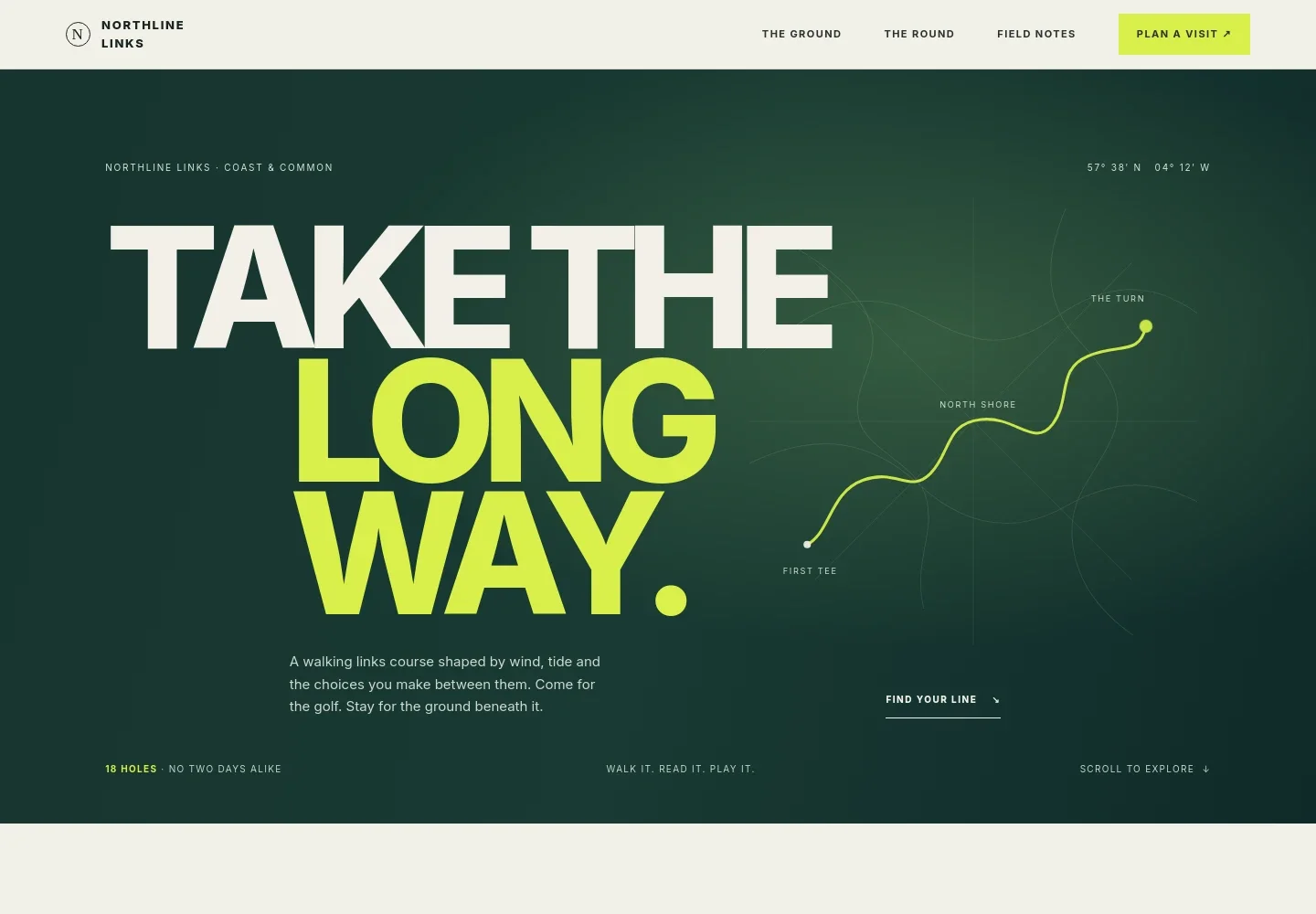
- Course introduction and route graphic
- A prominent opening statement introduces the walking links experience. The custom map-style graphic marks the first tee, the turn and the north shore, giving visitors a visual sense of the route.
- The ground
- This section describes the course’s undulating fairways, firm-running turf and coastal setting, helping golfers understand the kind of play and landscape to expect.
- Course story and golf image
- A short narrative emphasizes adapting to the breeze and choosing how to play the ground, paired with a photograph of a ball near the cup.
- The round
- Four numbered stages cover arriving and settling in, finding a pace, playing the course and spending time in the clubhouse. This helps visitors picture the day beyond the scorecard.
- Field notes
- Three notes explain how wind direction and rain can affect shot choices and turf response, giving visitors useful context about the course’s changing conditions.
- Plan a visit
- A closing inquiry section provides illustrative contact details and a direct email link. Replace these with your course’s current visitor information and contact details.
How to use this template
Open in Revamp
Click Use this template and sign in or create an account. You’ll start with your own copy of the design, ready to personalize.
Bring your content
Replace the sample text, photos, and logo with your own. Share your content, a document, or an existing website, and ask Revamp to adapt the template to your business.
Refine and publish
Ask Revamp to adjust the colors, layout, or sections, or edit directly on the page. Review desktop and mobile, then publish. You can keep making changes after launch.
Put your website to work
Make it easier for golfers to plan a round and for your team to manage visitor inquiries. Ask Revamp to add connections suited to your booking and communication needs.
-

Online tee time booking
Chronogolf by LightspeedLet golfers choose an available tee time without a phone call. Ask Revamp to add tee time booking with Chronogolf by Lightspeed.
-

Visitor inquiry scheduling
CalendlyGive prospective golfers a simple way to arrange a conversation about group visits or course information. Ask Revamp to add consultation booking with Calendly.
-

Manage visitor inquiries
HubSpotKeep track of prospective visitors and follow-ups in one place. Ask Revamp to connect HubSpot for inquiry management.
Frequently asked questions
Is this golf course template free?
Yes. The premium template is free to use when you select Use this template. This applies to the template itself, not hosting or other services.
Can I use my own course content?
Yes. Ask Revamp to personalize the page with your course name, photography, course details, visitor information and contact details.
Do I need coding skills?
No. You can ask Revamp to personalize the content and design without coding.
Can I change the design?
Yes. Ask Revamp to adjust the layout, colors, imagery or other design details to suit your golf course.
Can I keep editing after publishing?
Yes. You can keep asking Revamp to update your content and design after launch.


