About this template
Help prospective participants understand the hackathon’s purpose, format, schedule, and gathering details. The Nightshift design presents an independent 24-hour build event with a clear invitation to bring an idea or join someone else’s project.
A bold, dark visual style and direct navigation lead visitors through the event’s motivation, timeline, venue atmosphere, and open-call information. Use the layout to explain what attendees can expect and give them a clear way to get in touch.
Who it’s for
For hackathon organizers, community groups, universities, startup teams, and event producers promoting a build sprint or collaborative innovation event.
What’s included
The page guides visitors from the event’s central idea to practical participation details. Distinct sections and a visible schedule make the format easy to scan, while the gathering section brings the open call and contact invitation together.
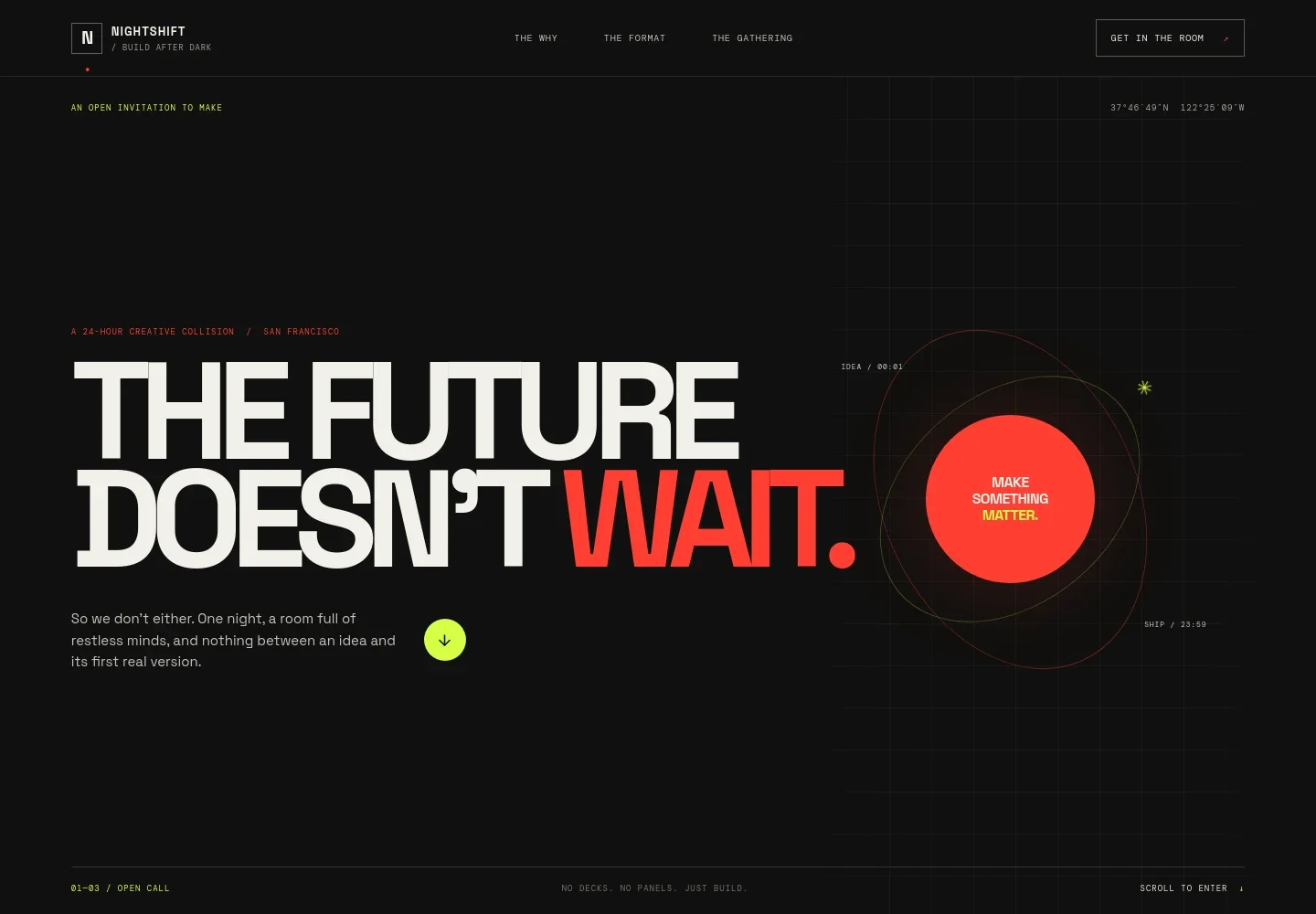
- Event hero and navigation
- A high-impact headline introduces the make-focused event, with links to the purpose, format, and gathering sections and a prominent call to join.
- Why the event exists
- An editorial introduction explains the anti-pitch approach and welcomes people with an idea as well as those ready to join a team.
- 24-hour schedule
- A four-step timeline shows doors opening, the start of building, a midnight check-in, and participant demos, helping visitors picture the flow of the night.
- The event space
- A workshop image and supporting copy describe a practical, collaborative atmosphere with work tables and room for early-stage ideas.
- Gathering details and contact
- The open-call area presents the event duration, location, a note that date and venue details are illustrative, and an email invitation to express interest.
- Footer
- A compact closing area repeats the event identity, provides a return-to-top link, and identifies the page as a concept template.
How to use this template
Open in Revamp
Click Use this template and sign in or create an account. You’ll start with your own copy of the design, ready to personalize.
Bring your content
Replace the sample text, photos, and logo with your own. Share your content, a document, or an existing website, and ask Revamp to adapt the template to your business.
Refine and publish
Ask Revamp to adjust the colors, layout, or sections, or edit directly on the page. Review desktop and mobile, then publish. You can keep making changes after launch.
Put your website to work
Make it easier to coordinate participants and share event updates. Ask Revamp to add or connect tools that support registration, scheduling, and attendee communication.
-

Collect attendee registrations
EventbriteGather participant details before the event. Ask Revamp to add an event registration flow with Eventbrite.
-

Coordinate event communication
MailchimpKeep participants informed with email updates and reminders. Ask Revamp to connect a mailing list with Mailchimp.
-

Organize the event schedule
Google CalendarHelp attendees keep track of session times and key moments. Ask Revamp to add a calendar option with Google Calendar.
Frequently asked questions
Is this template free?
Yes. This premium template is free to use when you select Use this template. That applies to the template itself.
Can I use my own event content?
Yes. Ask Revamp to personalize the text, images, schedule, location, and contact details for your event.
Do I need coding skills?
No. Ask Revamp to personalize the content and design in plain language, without coding.
Can I change the design?
Yes. Ask Revamp to adjust the colors, typography, layout, and other visual details to suit your event.
Can I keep editing after publishing?
Yes. You can keep editing after launch. Ask Revamp to update event information or refine the design as plans develop.