About this template
Help visitors see what a makers fair is about: handmade work, the people behind it, and the chance to meet makers in person. The page introduces the fair, highlights craft disciplines from clay and textiles to print, wood, and small-batch food, and guides visitors toward planning a visit.
A dedicated exhibitor panel invites independent makers to share what they make and ask about exhibiting. The editorial layout pairs large craft photography and expressive typography with clear sections for the fair, makers, crafts, visiting, and exhibiting.
Who it’s for
For organizers of craft fairs, makers markets, artisan showcases, and handmade goods events who need to introduce their event to visitors and invite independent makers to enquire about exhibiting.
What’s included
The page follows a visitor’s path from discovering the fair to learning about its makers and crafts, then finding information for a visit or exhibitor enquiry. Photography, numbered section labels, and clear calls to action make the different audiences and next steps easy to follow.
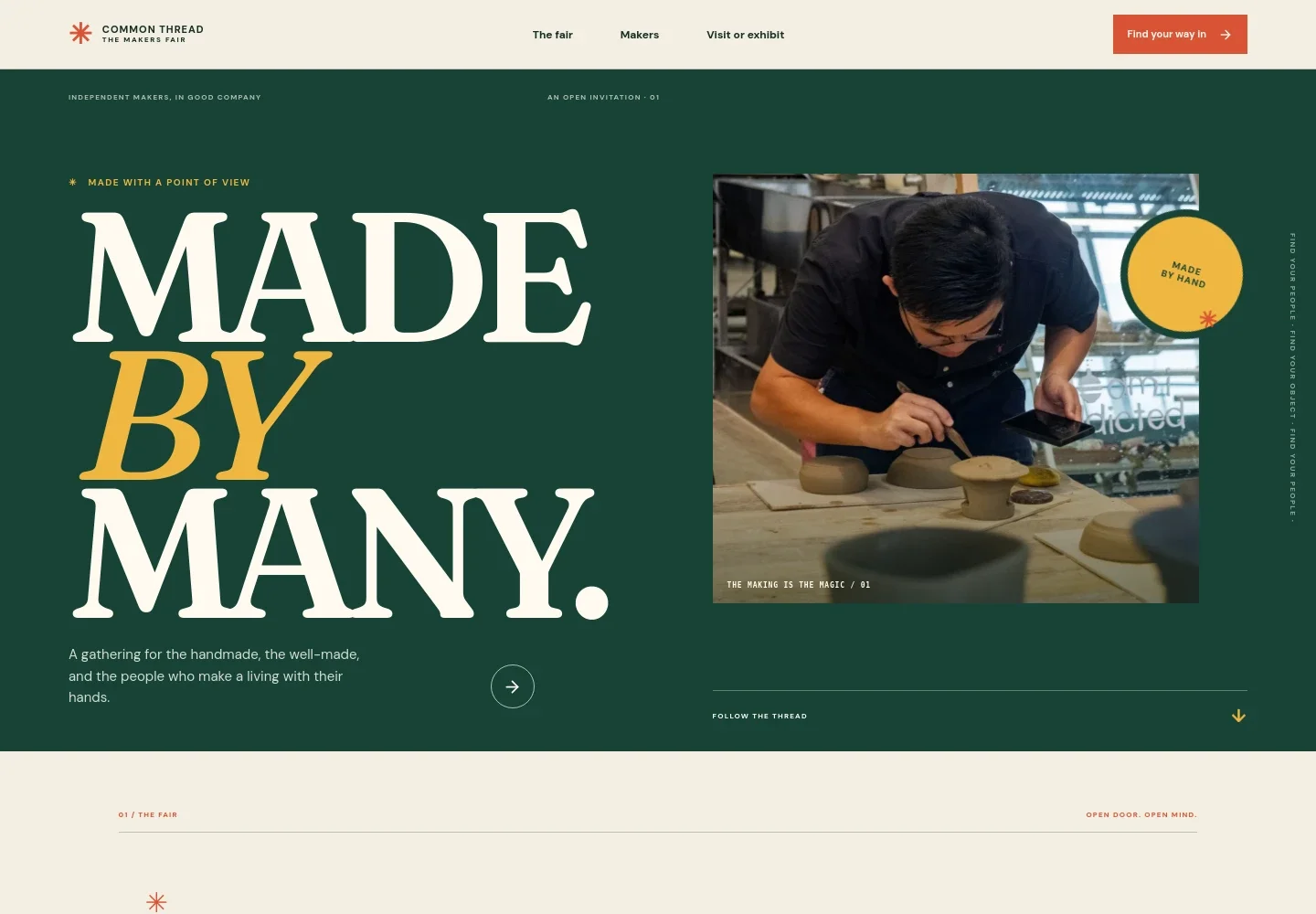
- Fair introduction
- Introduces the marketplace as a place to browse handmade work and meet the people who make it, with a link to visit information.
- The making journey
- A visual three-part story follows an object from making, to meeting its maker and a curious visitor, to being carried home.
- Meet the makers
- Pairs a photograph of a craft demonstration with copy about independent makers, their practices, and the value of talking with them.
- Craft disciplines
- A scannable list introduces clay and glaze, woven and worn pieces, print and paper, wood and home objects, and small-batch food.
- Visit scene
- A large market photograph and short editorial message set the scene for visitors and lead into the practical visit information.
- Plan a visit
- Explains that dates and venue details are announced for each fair edition, and provides an enquiry link for visitors seeking details about the next gathering.
- Exhibitor enquiry
- A separate panel invites independent makers to describe their work and enquire about exhibiting, making the opportunity clear to prospective participants.
- Footer
- Repeats the fair identity and offers a simple link back to the top of the page.
How to use this template
Open in Revamp
Click Use this template and sign in or create an account. You’ll start with your own copy of the design, ready to personalize.
Bring your content
Replace the sample text, photos, and logo with your own. Share your content, a document, or an existing website, and ask Revamp to adapt the template to your business.
Refine and publish
Ask Revamp to adjust the colors, layout, or sections, or edit directly on the page. Review desktop and mobile, then publish. You can keep making changes after launch.
Put your website to work
Simplify event enquiries, exhibitor interest, and visitor updates. Ask Revamp to add or connect tools that suit how you manage your fair.
-

Organize event enquiries
HubSpotKeep exhibitor and visitor enquiry details together and follow up with prospective participants. Ask Revamp to connect HubSpot for contact management.
-

Share fair updates
MailchimpSend edition announcements and practical visit information to people who want to hear from you. Ask Revamp to connect Mailchimp for email campaigns.
-

Coordinate fair dates
CalendlyHelp visitors and makers find a time to speak with the organizing team. Ask Revamp to add meeting booking with Calendly.
Frequently asked questions
Is this template free?
Yes. This premium template is free to use when you select Use this template. This applies to the template itself, not hosting or other services.
Can I use my own content?
Yes. Ask Revamp to personalize the page with your fair name, event details, maker information, images, and contact details.
Do I need coding skills?
No. Ask Revamp to make content and design changes for you without coding.
Can I change the design?
Yes. Ask Revamp to adjust the layout, colors, typography, imagery, or other design details to fit your fair.
Can I keep editing after publishing?
Yes. You can keep editing after launch. Ask Revamp to update the page as your fair details and needs change.