About this template
Help prospective customers understand what you move and how you approach each journey. The design presents general haulage, specialist loads, contract logistics and time-sensitive freight, alongside a clear explanation of how planning, communication and handovers fit together.
A full-width truck image and route graphics establish the transport focus, while the dark, high-contrast layout organizes the story into an approach, a four-step journey, service capabilities, network perspective and contact section. Visitors can follow the path from an initial conversation to delivery, then get in touch about a route or load.
Who it’s for
Haulage and freight operators, transport companies and logistics providers looking to explain their services to prospective business customers.
What’s included
The page guides freight customers from understanding your approach to reviewing the types of loads you handle and starting a conversation. Its numbered sections and route-inspired visuals make the service information easy to scan.
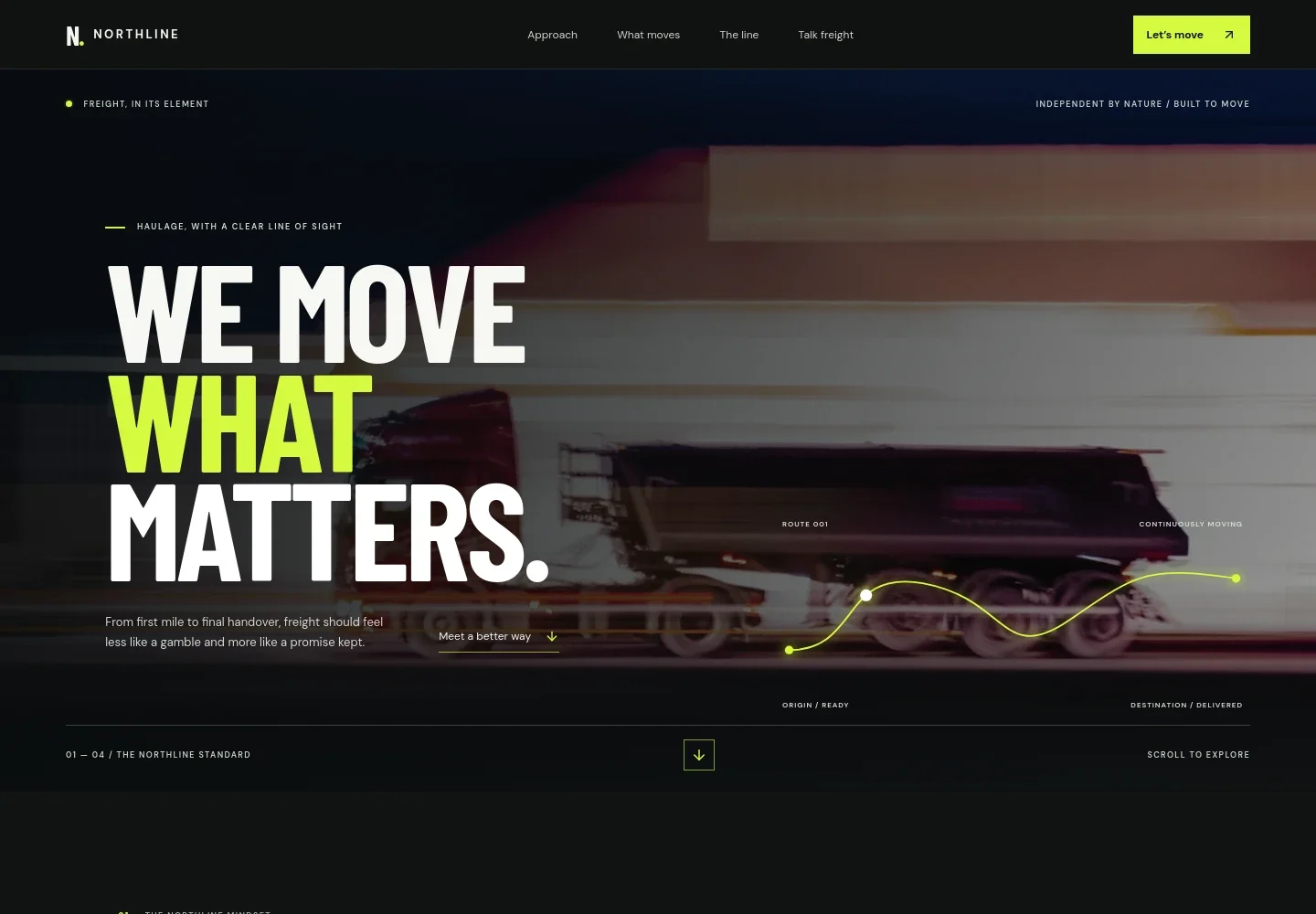
- Freight-focused hero
- A prominent truck-in-motion image, concise haulage headline, route illustration and link to the approach section introduce the business and set a transport-focused tone.
- Approach and principles
- Explain the value of clear communication, considered planning and capable handovers, with three concise principles that make your service approach easy to grasp.
- Journey from planning to handover
- A four-step sequence shows the stages presented in the design: understand the load and deadline, plan the vehicle and route, move the freight with communication, and complete the handover.
- Haulage capabilities
- Dedicated descriptions distinguish general haulage, specialist loads, contract logistics and time-sensitive freight, helping customers identify the service area relevant to their shipment.
- Connected route perspective
- An abstract route diagram and supporting copy emphasize the people, timing and handovers involved across a journey, without relying on a detailed map of service locations.
- Contact and footer
- A closing contact section invites visitors to discuss a freight requirement and includes email and phone details marked as illustrative, followed by a concise branded footer.
How to use this template
Open in Revamp
Click Use this template and sign in or create an account. You’ll start with your own copy of the design, ready to personalize.
Bring your content
Replace the sample text, photos, and logo with your own. Share your content, a document, or an existing website, and ask Revamp to adapt the template to your business.
Refine and publish
Ask Revamp to adjust the colors, layout, or sections, or edit directly on the page. Review desktop and mobile, then publish. You can keep making changes after launch.
Put your website to work
Ask Revamp to add tools that can help your team manage freight enquiries, coordinate loads and keep operational records organized.
-

Organize shipment records
Microsoft ExcelKeep shipment details and operational records together. Ask Revamp to connect your enquiry process with Microsoft Excel for organized freight tracking.
-

Coordinate customer follow-up
HubSpotGive your team a shared view of prospective customers and conversations. Ask Revamp to connect freight enquiries with HubSpot CRM.
-

Schedule freight discussions
CalendlyMake it easier for customers to arrange a conversation about a load or route. Ask Revamp to add consultation booking with Calendly.
Frequently asked questions
Is this haulage website template free?
Yes. This premium template is free to use when you select Use this template. This covers the template itself, not hosting or other services.
Can I use my own haulage business content?
Yes. Ask Revamp to personalize the text, images, contact details, service descriptions and other content for your business.
Do I need coding skills to customize the template?
No. Ask Revamp to personalize the content and design for you without coding.
Can I change the design?
Yes. Ask Revamp to adjust the colors, layout, imagery, typography and other design details to suit your business.
Can I keep editing the website after it is published?
Yes. You can continue editing after launch. Ask Revamp to make further changes as your services or business details evolve.


