About this template
Help prospective clients understand your homeopathic approach before they reach out. The page introduces person-first care, explains what a first consultation involves, and makes clear how homeopathy relates to conventional medical care.
The editorial layout pairs botanical imagery and considered typography with practical explanations, a step-by-step consultation outline, and answers to common questions. A closing contact section gives visitors a clear way to begin a conversation.
Who it’s for
Independent homeopaths and homeopathic practices looking to explain their approach, set clear expectations, and help prospective clients decide whether to get in touch.
What’s included
The visible sections guide visitors from your care philosophy to the first consultation, clarify the complementary role of homeopathy, and end with practical questions and a contact prompt.
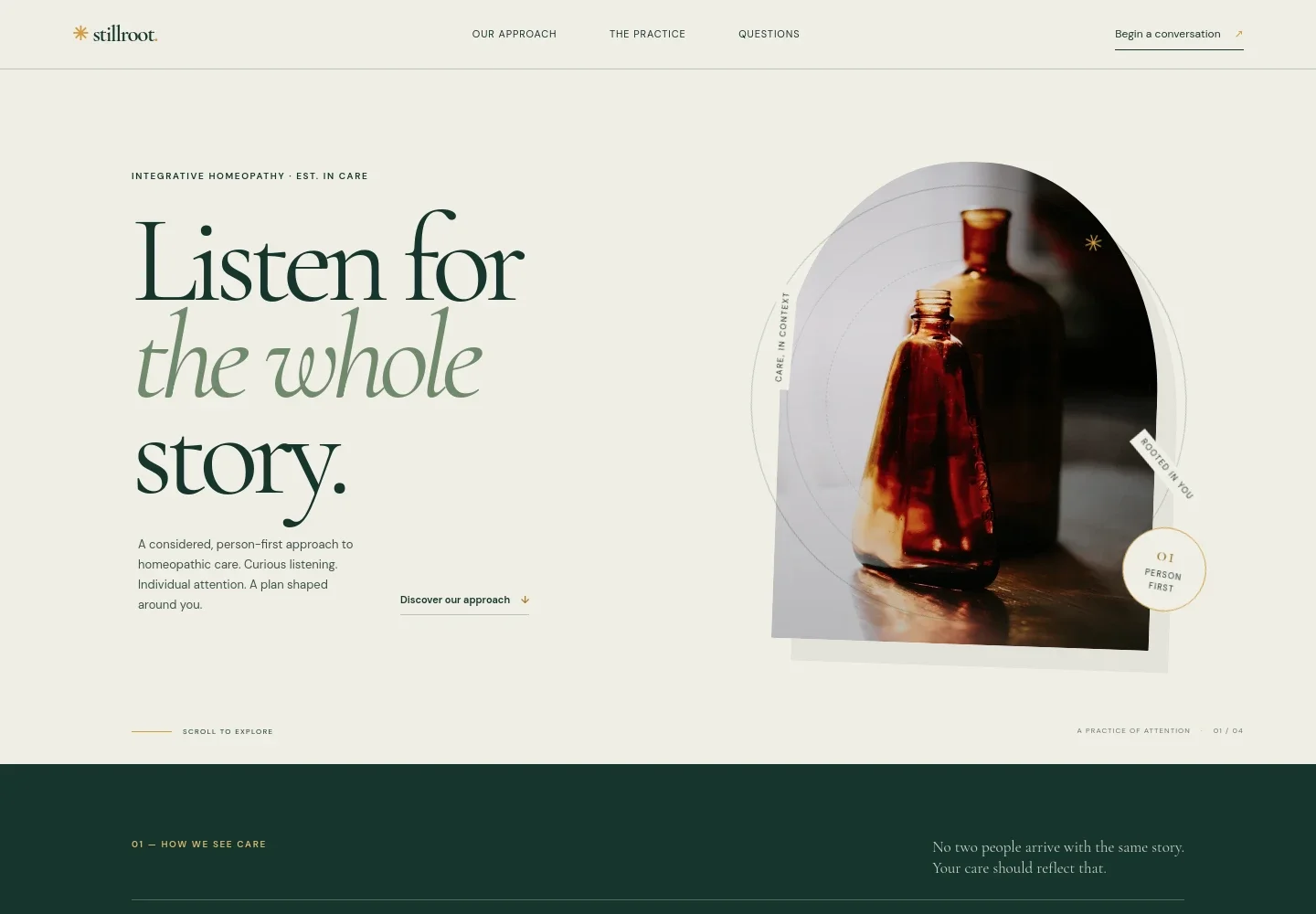
- Hero and practice introduction
- A prominent headline, concise person-first care statement, botanical image, and link into the approach section introduce the practice and orient new visitors.
- Care approach
- A manifesto-style section explains why care considers a person's wider story rather than treating a concern in isolation.
- The first consultation
- A consultation image and three numbered steps describe listening to the client's experience, discussing the approach, and considering an individual next step.
- Guiding principles
- Three principles address individualized attention, transparent conversations about uncertainty, and homeopathy as complementary care rather than a substitute for medical treatment.
- Botanical interlude
- A full-width botanical image and brief statement create a visual pause between the practice information and the visitor questions.
- Common questions
- Expandable answers explain what to expect in a first consultation, the relationship to medical care, the absence of guaranteed outcomes, and the possibility that homeopathy may not be the right fit.
- Contact
- A low-pressure invitation and email link give visitors a direct way to ask about the practice and consider whether a conversation is right for them.
How to use this template
Open in Revamp
Click Use this template and sign in or create an account. You’ll start with your own copy of the design, ready to personalize.
Bring your content
Replace the sample text, photos, and logo with your own. Share your content, a document, or an existing website, and ask Revamp to adapt the template to your business.
Refine and publish
Ask Revamp to adjust the colors, layout, or sections, or edit directly on the page. Review desktop and mobile, then publish. You can keep making changes after launch.
Put your website to work
Appointment and practice-management tools can help organize inquiries, consultations, and follow-up. Ask Revamp to add a suitable booking or client-management option for your practice.
-

Simplify appointment scheduling
CalendlyLet prospective clients choose a consultation time that works for them. Ask Revamp to add appointment booking with Calendly.
-

Keep patient records organized
ClinikoManage client details, appointments, and practice notes in one system. Ask Revamp to connect your website with Cliniko.
-

Manage bookings and client communication
Practice BetterCoordinate appointments and client information with a practice-management platform. Ask Revamp to connect your website with Practice Better.
Frequently asked questions
Is this template free?
Yes. This premium template is free to use when you select Use this template. Free refers to the template itself.
Can I use my own content?
Yes. Ask Revamp to personalize the page with your practice name, approach, consultation details, imagery, and contact information.
Do I need coding skills?
No. Ask Revamp to make content and design changes for you, without coding.
Can I change the design?
Yes. Ask Revamp to adjust the layout, colors, typography, imagery, or other design details to suit your practice.
Can I keep editing after publishing?
Yes. You can keep asking Revamp to update your content and design after your site launches.


