About this template
Help families understand what hospice care can involve, how it can support both patients and loved ones, and how to begin a conversation. The page presents care in a calm, direct way, with clear paths to learn about the approach, review care offerings, and contact the team.
Warm photography, spacious typography, numbered sections, and a prominent phone call invitation make sensitive information easier to navigate. The design addresses common first questions without pressuring visitors to make an immediate decision.
Who it’s for
Hospice providers and organizations introducing their care approach to patients, family caregivers, and healthcare professionals seeking information for someone they support.
What’s included
The page guides visitors from an introduction to hospice care through family support, starting steps, and a direct contact invitation.
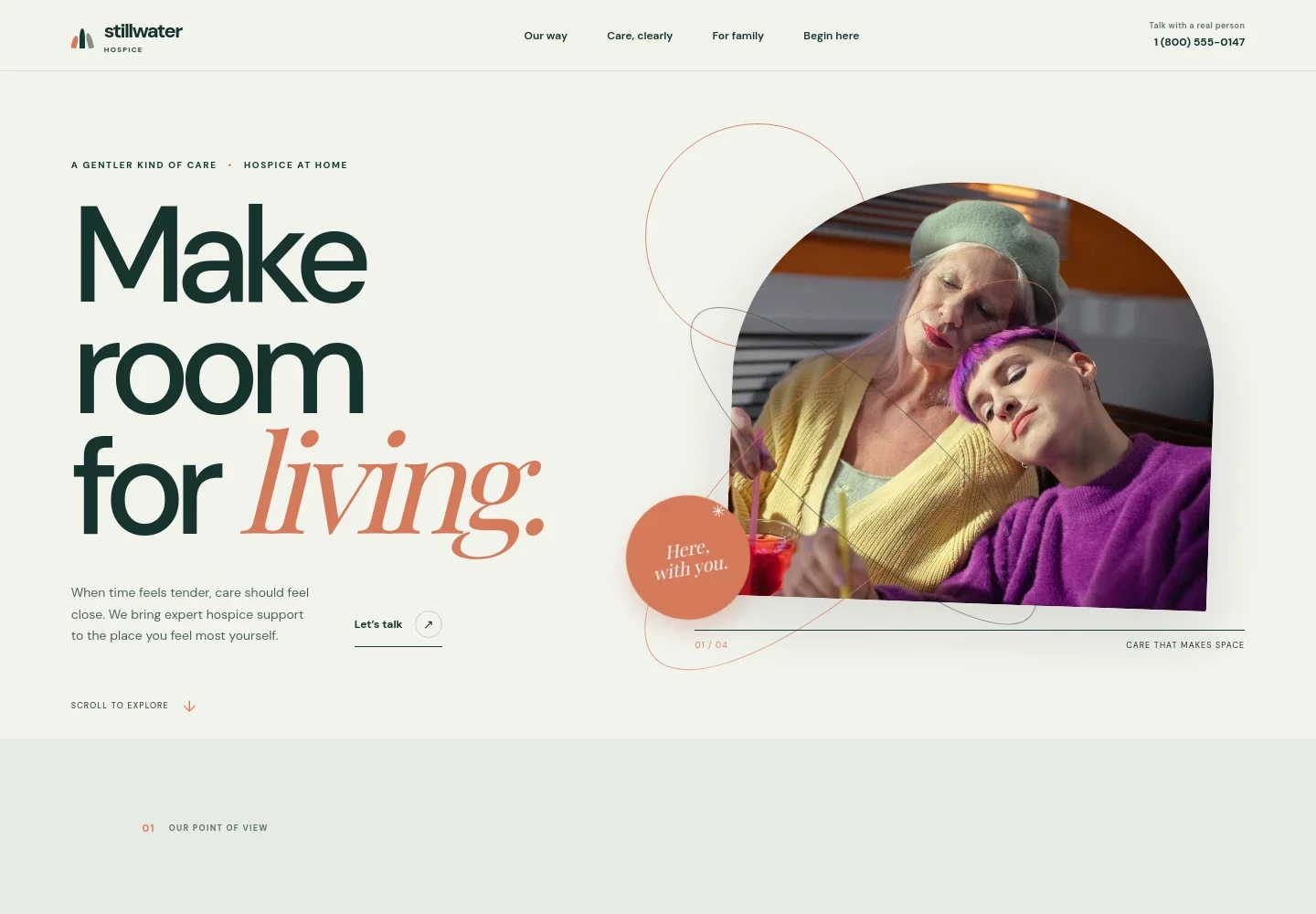
- Hero and phone contact
- A welcoming hospice-at-home introduction pairs a family photograph with a short explanation and a prominent link to begin a conversation. The header also provides a visible call-to-action and phone number.
- Approach to care
- A dedicated section explains the care philosophy, emphasizes listening and personal priorities, and links visitors to the care overview.
- Care overview
- Four clearly numbered entries describe comfort and symptom support, the care team, family support, and care in the place a person calls home.
- Support for families
- A separate section recognizes the questions and uncertainty loved ones may face, with reassuring copy and a link to start a conversation.
- Getting started
- Three numbered steps explain how to share what is happening, get answers about hospice, and consider possible next steps at an individual pace.
- Contact invitation
- A closing contact section invites visitors to call the care team, supported by a clear phone call link and a note that the displayed contact details are illustrative.
- Footer
- The footer repeats the organization name and care message, provides a return-to-top link, and identifies the contact information as illustrative.
How to use this template
Open in Revamp
Click Use this template and sign in or create an account. You’ll start with your own copy of the design, ready to personalize.
Bring your content
Replace the sample text, photos, and logo with your own. Share your content, a document, or an existing website, and ask Revamp to adapt the template to your business.
Refine and publish
Ask Revamp to adjust the colors, layout, or sections, or edit directly on the page. Review desktop and mobile, then publish. You can keep making changes after launch.
Put your website to work
Make it easier for families to reach the right person and for your team to manage follow-up. Ask Revamp to add or connect tools such as these to suit your organization’s needs.
-

Coordinate visits and staff availability
Google CalendarGive staff a shared view of schedules and appointments. Ask Revamp to connect Google Calendar for care-team scheduling.
-

Keep family inquiries organized
HubSpotTrack inquiries and follow-up conversations in one place. Ask Revamp to connect HubSpot to help manage prospective patient and family contacts.
-

Share updates and educational information
MailchimpSend organized email updates and useful information to the audiences you serve. Ask Revamp to connect Mailchimp for email communications.
Frequently asked questions
Is this hospice website template free?
Yes. This premium template is free to use through Use this template. Free refers to the template itself.
Can I use my own content?
Yes. Ask Revamp to personalize the page with your organization’s name, care information, team details, photos, and contact information.
Do I need coding skills to customize it?
No. You can ask Revamp to personalize the content and design without coding.
Can I change the design?
Yes. Ask Revamp to adjust the page’s colors, typography, images, layout, or other design details to fit your organization.
Can I keep editing the website after it is published?
Yes. You can keep asking Revamp to update your website after launch as your information and needs change.


