About this template
Help patients and families understand your hospital’s approach to care, explore featured specialties, and find a clear next step. The design introduces a connected care journey, from an initial question and meeting a care team to planning and follow-up.
A spacious editorial layout pairs a bright hospital atrium image with clear navigation, numbered care principles, specialty descriptions, and a visit section. The contact area gives visitors a direct route to get in touch, while the illustrative location and contact details can be replaced with verified hospital information.
Who it’s for
Hospitals and health systems presenting their care approach, specialties, facilities, and patient information to prospective patients, families, and the wider community.
What’s included
The page guides visitors from an introduction to the hospital’s care philosophy through its specialties and visit information to a contact prompt. Its numbered journey and organized specialty list make complex services easier to scan.
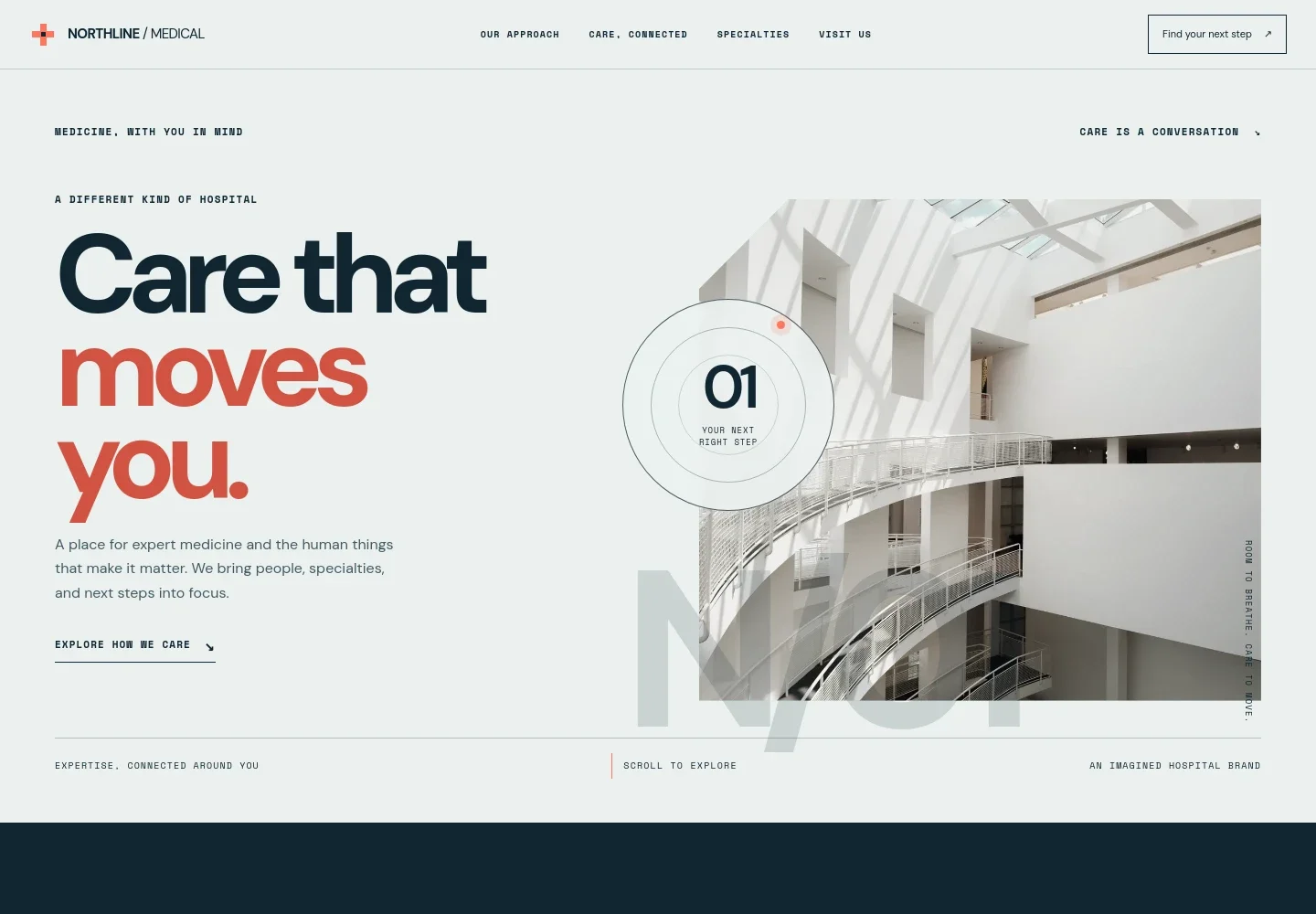
- Hospital introduction
- A prominent headline, short care-focused introduction, and bright atrium image establish the hospital’s identity and help visitors begin exploring.
- Care journey
- Four numbered steps describe how visitors can start with a question, meet a team, make a plan, and continue with follow-up support.
- Connected care approach
- A clinician-and-patient image accompanies an explanation of specialist teamwork, shared decisions, and support beyond an appointment.
- Specialties
- A scannable list introduces heart and vascular care, brain and spine, cancer care, women’s health, and emergency care, with brief descriptions for each.
- Visit information
- A garden image and welcoming copy introduce the hospital environment, with space for the hospital name and location details.
- Contact and footer
- A closing contact prompt includes an email link and a footer for hospital identification and emergency-service guidance. Replace the illustrative contact information with verified details before publishing.
How to use this template
Open in Revamp
Click Use this template and sign in or create an account. You’ll start with your own copy of the design, ready to personalize.
Bring your content
Replace the sample text, photos, and logo with your own. Share your content, a document, or an existing website, and ask Revamp to adapt the template to your business.
Refine and publish
Ask Revamp to adjust the colors, layout, or sections, or edit directly on the page. Review desktop and mobile, then publish. You can keep making changes after launch.
Put your website to work
Help visitors find the right way to reach your teams and give staff tools for managing patient interactions. Ask Revamp to add or connect services such as these.
-

Make appointment requests easier to manage
EpicAsk Revamp to connect Epic for appointment scheduling and patient access workflows.
-

Give patients a familiar route to appointments and records
Oracle HealthAsk Revamp to connect Oracle Health for patient portal and care access needs.
-

Organize patient inquiries and follow-up
Salesforce Health CloudAsk Revamp to connect Salesforce Health Cloud to support patient relationship management.
Frequently asked questions
Is this hospital template free?
Yes. This premium template is free to use through Use this template. Free refers to the template itself.
Can I use my own hospital content?
Yes. Ask Revamp to personalize the page with your hospital’s name, verified contact and location details, specialties, images, and care information.
Do I need coding skills to customize it?
No. Ask Revamp to personalize the content and design without coding.
Can I change the design?
Yes. Ask Revamp to adjust the layout, colors, imagery, typography, or other design details to suit your hospital.
Can I keep editing after publishing?
Yes. You can keep editing the site after launch and ask Revamp to make further changes.


