About this template
Help prospective customers understand your industrial systems, engineering approach, and how to start a conversation. The design brings forging and forming, precision machining, and industrial automation into clear, dedicated sections.
A full-width industrial image and concise statements establish the company’s focus, while the process sections explain how work is shaped around materials, production goals, constraints, and the people operating the line. A direct contact area gives visitors a clear next step.
Who it’s for
Built for industrial machinery manufacturers and equipment businesses presenting forging, machining, automation, or related production systems to manufacturing teams, engineers, and procurement decision-makers.
What’s included
The page pairs a strong industrial visual identity with practical information about systems, working methods, and getting in touch. Its numbered sections help technical and business visitors scan the offering and understand the company’s approach.
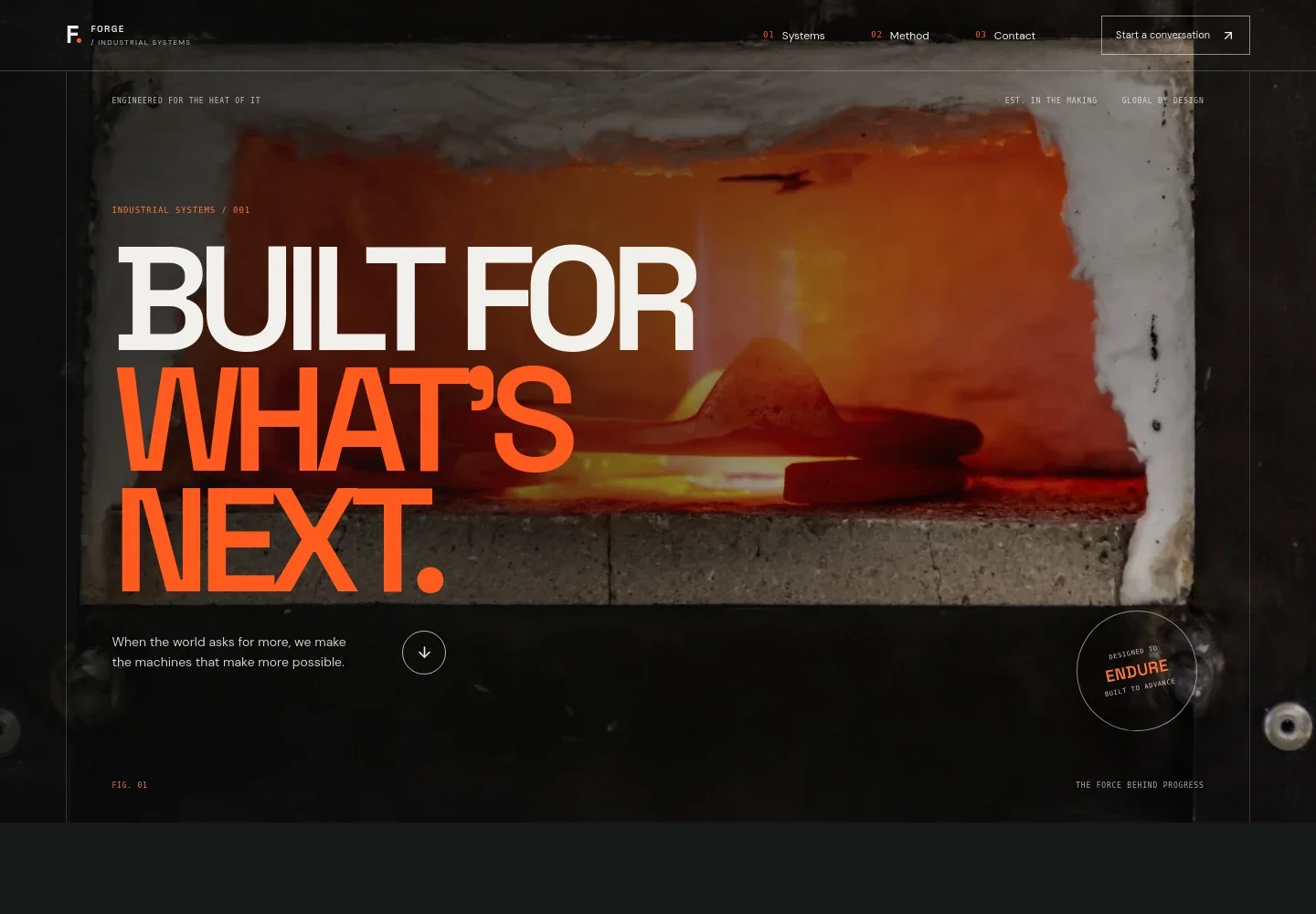
- Industrial hero and navigation
- A full-width machinery image, prominent headline, and short supporting statement introduce the business. Navigation links take visitors to Systems, Method, and Contact, with a prominent conversation link.
- Company point of view
- A concise statement about precision and industrial work gives the company space to explain its perspective and the challenges it works alongside.
- Systems and capabilities
- A featured forging and forming system is presented alongside separate entries for precision machining and industrial automation. The descriptions identify the types of production needs each area addresses.
- Work tailored to production conditions
- An image-led section explains that system design starts with the materials, shifts, and operating conditions of a production floor.
- Engineering method
- Three steps describe understanding the work, shaping the system, and keeping commissioning, operator handoff, and service planning in the conversation.
- Contact
- A closing invitation prompts visitors to share a challenge and provides an email contact link. The displayed contact details are illustrative and should be replaced with the business’s own information.
How to use this template
Open in Revamp
Click Use this template and sign in or create an account. You’ll start with your own copy of the design, ready to personalize.
Bring your content
Replace the sample text, photos, and logo with your own. Share your content, a document, or an existing website, and ask Revamp to adapt the template to your business.
Refine and publish
Ask Revamp to adjust the colors, layout, or sections, or edit directly on the page. Review desktop and mobile, then publish. You can keep making changes after launch.
Put your website to work
Customer relationship and project tools can help organize equipment inquiries and keep complex sales conversations moving. Ask Revamp to add or connect the tools that fit your team’s process.
-

Organize equipment inquiries and follow-up
HubSpotAsk Revamp to connect HubSpot so your team can manage prospective customer conversations and sales follow-up in one place.
-

Coordinate engineering and customer meetings
CalendlyAsk Revamp to add consultation scheduling with Calendly so prospective customers can request a suitable meeting time.
-

Track inquiry and project information
Google SheetsAsk Revamp to connect Google Sheets to organize inquiry details, project notes, or equipment requirements in a shared spreadsheet.
Frequently asked questions
Is this template free?
Yes. This premium template is free to use through Use this template. Free refers to the template itself, not hosting or other services.
Can I use my own content?
Yes. Ask Revamp to personalize the page with your company details, machinery, capabilities, images, and contact information.
Do I need coding skills?
No. You can ask Revamp to personalize the content and design without coding.
Can I change the design?
Yes. Ask Revamp to adjust the layout, colors, typography, imagery, or other design details to suit your business.
Can I keep editing after publishing?
Yes. You can keep editing the site after launch and ask Revamp to make further changes as your business needs evolve.


