About this template
Help people affected by an accident understand your practice areas, how you approach a case and how to begin a conversation. The page is designed around personal injury counsel, with clear pathways to learn about vehicle collisions, unsafe property conditions and life-changing harm.
A step-by-step case overview, plain-language answers to common questions and prominent contact options give prospective clients useful context before they reach out. The visual style pairs editorial typography with abstract collision-inspired graphics and a calm, considered tone.
Who it’s for
Personal injury attorneys and law firms seeking to explain their approach, outline accident and negligence practices, and make it easy for prospective clients to call or send a note.
What’s included
The page guides visitors from understanding the firm’s approach to reviewing injury matters, considering common questions and choosing a first contact. Its structured sections help make a difficult subject easier to navigate without relying on dense legal copy.
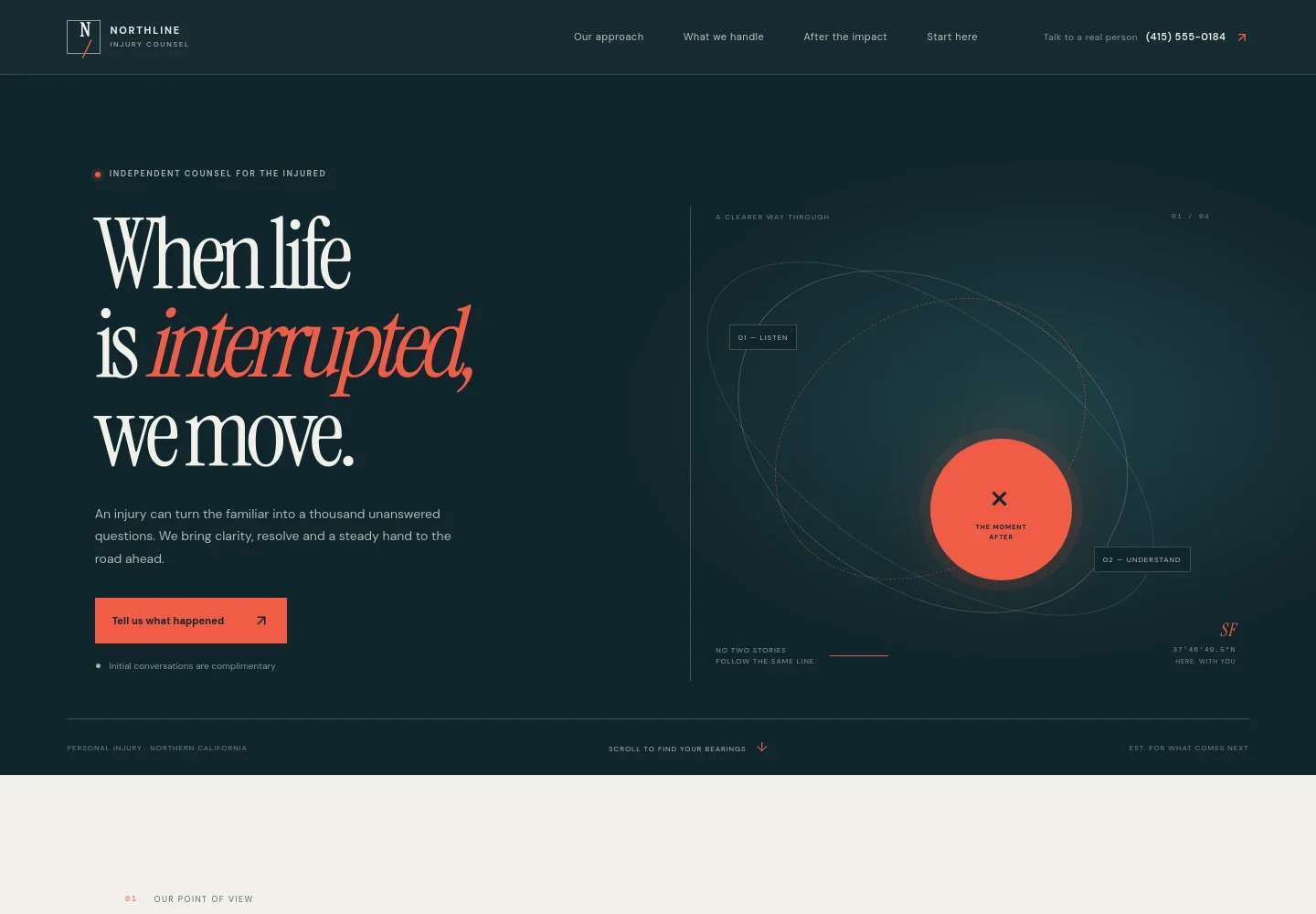
- Hero and contact prompts
- Introduces the practice with a clear message for injured people, an abstract impact-inspired graphic and a prominent invitation to share what happened. Phone contact and a complimentary initial conversation are also highlighted.
- Approach and principles
- Explains a client-centered approach through listening, clear explanations and careful preparation, giving visitors a sense of how the firm communicates and works.
- Step-by-step case overview
- Shows a three-part path from an initial conversation to learning the facts and advocating for the client. The accompanying note explains that process and timing vary by case.
- Practice areas
- Lists vehicle collisions, unsafe spaces and life-changing harm, with examples such as car, motorcycle, pedestrian and bicycle crashes, dangerous property conditions, and catastrophic injury matters.
- Support after an injury
- Describes the kinds of legal burdens the firm may take on, such as calls, paperwork and difficult conversations, while emphasizing keeping clients informed and involved in decisions.
- Questions before reaching out
- Answers practical questions about whether a visitor must decide immediately, what information may help, how contingency fees can work and why it can be wise to seek legal advice promptly.
- Contact and footer
- Closes with an invitation to discuss what happened, phone and email contact options, and a footer for firm details. Replace the illustrative contact information with the firm's own details.
How to use this template
Open in Revamp
Click Use this template and sign in or create an account. You’ll start with your own copy of the design, ready to personalize.
Bring your content
Replace the sample text, photos, and logo with your own. Share your content, a document, or an existing website, and ask Revamp to adapt the template to your business.
Refine and publish
Ask Revamp to adjust the colors, layout, or sections, or edit directly on the page. Review desktop and mobile, then publish. You can keep making changes after launch.
Put your website to work
Make it easier to manage prospective-client inquiries and consultations. Ask Revamp to add or connect tools that fit your intake and scheduling process.
-

Organize intake and case follow-up
ClioKeep prospective-client inquiries and matter details together. Ask Revamp to add legal client and case management with Clio.
-

Let visitors request a consultation time
CalendlyGive prospective clients a simple way to request a meeting time. Ask Revamp to add consultation booking with Calendly.
-

Keep appointments coordinated
Google CalendarHelp your team manage consultation availability alongside its calendar. Ask Revamp to add scheduling with Google Calendar.
Frequently asked questions
Is this template free?
Yes. This premium template is free to use when you select Use this template. This applies to the template itself.
Can I use my own content?
Yes. Ask Revamp to personalize the text, practice areas, firm details, contact information and other content for your law practice.
Do I need coding skills?
No. Ask Revamp to personalize the content and design in plain language, without coding.
Can I change the design?
Yes. Ask Revamp to adjust the colors, typography, layout and other visual details to suit your firm's identity.
Can I keep editing after publishing?
Yes. You can keep asking Revamp to update your site after launch as your practice, content or design needs change.