About this template
Help prospective clients understand how your kinesiology practice approaches movement, recurring aches, strength, balance, and the activities they want to return to. The page explains a thoughtful process that starts by listening and looking at movement patterns, then builds toward practical steps clients can carry into everyday life.
A focused layout guides visitors from your point of view to the areas you work on and what to expect at a first visit. A direct email invitation gives interested visitors a clear next step.
Who it’s for
Independent kinesiologists and movement practitioners who want to explain their approach, describe the kinds of movement concerns they work with, and invite prospective clients to start a conversation.
What’s included
The page connects your practice philosophy to specific movement concerns and a first-visit overview, helping visitors understand whether your approach fits what they want to do.
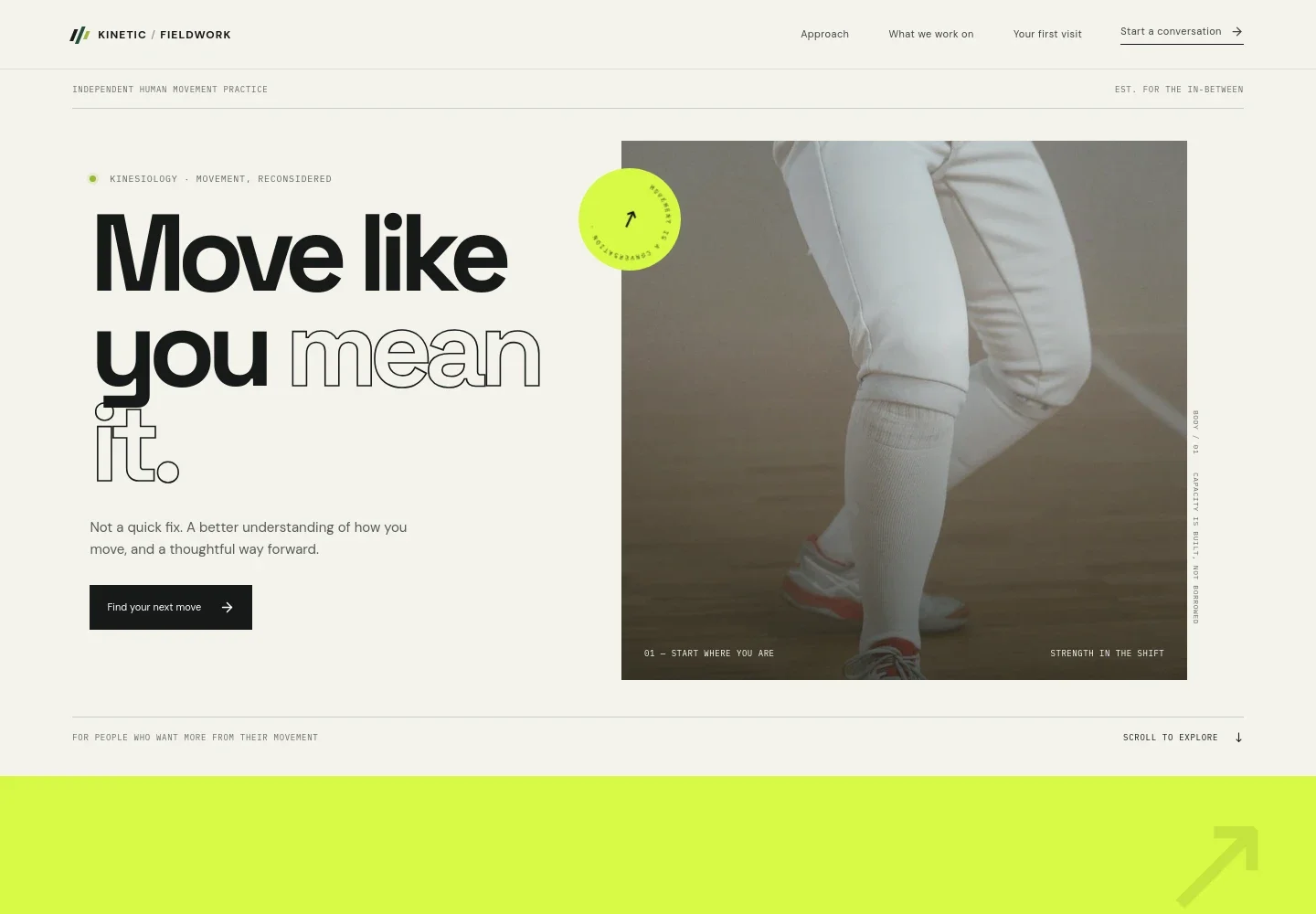
- Movement-focused hero
- A prominent headline and athletic movement photograph introduce kinesiology as a way to better understand how you move. The opening copy sets an expectation of thoughtful progress rather than a quick fix.
- Practice approach
- This section describes looking beyond a sore spot or stuck movement to understand broader patterns, then building a relationship with movement that can extend beyond the practice room.
- Notice, explore, build
- A three-part sequence outlines the practice's guiding ideas: notice movement patterns, explore what feels possible, and build confidence through practice.
- What the practice works on
- Four clearly separated topics cover persistent aches and recurring patterns, strength and balance, returning to valued activities, and understanding the purpose of movement practice. Supporting copy makes each area relevant to everyday life.
- First visit and contact
- A first-visit overview explains that the conversation begins by listening, looking at how the client moves together, and identifying a practical first step. An email call to action invites visitors to begin.
- Practice identity and navigation
- The branded header links to the approach, practice topics, and first-visit information. A matching footer closes the page and provides a return-to-top link.
How to use this template
Open in Revamp
Click Use this template and sign in or create an account. You’ll start with your own copy of the design, ready to personalize.
Bring your content
Replace the sample text, photos, and logo with your own. Share your content, a document, or an existing website, and ask Revamp to adapt the template to your business.
Refine and publish
Ask Revamp to adjust the colors, layout, or sections, or edit directly on the page. Review desktop and mobile, then publish. You can keep making changes after launch.
Put your website to work
Make it easier for prospective clients to request a visit and for your practice to manage inquiries. Ask Revamp to add or connect scheduling and client-management tools that suit your workflow.
-

Offer convenient appointment requests
CalendlyLet prospective clients choose a suitable time for an initial conversation or appointment. Ask Revamp to add appointment booking with Calendly.
-

Keep client information organized
Jane AppManage client records, appointments, and practice administration in one place. Ask Revamp to connect your website with Jane App.
-

Coordinate appointments with your calendar
Google CalendarKeep appointment scheduling aligned with your availability. Ask Revamp to add Google Calendar booking options.
Frequently asked questions
Is this template free?
Yes. This premium template is free to use when you select Use this template. Free refers to the template, not hosting or other services.
Can I use my own content?
Yes. Ask Revamp to personalize the page with your practice name, services, approach, images, contact details, and other content.
Do I need coding skills?
No. You can ask Revamp to personalize the content and design without coding.
Can I change the design?
Yes. Ask Revamp to adjust the page's layout, colors, typography, imagery, and other design details to suit your practice.
Can I keep editing after publishing?
Yes. You can continue asking Revamp to update your content and design after your site launches.


