About this template
Help prospective clients understand your firm's approach, practice areas, and how to begin a conversation. The design presents legal counsel for consequential decisions through clear editorial copy, a distinctive compass motif, and direct paths to the practice and contact sections.
The example firm focuses on business and transactions, complex disputes, and governance and stewardship. Replace these details with your own services, team information, and contact details to reflect your practice.
Who it’s for
Independent law firms, attorneys, and legal practices seeking a polished website to explain their counsel, introduce their approach, and invite prospective clients to get in touch.
What’s included
The page guides visitors from the firm's point of view to its legal services, working relationship, and contact invitation. Its restrained typography, compass-inspired visual, and numbered content sections give complex legal services a clear structure.
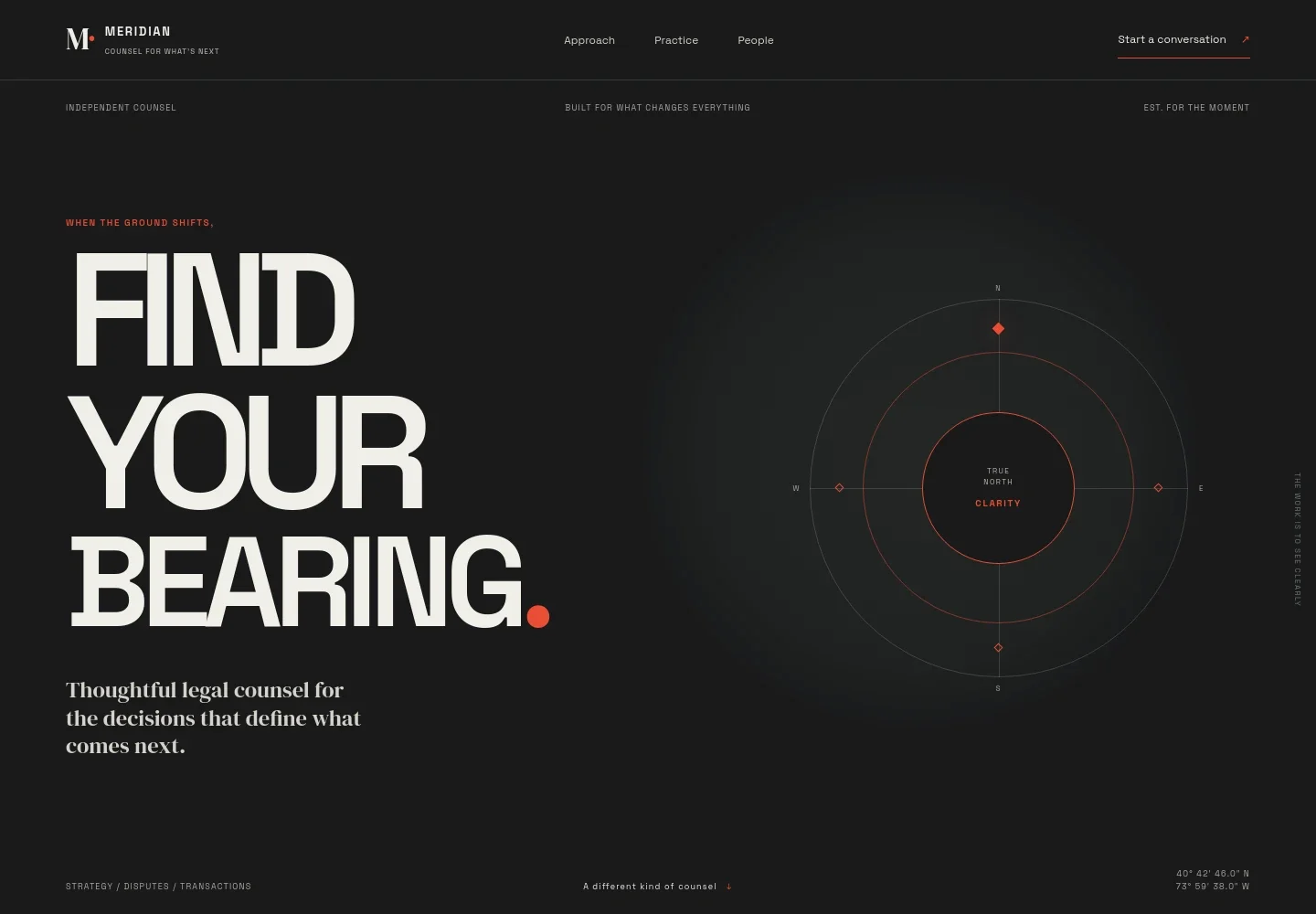
- Hero and navigation
- A prominent legal counsel headline sits alongside an interactive compass motif with four principles: clarity, courage, perspective, and purpose. Navigation links visitors to the approach, practice, people, and contact sections.
- Guiding belief
- A concise statement frames the firm's view that law can open a way forward, setting a clear point of view before visitors read about its services.
- Approach
- Three numbered stages explain how the firm considers the wider situation, makes complex issues clear, and helps clients move with intent. This gives visitors a practical sense of the counsel's working approach.
- Practice areas
- A scannable list presents business and transactions, complex disputes, and governance and stewardship, with short descriptions that help visitors identify relevant services.
- Working relationship
- Copy describes a focused independent practice, senior attention, and plain-spoken advice. An abstract visual separates this section while reinforcing the firm's editorial design.
- Contact invitation
- A clear closing message invites visitors to share what is changing and begin with a conversation, providing a direct email link that customers can personalize with their own contact details.
How to use this template
Open in Revamp
Click Use this template and sign in or create an account. You’ll start with your own copy of the design, ready to personalize.
Bring your content
Replace the sample text, photos, and logo with your own. Share your content, a document, or an existing website, and ask Revamp to adapt the template to your business.
Refine and publish
Ask Revamp to adjust the colors, layout, or sections, or edit directly on the page. Review desktop and mobile, then publish. You can keep making changes after launch.
Put your website to work
Make it easier to manage enquiries, schedule consultations, and organize client matters. Ask Revamp to add or connect tools that suit your firm's intake and practice-management needs.
-

Schedule consultations
CalendlyGive prospective clients a straightforward way to request a meeting. Ask Revamp to add consultation booking with Calendly.
-

Organize client matters
ClioKeep matter details, client records, and legal work organized in one practice-management system. Ask Revamp to connect Clio to your client workflow.
-

Coordinate meeting availability
Google CalendarHelp visitors find a suitable time for an initial discussion. Ask Revamp to add appointment scheduling with Google Calendar.
Frequently asked questions
Is this template free?
Yes. This premium template is free to use when you select Use this template. This applies to the template itself.
Can I use my own content?
Yes. Ask Revamp to personalize the page with your firm's name, practice areas, team information, and contact details.
Do I need coding skills?
No. You can ask Revamp to personalize the content and design without coding.
Can I change the design?
Yes. Ask Revamp to adjust the page's visual style and layout to suit your firm.
Can I keep editing after publishing?
Yes. You can keep making changes after launch by asking Revamp to update your website.