About this template
Help visitors see the people, places, and everyday moments behind your lifestyle photography. This design pairs intimate imagery with clear descriptions of your sessions and approach, then gives prospective clients a direct way to start a conversation.
The page moves from a featured photo and sample work into your creative approach, what a session can feel like, and a contact invitation. Its editorial typography, generous image space, and warm, understated details support a personal photography style without making the work feel overproduced.
Who it’s for
Lifestyle photographers and independent photography studios offering family sessions, personal portraits, home and lifestyle imagery, or photographs of small celebrations.
What’s included
The visible page guides prospective clients from a strong portfolio impression to a clearer sense of your photography and session experience, ending with a simple invitation to get in touch.
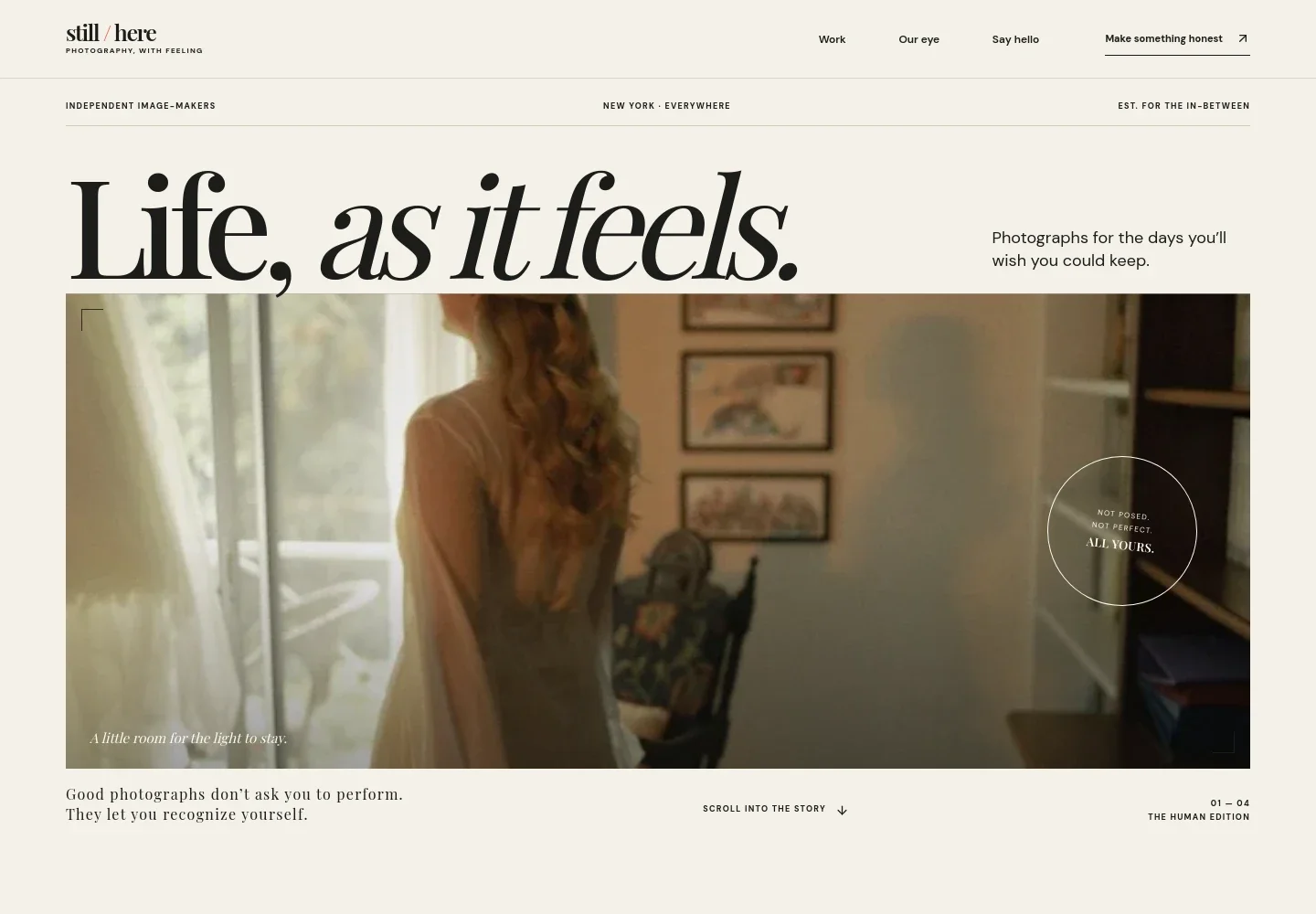
- Photographic hero
- An oversized lifestyle portrait introduces the studio's point of view, with a concise headline and supporting copy that frames the work as personal and unposed.
- Featured work and session types
- A prominent image and accompanying text introduce family sessions, personal stories, and everyday rituals. The layout gives visitors both a visual example and context for the kinds of photography offered.
- Photography approach
- A dedicated editorial section pairs an image with a short statement about noticing candid moments and helping people feel at ease. It lets photographers explain their style in their own voice.
- What a session is like
- Three numbered steps describe an initial conversation, finding a comfortable setting and rhythm, and receiving a finished collection of photographs. This makes the experience easier for prospective clients to picture.
- Contact invitation
- A closing image, concise invitation, and email link give visitors a clear next step to ask about a session or share what they want to remember.
- Studio footer
- A minimal footer repeats the studio identity and offers a return-to-top link, closing the page without distracting from the photographs.
How to use this template
Open in Revamp
Click Use this template and sign in or create an account. You’ll start with your own copy of the design, ready to personalize.
Bring your content
Replace the sample text, photos, and logo with your own. Share your content, a document, or an existing website, and ask Revamp to adapt the template to your business.
Refine and publish
Ask Revamp to adjust the colors, layout, or sections, or edit directly on the page. Review desktop and mobile, then publish. You can keep making changes after launch.
Put your website to work
Make it easier to coordinate inquiries, session dates, and client details. Ask Revamp to add or connect photography business tools that fit the way you work.
-

Simplify session scheduling
CalendlyLet prospective clients choose a time to talk about a shoot. Ask Revamp to add consultation booking with Calendly.
-

Keep client details organized
DubsadoTrack inquiries, session notes, and client communication in one place. Ask Revamp to connect Dubsado for photography client management.
-

Coordinate dates and availability
Google CalendarManage session appointments alongside your calendar. Ask Revamp to add Google Calendar scheduling for photography inquiries.
Frequently asked questions
Is this template free?
Yes. This premium template is free to use when you select Use this template. This applies to the template itself.
Can I use my own content?
Yes. Ask Revamp to personalize the page with your photography, studio name, session details, writing, and contact information.
Do I need coding skills?
No. Ask Revamp to personalize the content and design for your photography business without coding.
Can I change the design?
Yes. Ask Revamp to adjust the layout, colors, typography, imagery, and other design details to suit your studio.
Can I keep editing after publishing?
Yes. You can keep editing after launch. Ask Revamp to update your photographs, session information, design, or contact details as your business changes.


