About this template
Help prospective clients understand how your team brings live experiences to audiences on screen. The design introduces live production, broadcast design, stream strategy, and audience experience, with a clear point of view about making remote viewers feel part of the moment.
A full-bleed live-event image, editorial headlines, audience-focused imagery, and a structured service list give visitors a quick sense of your work. The approach section explains how you shape a project around the audience and its defining moment, while the closing contact section invites a conversation.
Who it’s for
Independent live streaming studios, broadcast production teams, and event producers who want to explain their services and approach to prospective clients.
What’s included
The page guides visitors from your perspective on live experiences to your services, working approach, and a direct invitation to discuss a project.
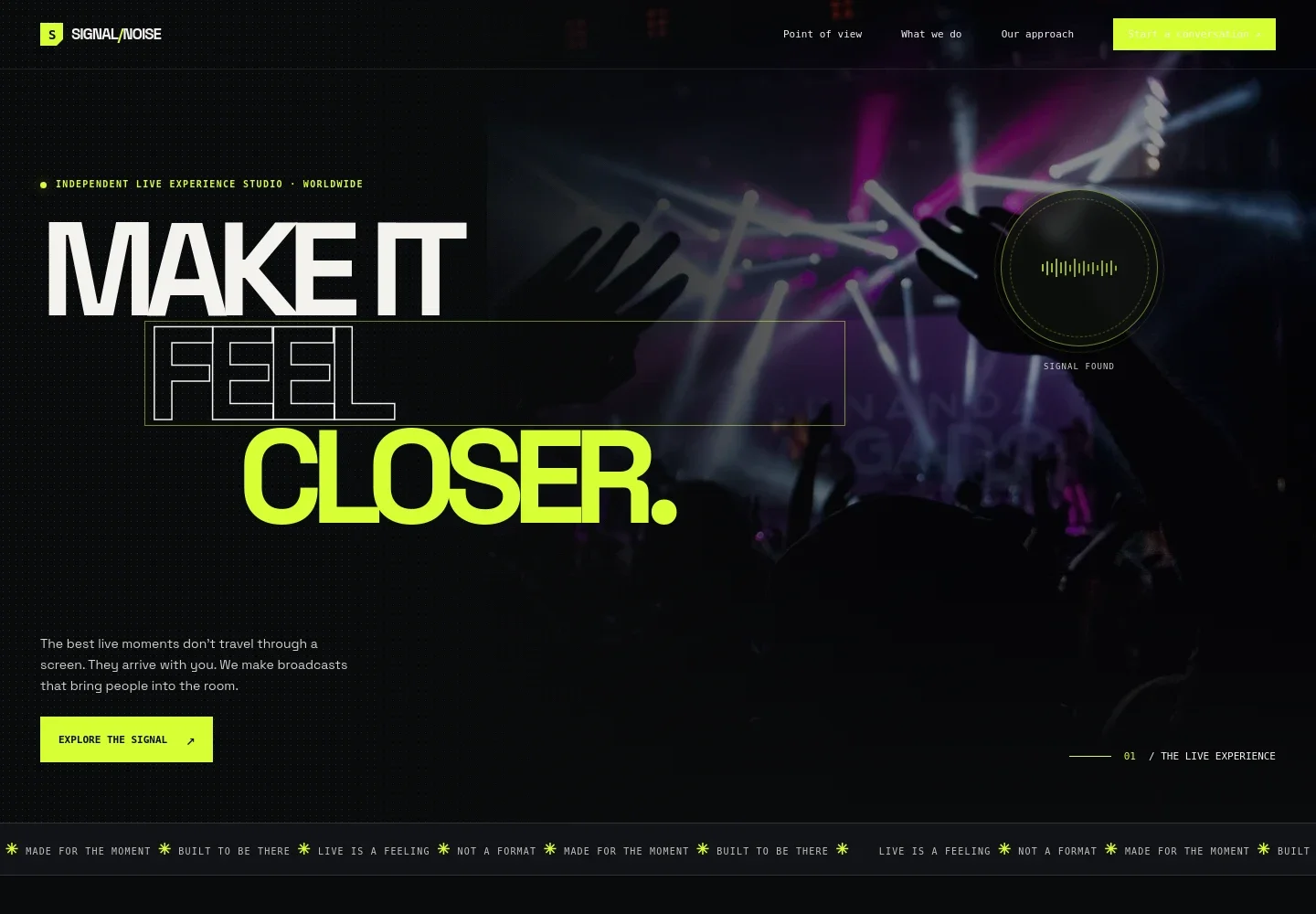
- Live experience hero
- A large live-performance image, prominent headline, short introduction, and link to the services section establish the studio’s focus and lead visitors into the page.
- Point of view
- A concise manifesto frames a livestream as a shared place rather than simply a camera pointed at a stage, helping visitors understand the audience experience behind your work.
- Audience experience
- Supporting copy and live-event imagery describe the sense of participation and shared moments the studio aims to create for remote viewers.
- Services
- Four linked service rows explain live production, broadcast design, stream strategy, and audience experience, giving prospective clients a clear overview of the work offered.
- How we work
- A studio image and process copy describe starting with what the audience should remember, then shaping the story, stage, screen, and signal. The sequence Listen, Shape, Rehearse, Go live makes the approach easy to scan.
- Contact invitation
- A closing prompt asks what the visitor is making and provides a contact link, creating a direct next step for starting a project conversation.
- Footer navigation
- The footer repeats the studio wordmark and provides a return-to-top link alongside contact and copyright details.
How to use this template
Open in Revamp
Click Use this template and sign in or create an account. You’ll start with your own copy of the design, ready to personalize.
Bring your content
Replace the sample text, photos, and logo with your own. Share your content, a document, or an existing website, and ask Revamp to adapt the template to your business.
Refine and publish
Ask Revamp to adjust the colors, layout, or sections, or edit directly on the page. Review desktop and mobile, then publish. You can keep making changes after launch.
Put your website to work
Make it easier to plan projects, coordinate production, and follow up with prospective clients. Ask Revamp to add connections to tools your studio uses.
-

Coordinate project schedules
Google CalendarKeep production dates and team calendars organized. Ask Revamp to add calendar coordination with Google Calendar.
-

Organize client inquiries
HubSpotTrack prospective clients and conversations in one place. Ask Revamp to connect your inquiry process with HubSpot.
-

Make an introductory call easy to book
CalendlyLet prospective clients request a time to discuss a project. Ask Revamp to add consultation booking with Calendly.
Frequently asked questions
Is this template free?
Yes. This premium template is free to use through Use this template. Free refers to the template itself.
Can I use my own content?
Yes. Ask Revamp to personalize the copy, images, services, and contact details for your live streaming business.
Do I need coding skills?
No. You can ask Revamp to make content and design changes without coding.
Can I change the design?
Yes. Ask Revamp to adjust the layout, colors, imagery, and other design choices to suit your studio.
Can I keep editing after publishing?
Yes. You can keep asking Revamp to update your site after launch.


