About this template
Help prospective customers understand how your logistics business can coordinate freight across ocean, air, road and rail. The layout explains your approach to shipment planning, visibility and supply chain coordination before inviting visitors to start a conversation.
A route illustration, cargo and port photography, and clearly numbered sections give visitors a visual way to follow the story, from your operating approach to specific freight capabilities and a contact prompt.
Who it’s for
Freight forwarders, logistics providers, transportation companies and supply chain teams that want to explain their services and invite business enquiries.
What’s included
The page pairs a clear freight-services narrative with practical next steps. Visitors can review your approach, see how different transport modes fit together, scan capabilities and find a direct contact prompt.
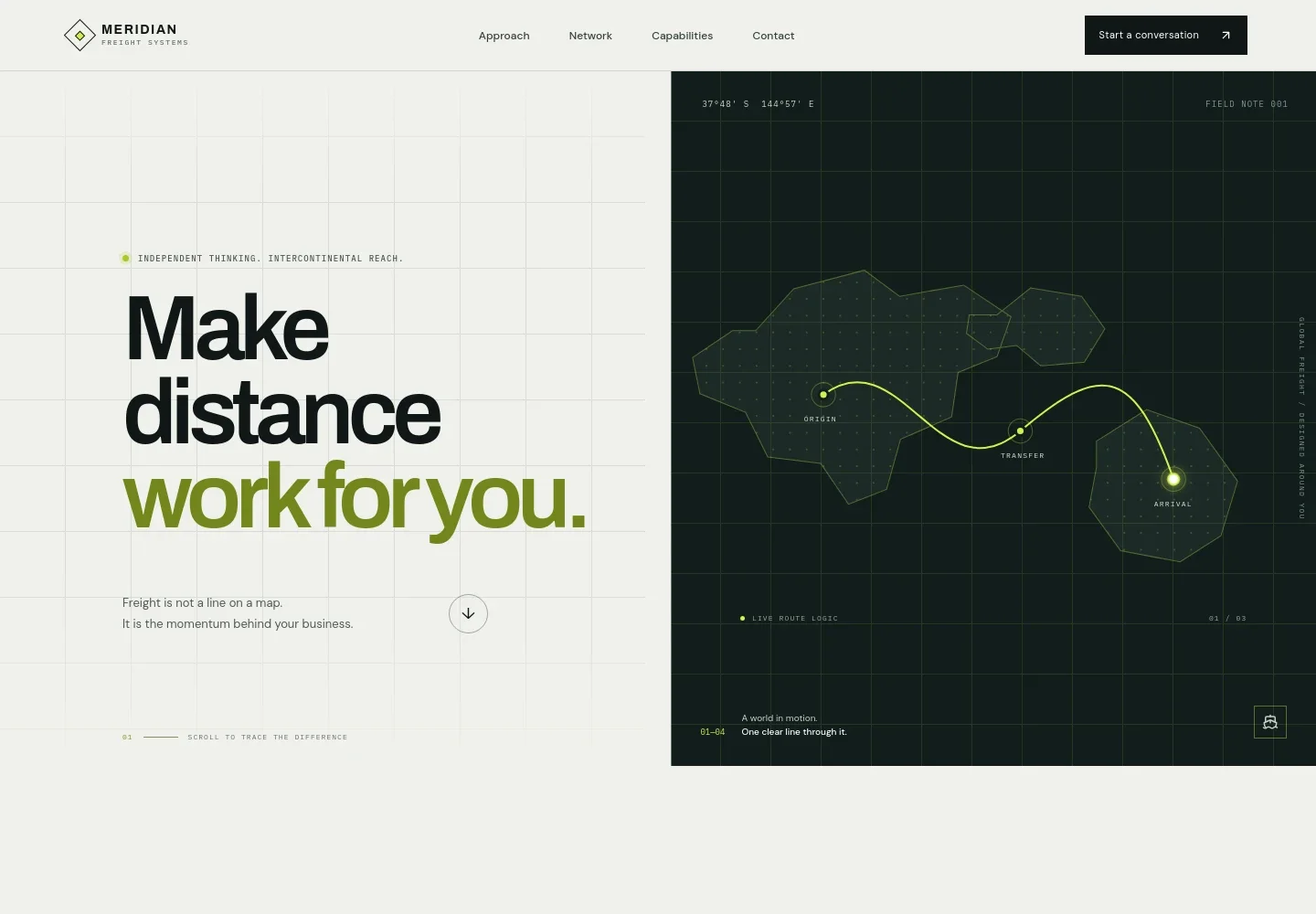
- Freight-focused hero
- A prominent headline and illustrated global route introduce the idea of coordinated freight movement. The origin, transfer and arrival markers make the logistics theme immediately legible.
- Approach
- An editorial section explains a clarity-led approach to logistics, including anticipating pressure points and grounding decisions in current conditions.
- Multimodal freight story
- Cargo vessel photography accompanies a description of bringing ocean, air, road and rail into a considered plan shaped around timing and cargo.
- Shipment visibility
- A port terminal image and supporting copy frame visibility as timely context, clear next steps and help understanding exceptions.
- Capabilities
- A numbered list describes ocean freight, air freight, road and rail, and supply chain coordination, with concise explanations of each service.
- Contact invitation
- A closing call to action asks visitors to share what they are moving, where it needs to go and what matters most, followed by an email link.
- Footer navigation
- The footer repeats the company identity, a short positioning line, a back-to-top link and a copyright line.
How to use this template
Open in Revamp
Click Use this template and sign in or create an account. You’ll start with your own copy of the design, ready to personalize.
Bring your content
Replace the sample text, photos, and logo with your own. Share your content, a document, or an existing website, and ask Revamp to adapt the template to your business.
Refine and publish
Ask Revamp to adjust the colors, layout, or sections, or edit directly on the page. Review desktop and mobile, then publish. You can keep making changes after launch.
Put your website to work
Give customers clearer shipment updates, organize freight operations and manage enquiries. Ask Revamp to add connections with the logistics tools your business uses.
-

Share shipment milestones
project44Give customers a place to follow shipment status and delivery updates. Ask Revamp to connect project44 for shipment visibility.
-

Coordinate freight operations
CargoWiseKeep freight bookings and operational details organized in one transportation system. Ask Revamp to connect CargoWise.
-

Manage customer enquiries
HubSpotHelp your team track business enquiries and follow-up conversations. Ask Revamp to connect HubSpot for customer relationship management.
Frequently asked questions
Is this template free?
Yes. The premium template is free to use when you select Use this template. This applies to the template itself.
Can I use my own content?
Yes. Ask Revamp to personalize the page with your company name, freight services, service areas, images and contact details.
Do I need coding skills?
No. Ask Revamp to personalize the content and design for your logistics business without coding.
Can I change the design?
Yes. Ask Revamp to change the layout, colors, typography, imagery or other design details to suit your business.
Can I keep editing after publishing?
Yes. You can keep editing after launch. Ask Revamp to update your services, content or design as your business changes.


